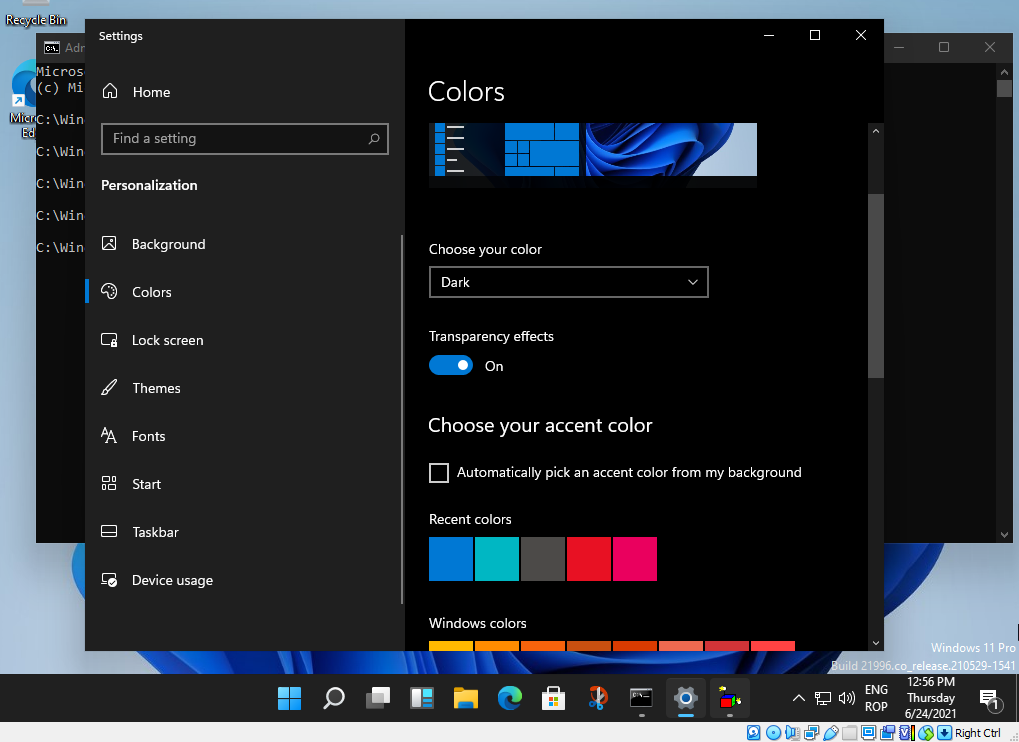
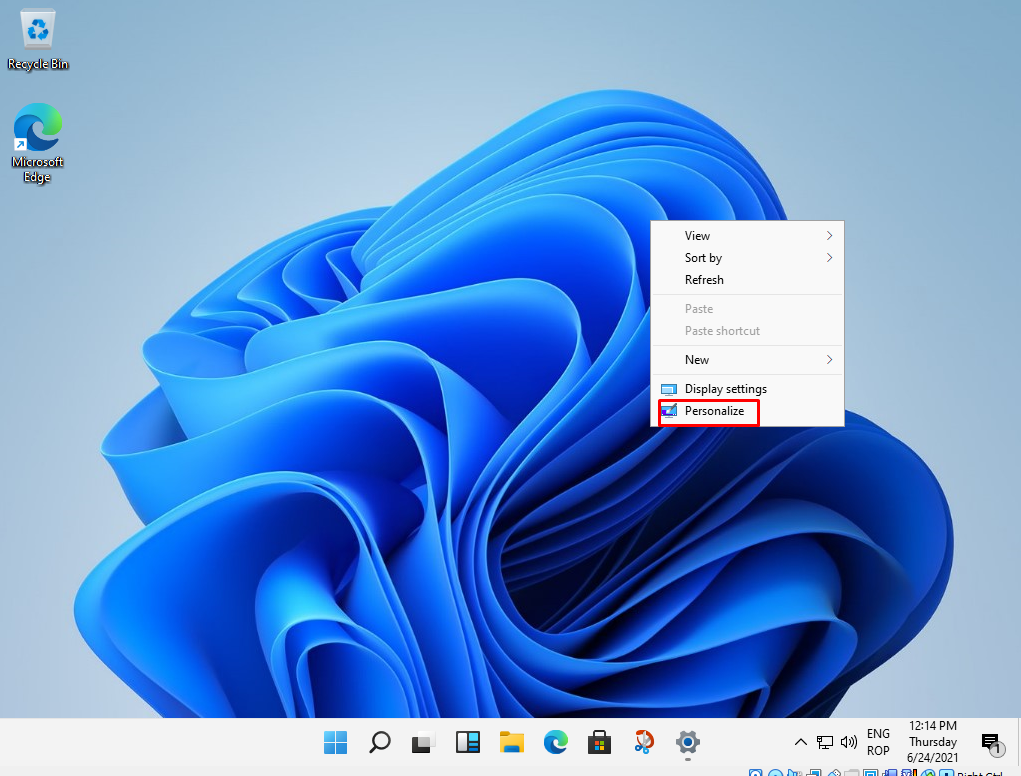
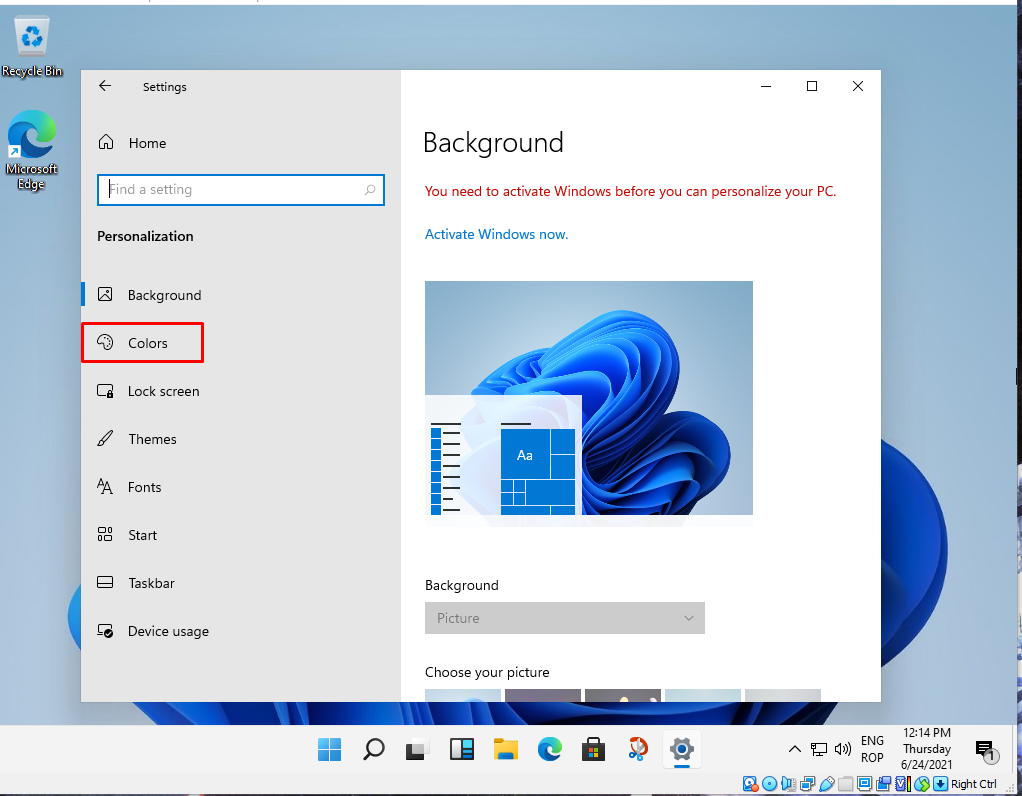
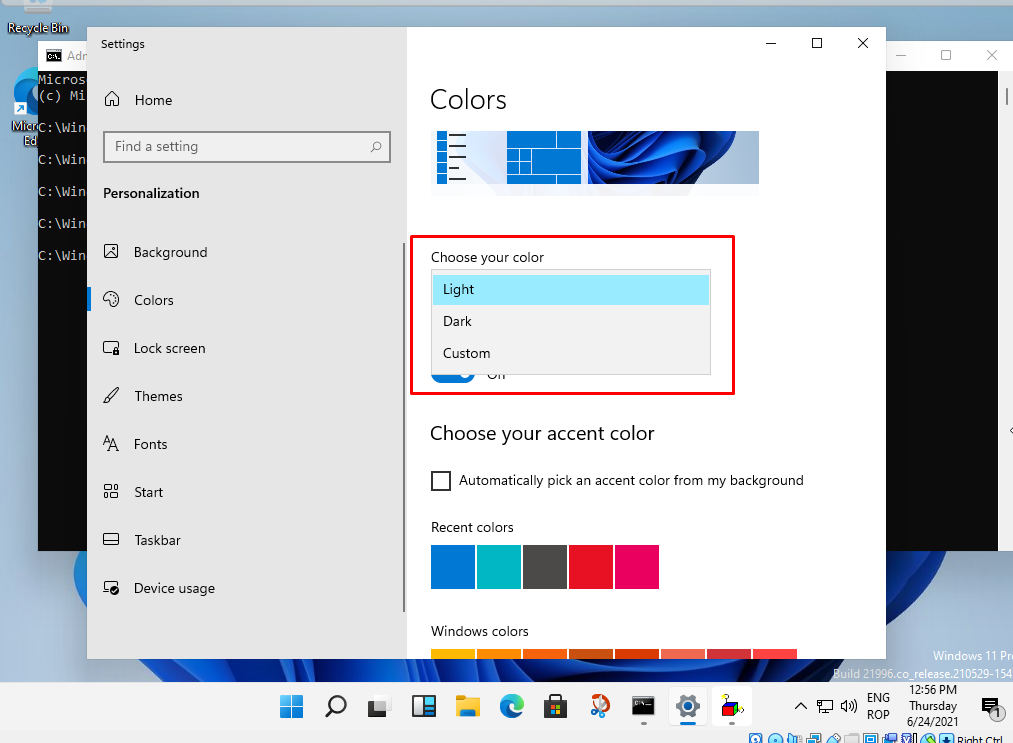
Cum activam dark mode-ul in windows 11 Data 24/06/2021 Autor tudorache mihai Categorie OS - Windows, Soluții 1 429 Configurare noua (How To) SituatiePentru a schimba tema din light in dark trebuie sa selectam click dreapta pe ecran. Solutie Pasi de urmat Dam click dreapta si selectam Personalize: Selectam optiunea Colors Selectam culoarea din light in dark: Tip solutiePermanent Voteaza Up Down (18 din 35 persoane apreciaza acest articol) ShareTweetShare Despre Autor tudorache mihai Solutii Asemanatoare 3 annoying Windows apps you can replace with an Excel spreadsheet 2 3 Linux commands you’ve overlooked for too long -1 Cum schimbam automat fundalul in Windows in funcție de zi și noapte 1 Cum redimensionam si convertim imagini instant direct din Windows File Explorer 5 Hybrid Cloud Networking: designing reliable connectivity between On-Premises infrastructure and Azure 1 Enterprise Infrastructure Observability: moving beyond Traditional Server monitoring 0 Leave A Comment? × Cancel Reply Save my name, email, and website in this browser for the next time I comment. 9 − = eight
Leave A Comment?