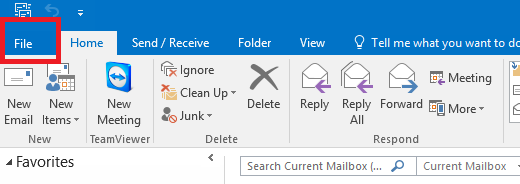
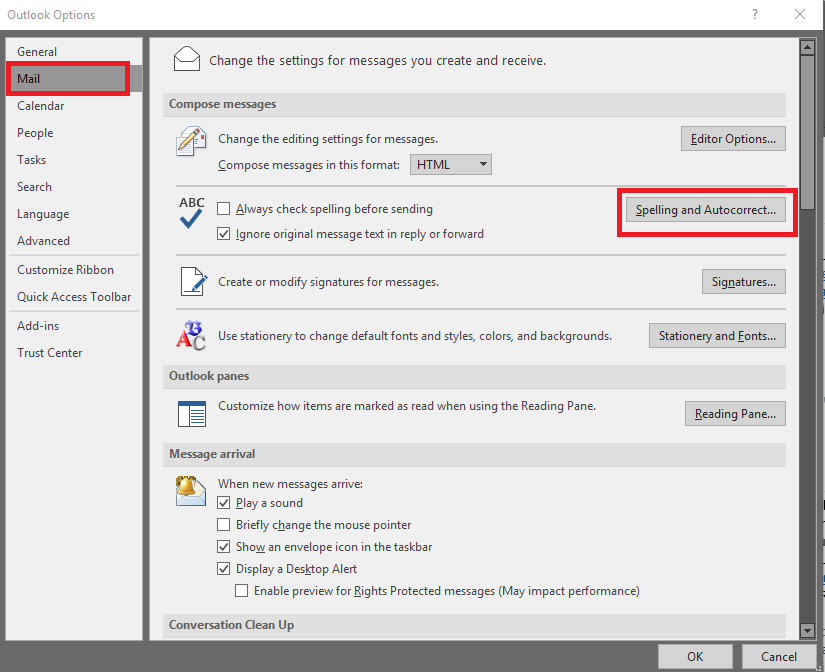
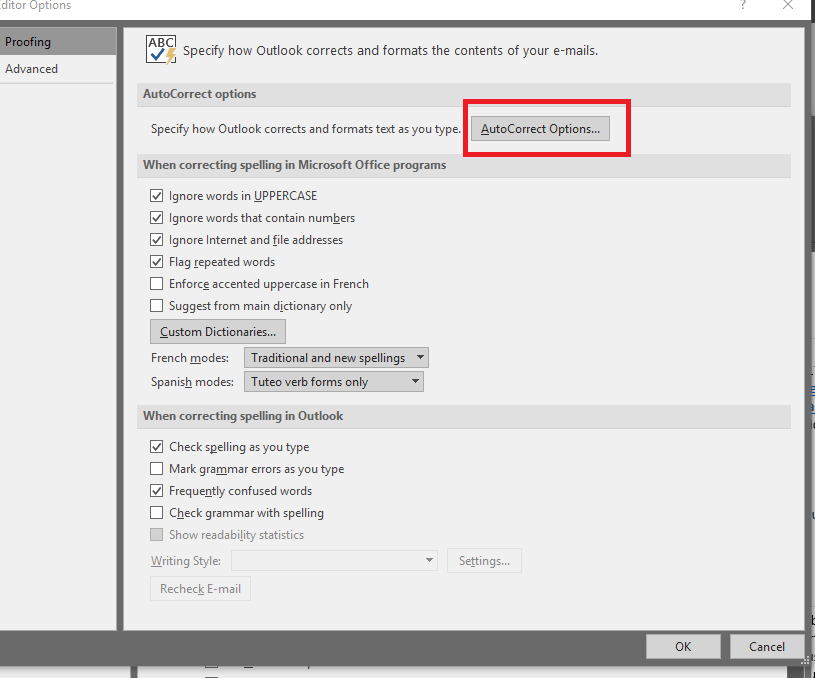
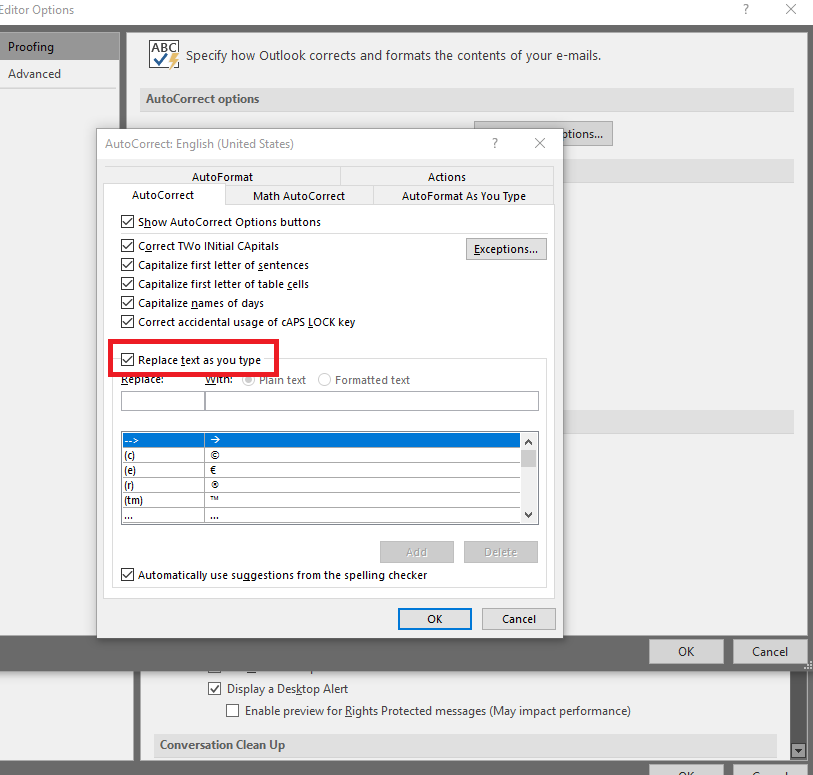
Cum sa dezactivezi autocorrect in Outlook 2016 Data 17/09/2019 Autor alexandru vasilief Categorie E-mail 2 853 Configurare noua (How To) SituatieCum sa dezactivezi autocorrect in Outlook 2016 Solutie Pasi de urmat Deschidem Outlook Click pe File Alegem Options Selectam Mail si alegem Spelling And Autocorrect Selectam AutoCorrect Options Debifam Replace text as you type Click pe OK Tip solutiePermanent Voteaza Up Down (30 din 58 persoane apreciaza acest articol) ShareTweetShare Despre Autor alexandru vasilief Solutii Asemanatoare Email Security – protejarea conturilor de email 1 De ce nu-ți vine un email și cum verifici rapid 4 Cum pot primi notificări pe Slack pentru e-mailurile urgente din Gmail fără să folosesc cod? -1 Configurare Server Mail Postfix & Dovecot 11 Configurare client outlook pentru mail hostat in Postfix & Dovecot 4 Remedierea erorii 500 (Internal Server Error) în Dropbox 13 Leave A Comment? × Cancel Reply Save my name, email, and website in this browser for the next time I comment. × 7 = twenty eight

Leave A Comment?