
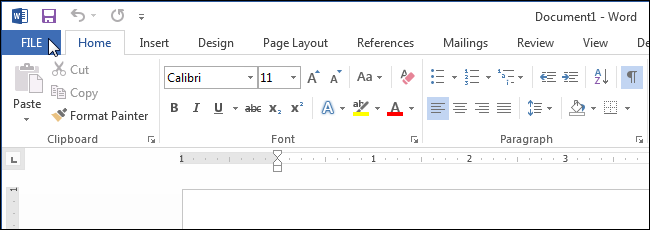
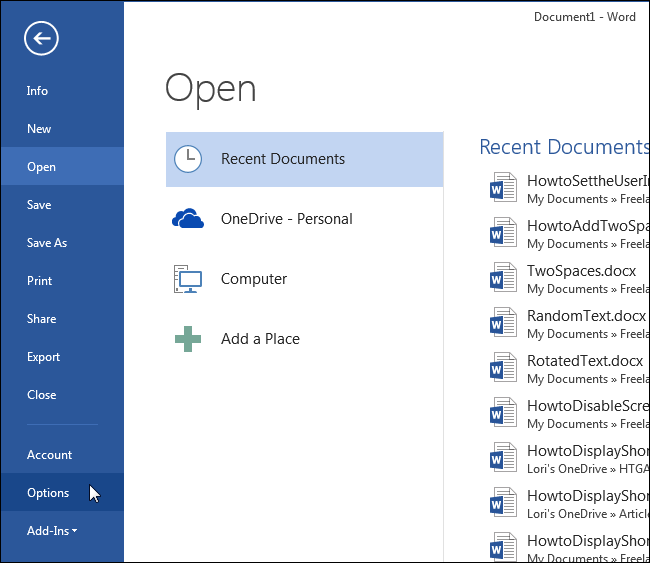
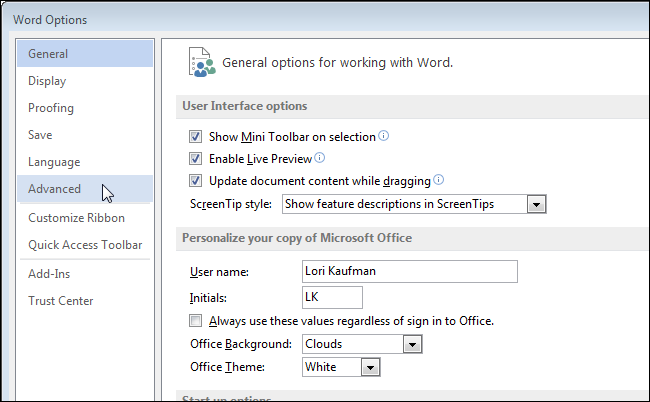
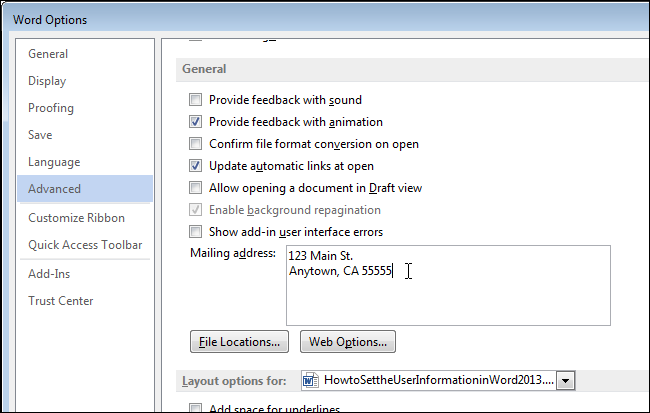
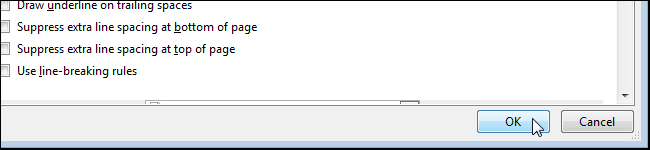
Cum sa iti personalizezi Microsoft Word 2013 Data 14/05/2015 Autor Mihnea I Categorie Configurare program, Aplicatii specifice, Stații de lucru -1 1933 Configurare noua (How To) SituatieDoresti sa iti personalizezi Microsoft Word 2013 Solutie Pasi de urmat Apasam prima data pe tab-ul “File” In fereastra noua apasam pe butonul “Options” care se afla in partea stanga: In “Word Option” se va selecta butonul “Advanced”: Dupa ce am selectat “Advanced” vom face scroll pana ajungem la “Genera”, iar aici vom introduce datele care vrem sa ne apara: Dupa ce am introdus datele apasam pe butonul “Ok” pentru a finaliza operatiunea. Tip solutiePermanent Voteaza Up Down (29 din 59 persoane apreciaza acest articol) ShareTweetShare Despre Autor Mihnea I Solutii Asemanatoare How to solve “100% Disk Usage” and freezes in Windows by changing PCI express Link state power management 2 5 ways I use randomization in my Home Assistant setup 4 Windows has built-in repair tools that work better than any paid optimizer 3 Your Linux desktop is frozen, but your work isn’t lost 1 Cum remediem erorile: WHEA_UNCORRECTABLE_ERROR, CRITICAL_PROCESS_DIED in Windows Server 4 Delayed mesaj de eroare când încercați să accesați un folder partajat care nu mai există în Windows 1 Leave A Comment? × Cancel Reply Save my name, email, and website in this browser for the next time I comment. eight − = six
Leave A Comment?