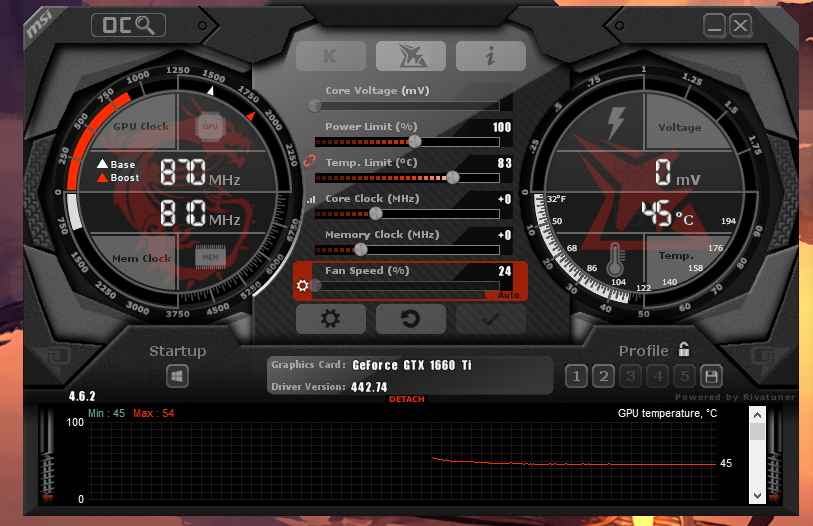
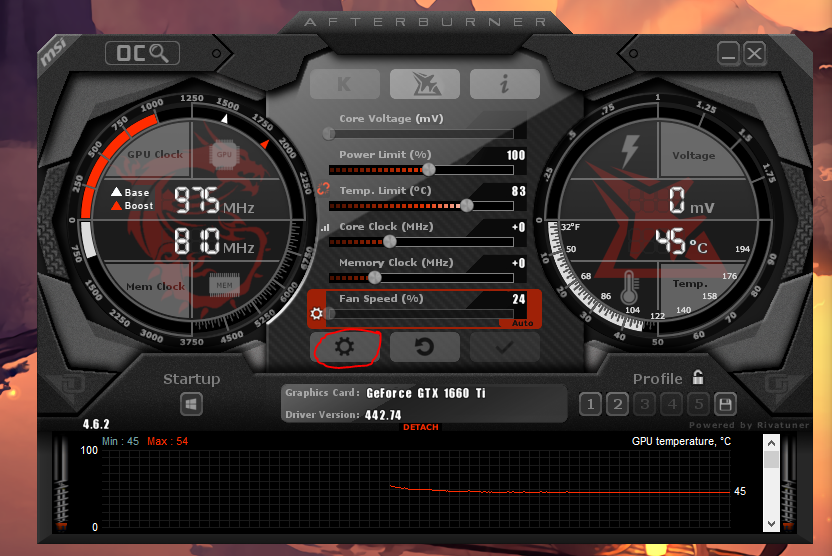
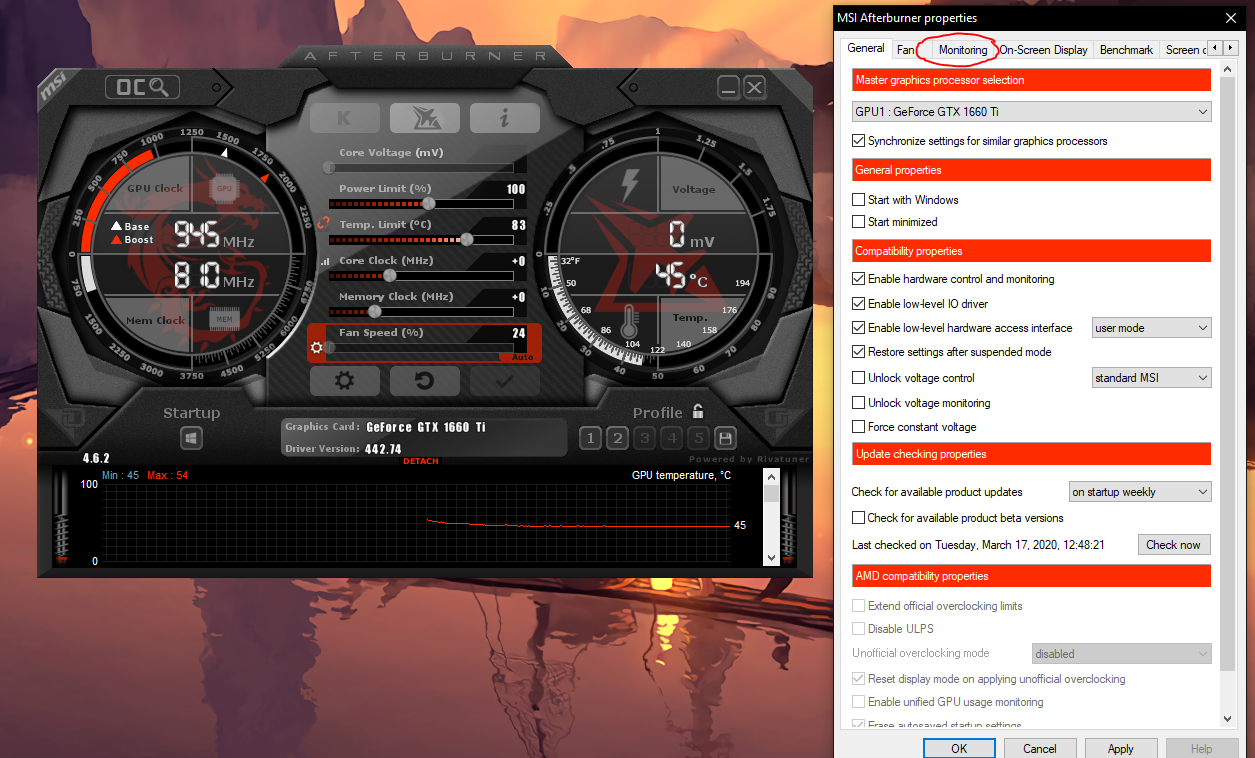
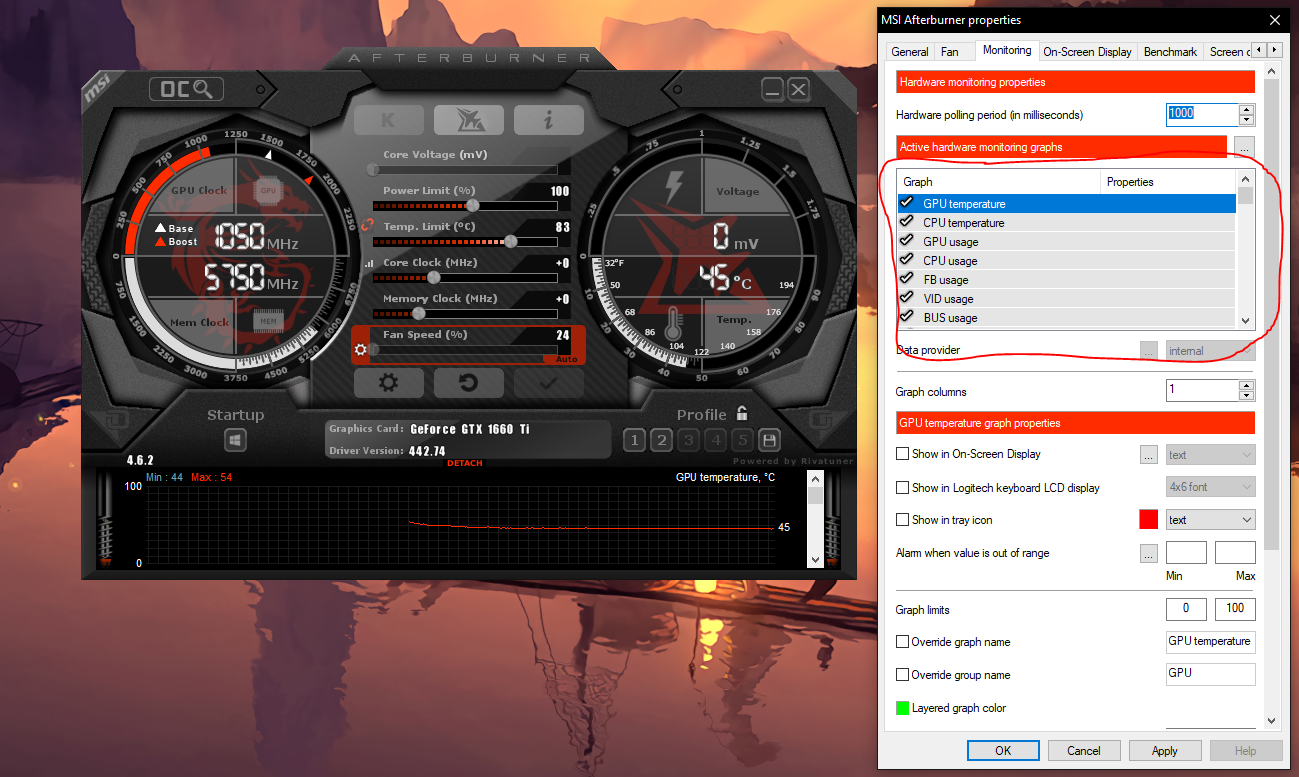
Cum sa monitorizam pe ecran datele de system Data 22/04/2020 Autor dan andrei pagu Categorie Soluții, Aplicații -10 1115 Configurare noua (How To) Situatie1.Deschidem aplicatia 2.Apasati pe iconita de setari 3.Mergeti pe tab-ul monitoring 4.Selectati ce date doriti sa apara in aplicatie, puteti selecta mai jos de “Active hardware monitoring graphs” Solutie . Tip solutiePermanent Voteaza Up Down (24 din 59 persoane apreciaza acest articol) ShareTweetShare Despre Autor dan andrei pagu Solutii Asemanatoare Cum schimbati diferite permisiuni pentru aplicatii pe Xiaomi Redmi Note 11 Pro+ 5G 1 Analyze Linux Authentication Logs using AI 3 Explain Wireshark captures using AI 0 Review Bash Scripts before running them using AI 0 Analyze Nmap Scan results using AI 3 Activarea multi-sesiunilor pentru Remote Desktop pe Windows Server 3 Leave A Comment? × Cancel Reply Save my name, email, and website in this browser for the next time I comment. 5 × three =

Leave A Comment?