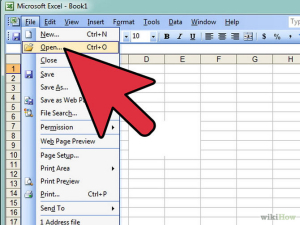
Cum sa repari un document EXCEL Data 16/03/2015 Autor Mihnea I Categorie OS - Windows, Aplicatii specifice, Stații de lucru 3 1128 Configurare noua (How To) SituatieUn fisier excel nu se poate deschide deoarece este defect. Solutie Pasi de urmat Deschidem un nou fisier excel si selectam sa deschidem fisierul defect: Seletam fisierul excel respectiv si jos in dreapta selectam Open and Repair: Tip solutiePermanent Voteaza Up Down (28 din 53 persoane apreciaza acest articol) ShareTweetShare Despre Autor Mihnea I Solutii Asemanatoare Spyware-ul pe înțelesul tuturor: cum îl eviți? 0 How to enable hidden CPU performance boost mode on Windows 11 0 Cum remediem: you can’t Sign in with this account error In Windows 11 2 Remediere: ASSIGN_DRIVE_LETTERS_FAILED 1 Shortcut close the current window of Google Chrome -1 Shortcut close the current tab in Google Chrome -1 Leave A Comment? × Cancel Reply Save my name, email, and website in this browser for the next time I comment. nine + 4 =
Leave A Comment?
