Situatie
Pentru schimbare adresei serverului DNS urmați pașii de mai jos.
Solutie
Pasi de urmat
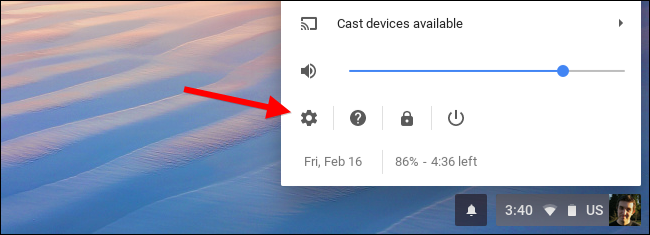
Deschideți Setările
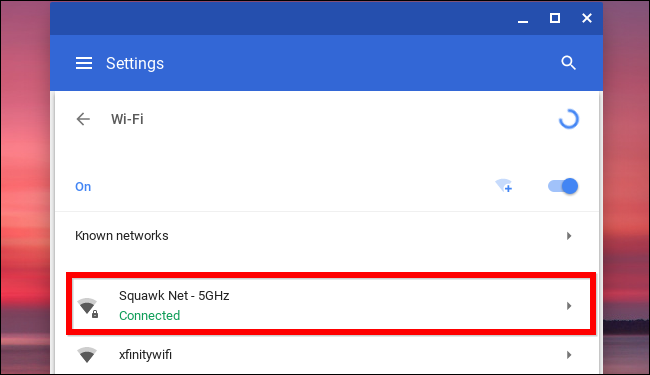
Selectați Wi-Fi

Alegeți adresa Wi-Fi
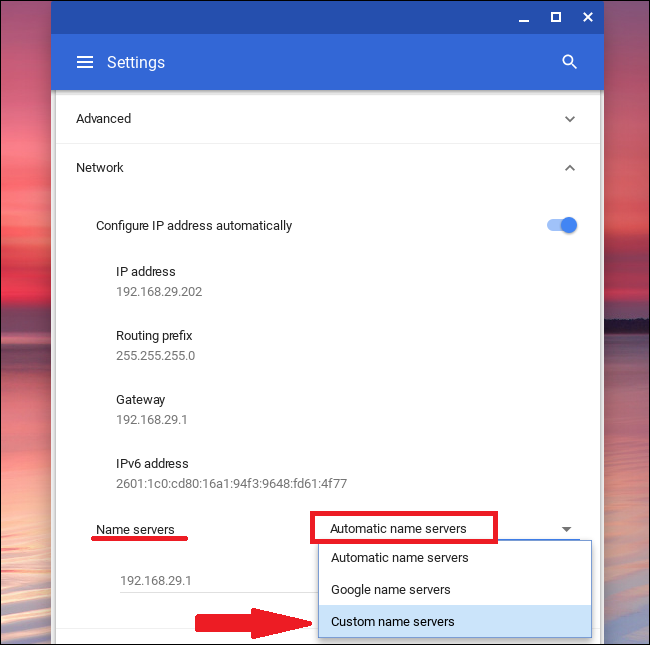
La secțiunea “Name Servers” alegeți “Custom name servers”
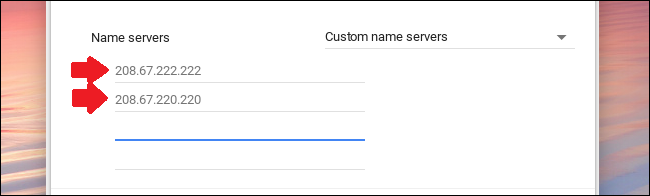
Schimbați adresele serverului DNS.

Soluții pentru problemele tale IT
Pentru schimbare adresei serverului DNS urmați pașii de mai jos.
Deschideți Setările
Selectați Wi-Fi
Alegeți adresa Wi-Fi
La secțiunea “Name Servers” alegeți “Custom name servers”
Schimbați adresele serverului DNS.
Leave A Comment?