
Situatie
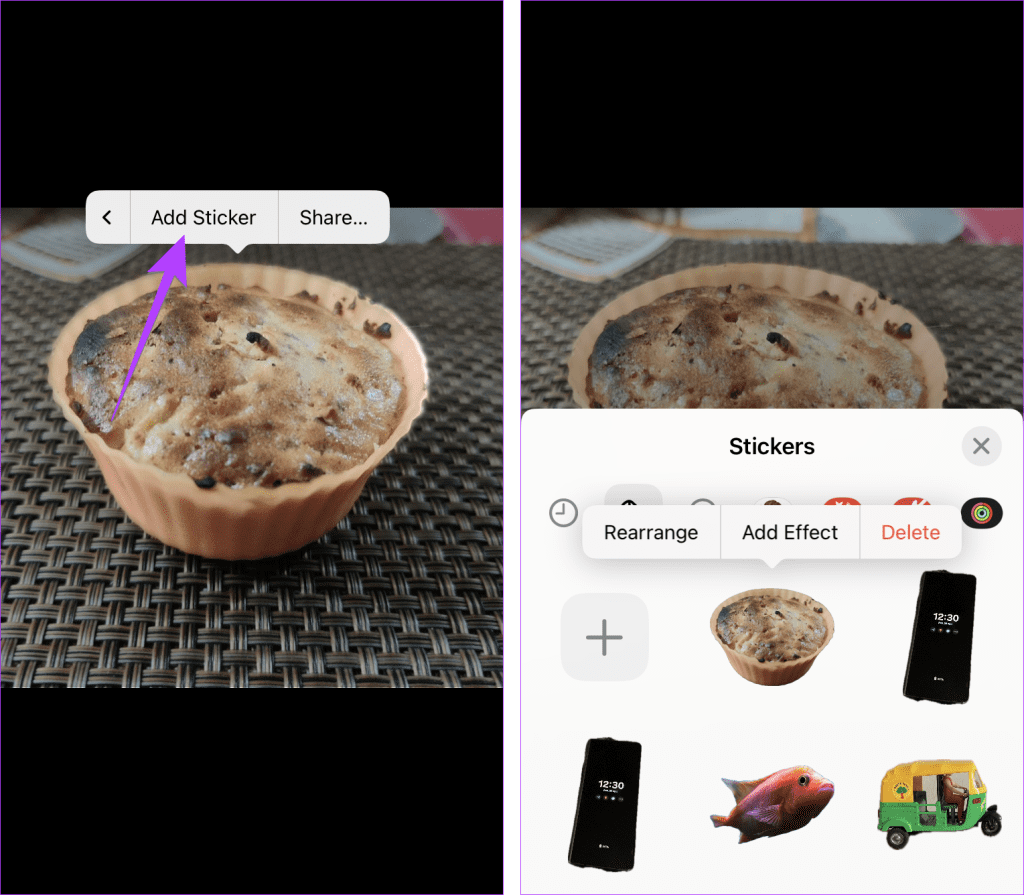
In this method, first, you need to add the sticker to the sticker gallery. Once in the sticker gallery, use the Markup editor in any app like Photos to paste the sticker on your picture as shown below:
Solutie
Pasi de urmat
Open the picture you want to convert into a sticker in the Photos app. Long-press on the subject and select Add Sticker from the menu to add it to the sticker gallery.
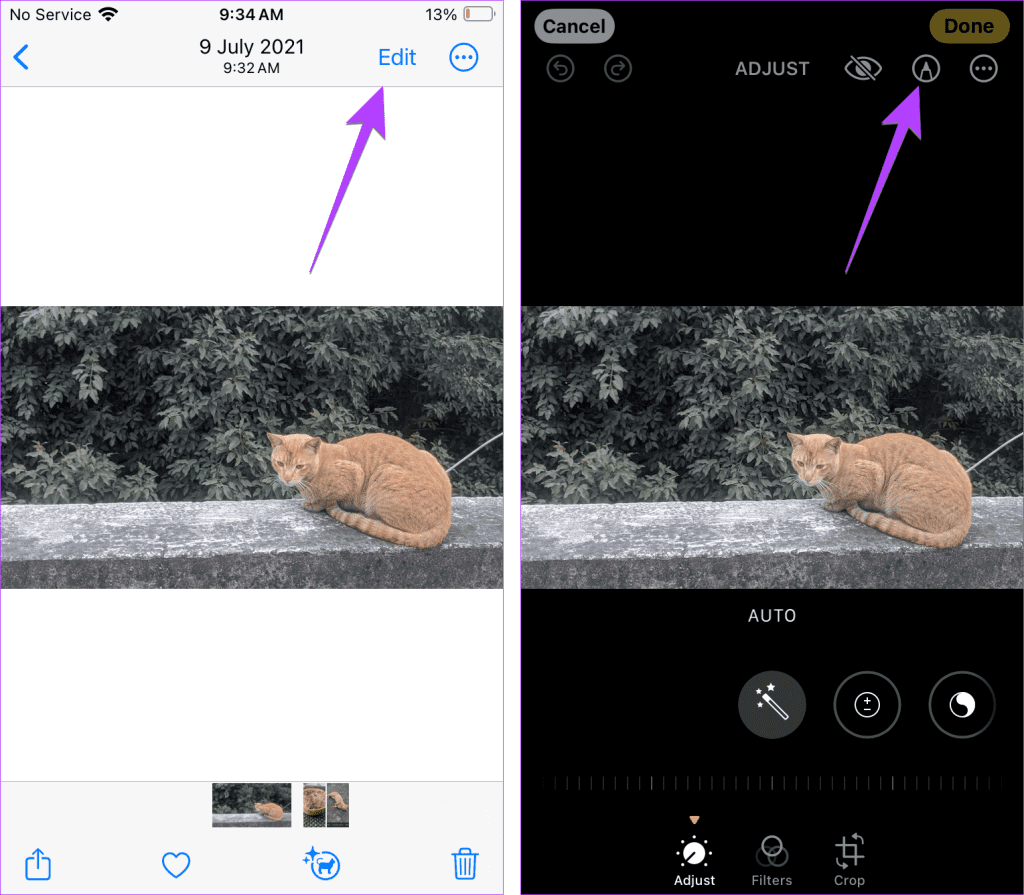
Now, open the background picture in the Photos app to which you want to add this cutout sticker.
Press Edit > tap the Marker icon (Markup) at the top.
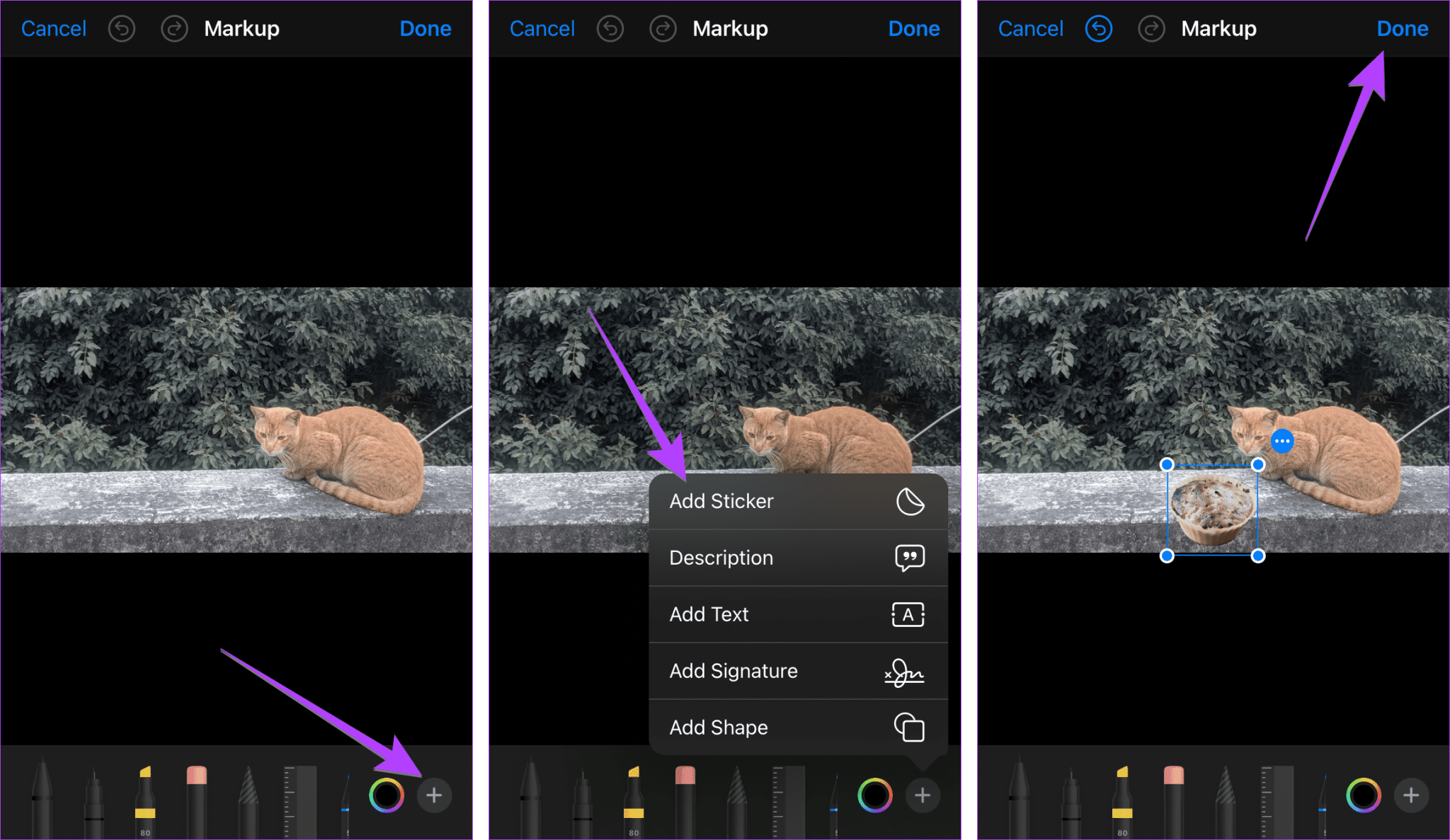
Press the + (Add) button at the bottom > select Add Sticker. Choose the sticker. The selected sticker will show up on the picture. You can resize it or change its position.
Finally, tap on Done to save the picture.
Leave A Comment?