
Situatie
Microsoft Defender regularly downloads security intelligence updates (signatures) to identify the latest viruses, ransomware, and spyware.
Solutie
Pasi de urmat
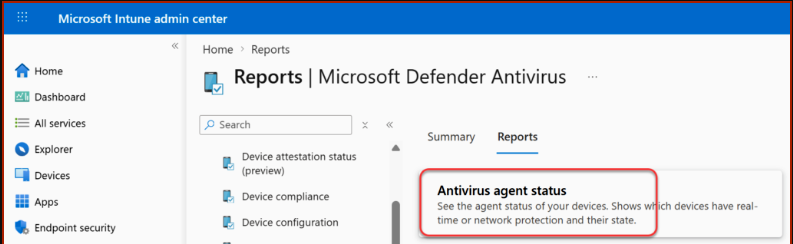
- Sign in to Microsoft Intune admin center. Navigate to Reports > Endpoint Security > Microsoft Defender Antivirus
- Select the Reports tab and click Antivirus agent status
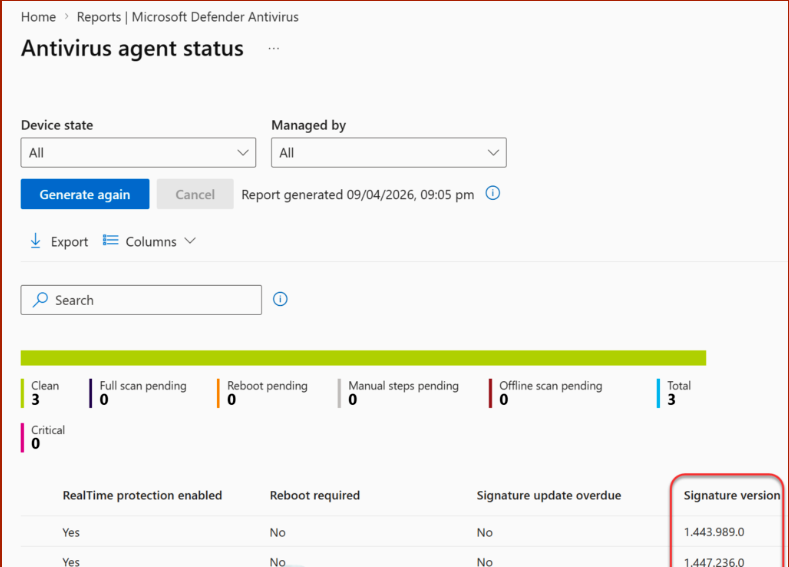
Locate the Signature Version column, which displays the AV signature version for each computer.
Leave A Comment?