
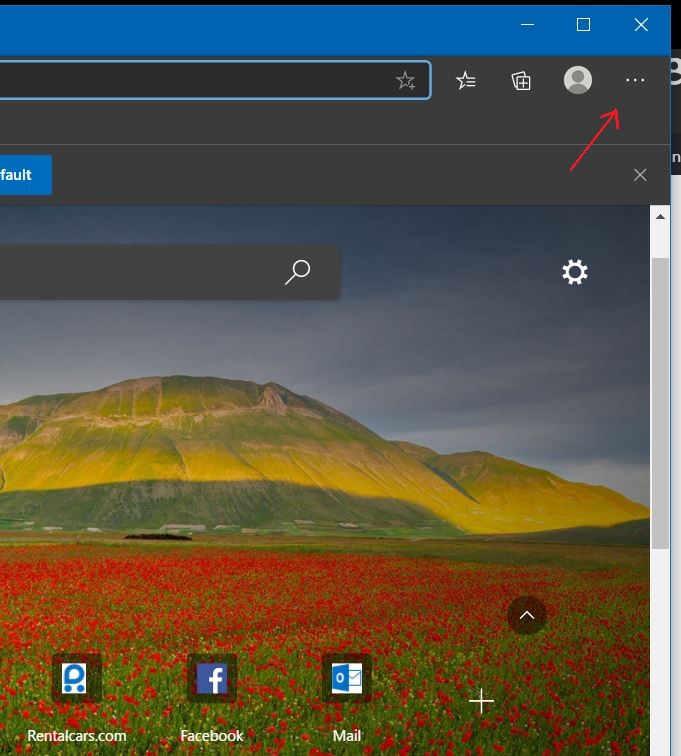
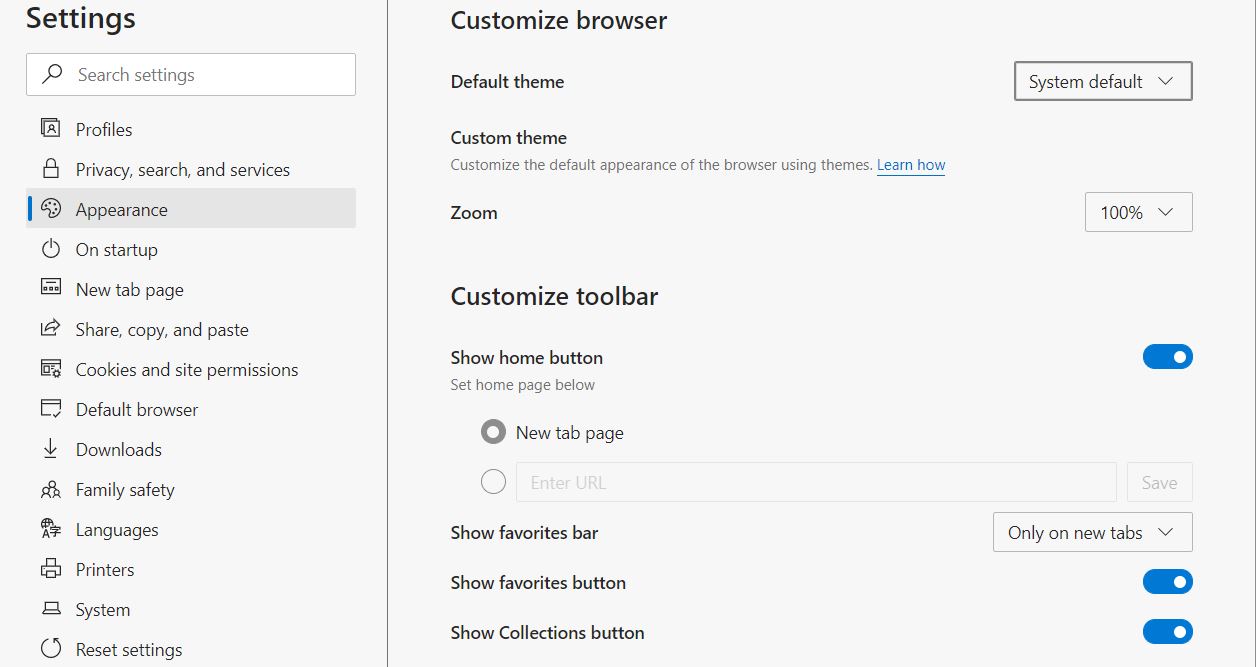
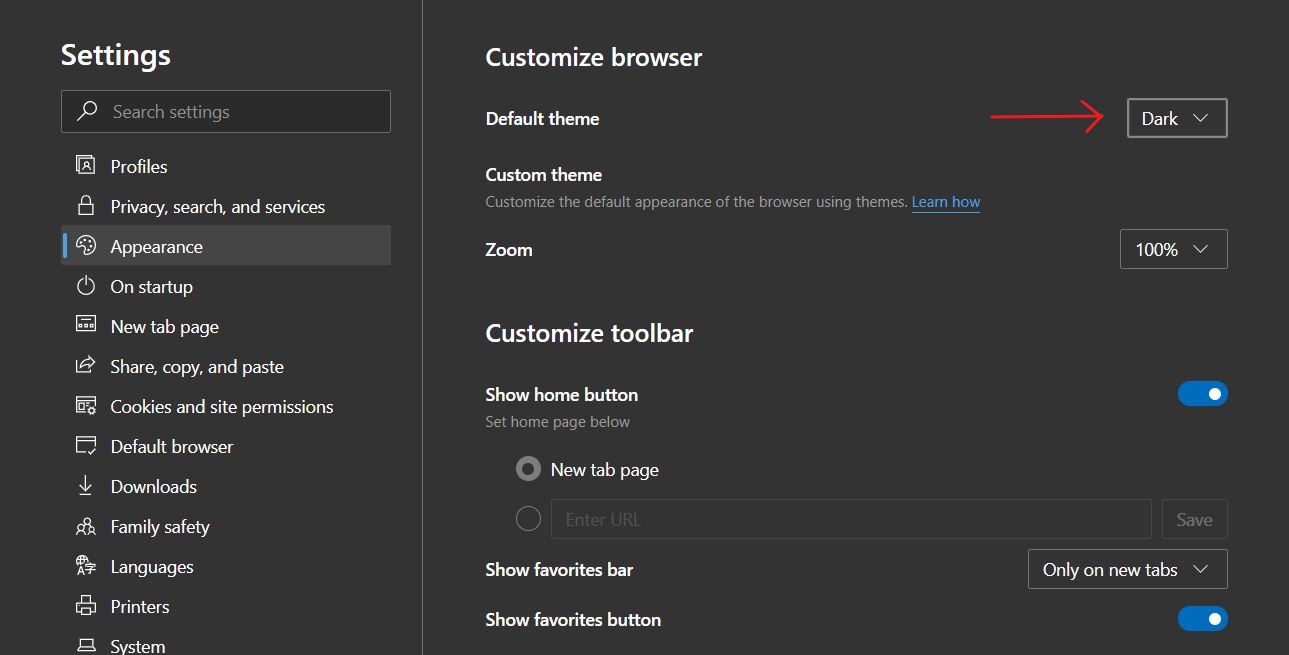
How to Enable Dark Mode in Microsoft Edge Data 01/12/2020 Autor duse dorin Categorie Soluții, OS - Windows, Aplicatii specifice -10 591 Configurare noua (How To) SituatieEdge will keep using its light app mode until you select dark mode. this tutorial will illustrate how to do so. Solutie Pasi de urmat Click the menu button and select “Settings.” Select the “Appearance” category on the left side of the Settings page. Click the “Theme” box under Customize browser and select “Dark.” Tip solutiePermanent Voteaza Up Down (15 din 40 persoane apreciaza acest articol) ShareTweetShare Despre Autor duse dorin Solutii Asemanatoare Funcția UNIQUE nu funcționează în Excel 2 Outlook nu funcționează cu VPN pe PC Windows 4 Bara de volum in Windows 11 apare incontinuu 2 Cum trimiți reacții emoji în Outlook 4 Panou unificat notificări și control 2 Cum monitorizezi calitatea aerului din casă cu un senzor inteligent 2 Leave A Comment? × Cancel Reply Save my name, email, and website in this browser for the next time I comment. + 3 = eleven
Leave A Comment?