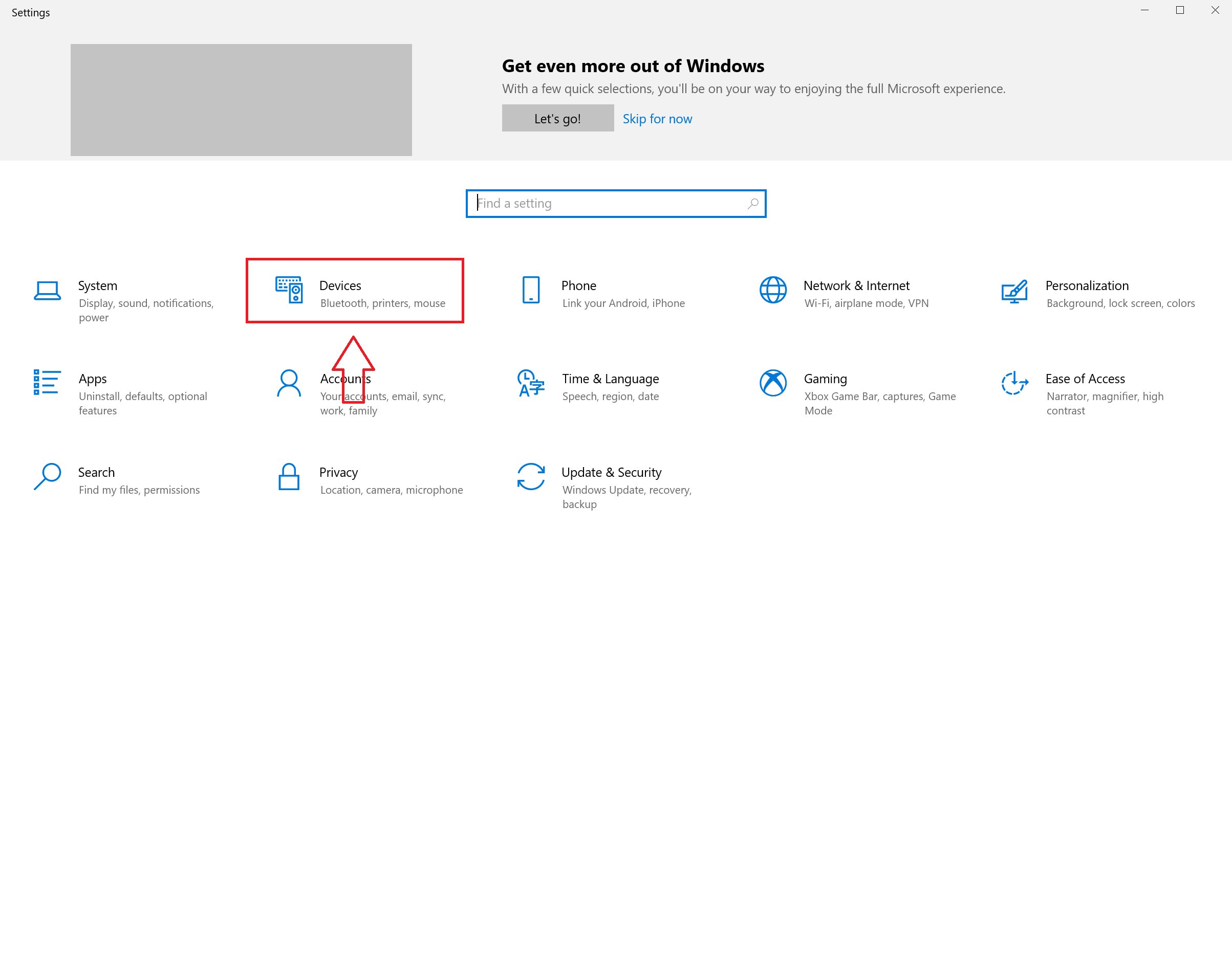
How to enable or disable USB issue notification in Windows 10 Data 25/09/2023 Autor stefan cirstea Categorie OS - Windows, Soluții 4 520 Configurare noua (How To) Situatie Solutie 1) Press Windows key + I to open Settings. 2) Go to Devices. 3) Select USB, then enable or disable the notification by checking or unchecking the box. Tip solutiePermanent Voteaza Up Down (21 din 39 persoane apreciaza acest articol) ShareTweetShare Despre Autor stefan cirstea Solutii Asemanatoare Cum urmărești doar o parte dintr-o fereastră cu PowerToys Crop And Lock 0 Windows 11 – previzualizarea fișierelor PDF nu funcționează în File Explorer 0 How to reset a Googlebook to factory settings 1 Tint App Icons to match your New iPhone 18 Pro Color -1 How to verify Windows 11 ISO file authenticity using PowerShell 0 Rezolvarea situatiei cand un laptop se blocheaza -5 Leave A Comment? × Cancel Reply Save my name, email, and website in this browser for the next time I comment. seven − = six
Leave A Comment?
