
Situatie
Windows comes with several troubleshooters that are designed to fix some common issues. When you’re not getting Dolby Atmos effects, running the audio troubleshooter can be the first step to take.
Solutie
Pasi de urmat
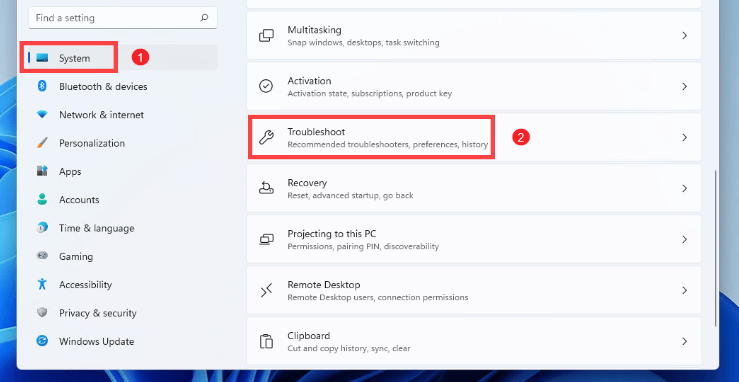
On your keyboard, press the Windows logo + I keys simultaneously to open Settings. Select System from the left pane. Then on the right side, scroll down and find Troubleshoot.
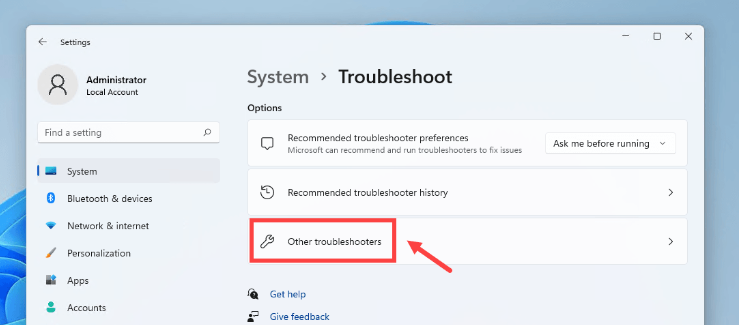
Select Other troubleshooters
Look for Playing Audio. Then click on the Run button next to it.
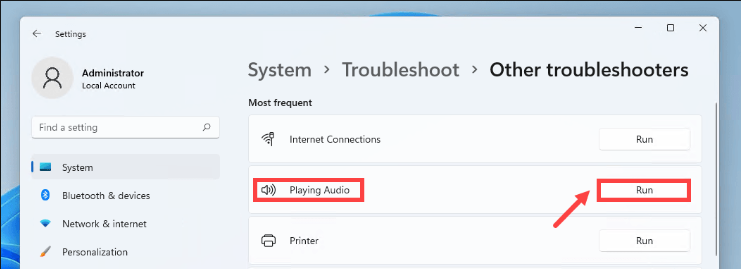
Then follow the on-screen prompts and patiently wait for the troubleshooter to help you detect and solve your problems.
Leave A Comment?