
Situatie
The error is preventing users from downloading the available cumulative or security updates on their systems.
Solutie
Pasi de urmat
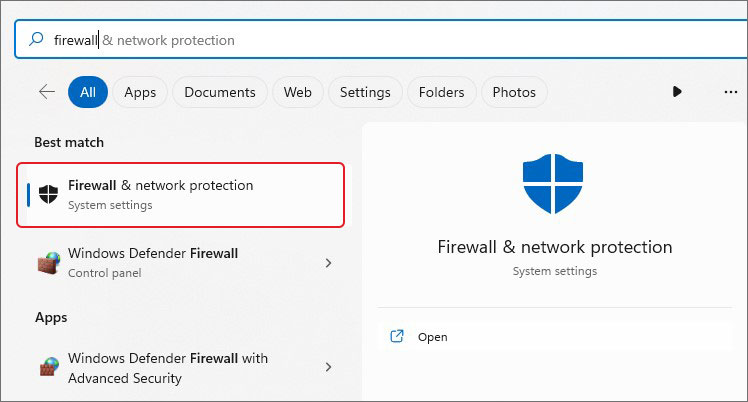
- Go to Windows Search and type Firewall
- You will see Firewall & network protection, click Open to access it
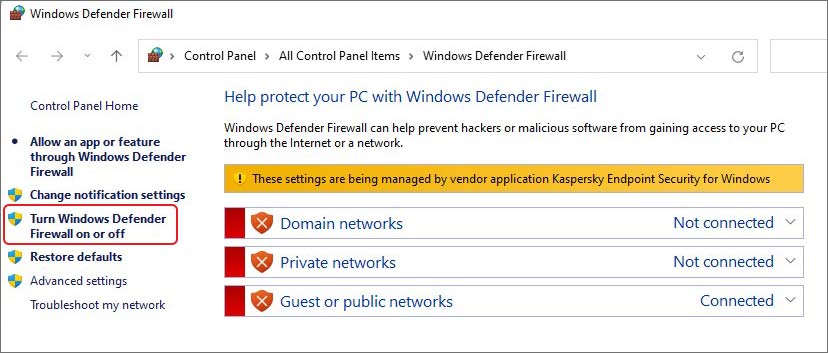
- From the left panel, select Turn Windows Defender Firewall on or off
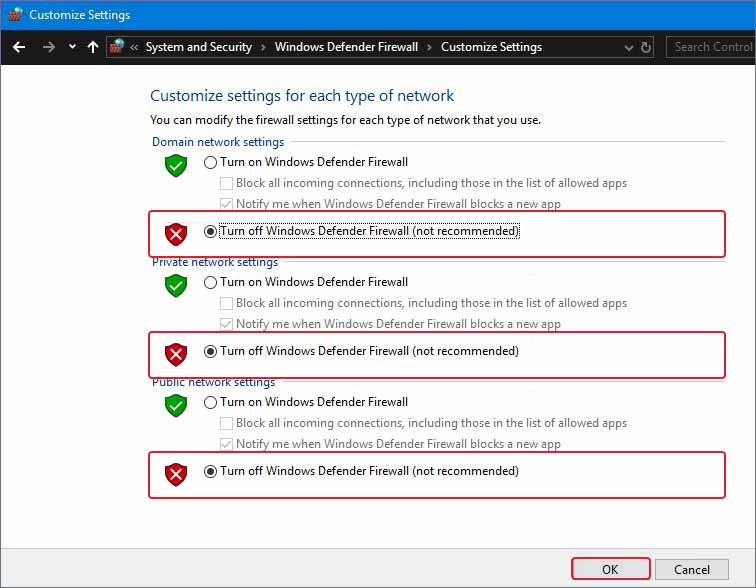
- Now, turn off the Firewall for both public and private networks available and click OK to save changes
Finally, try installing updates and see if the bug code 0x800f0922 persists.
Leave A Comment?