
Situatie
To enable the Vertical Tabs feature in the latest release of Google Chrome (>version 147), follow these steps:
Solutie
1. Open Google Chrome.
2. Type the following path in the address bar and press Enter to open the “flags” experimental settings to enable Vertical Tabs from the address bar:
chrome://flags/#vertical-tabs
3. Use the “Vertical Tabs” setting on the right and select the Enable option.
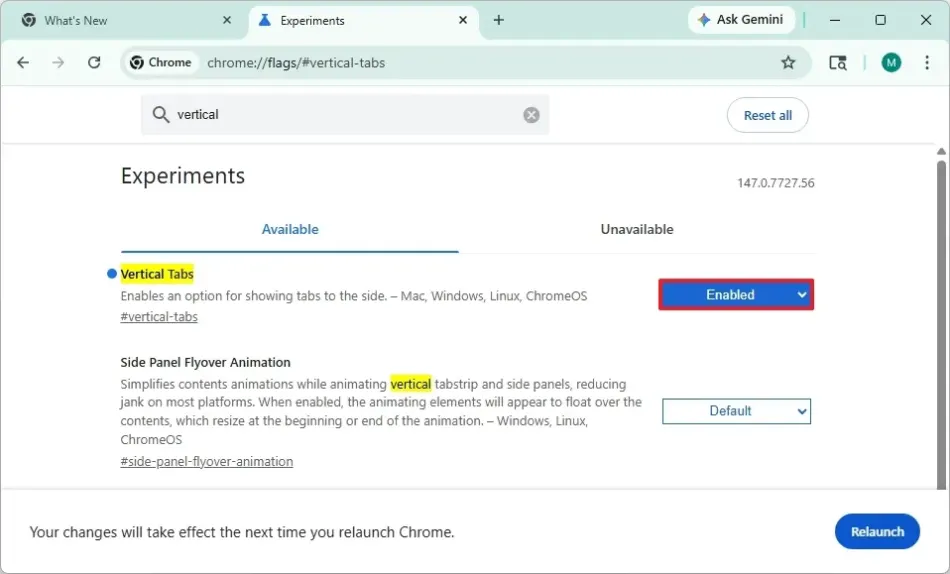
4. Click the Relaunch button.
Once you complete the steps, right-click any Chrome window and select the “Show Tabs Vertically” option, and the browser layout will change to that orientation.
Leave A Comment?