
Situatie
Header and Footer areas are used for inserting document information, such as the name of the document, the copyright, sheet name, page numbers, number of pages, and creation date.
Solutie
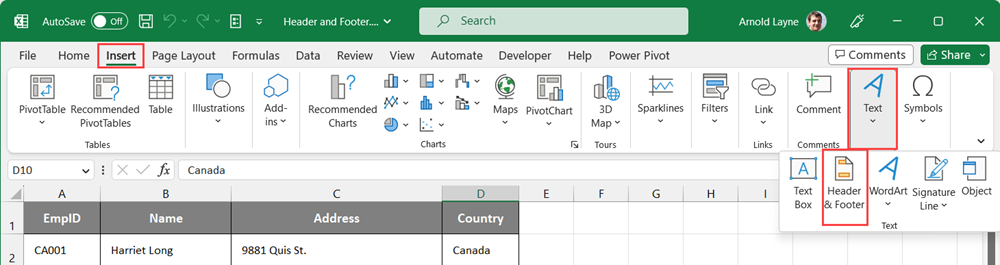
Go to the Insert menu, Select the Header & Footer option in the Text group. This option will take you right into the Header and Footer contextual tab and you will see an editable section in the worksheets for the headers and footers.
Leave A Comment?