
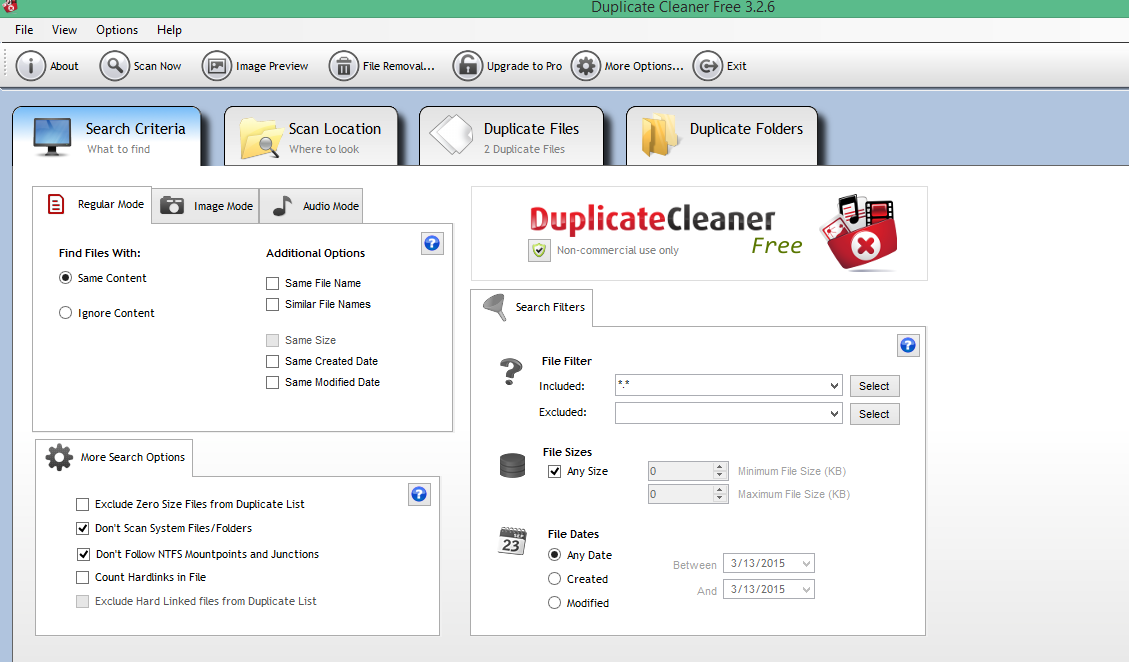
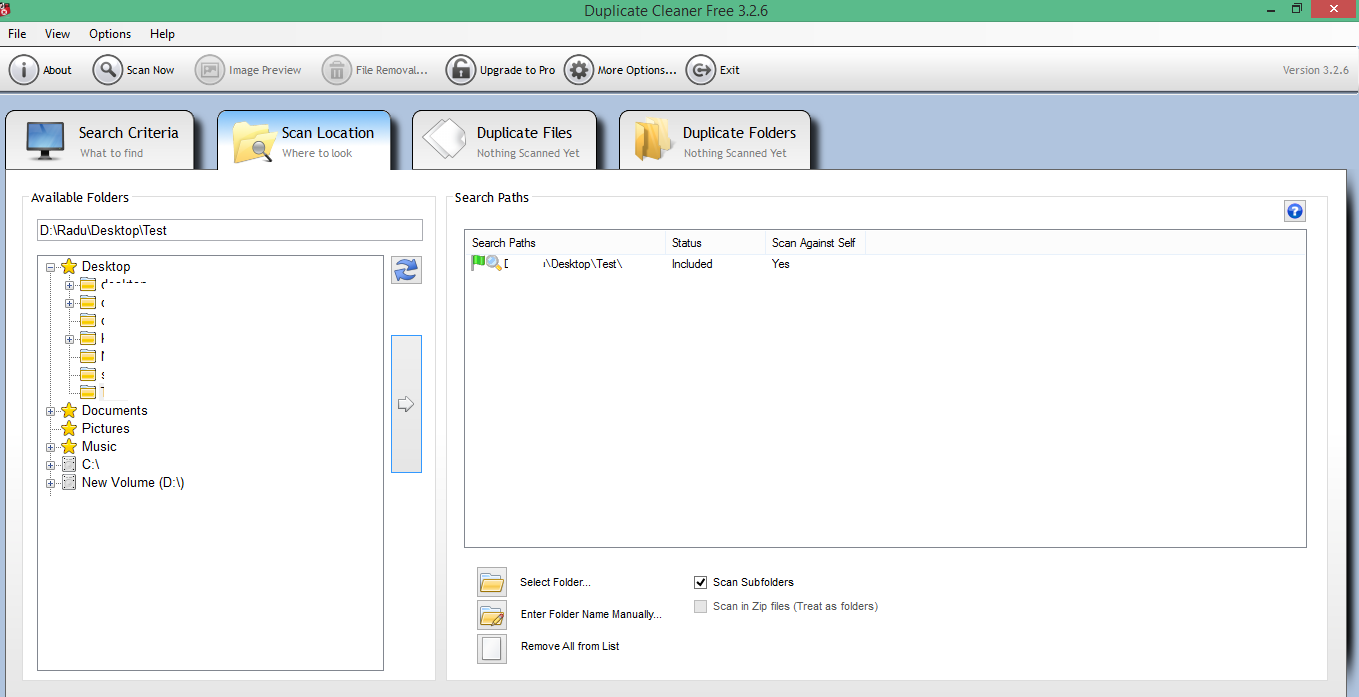
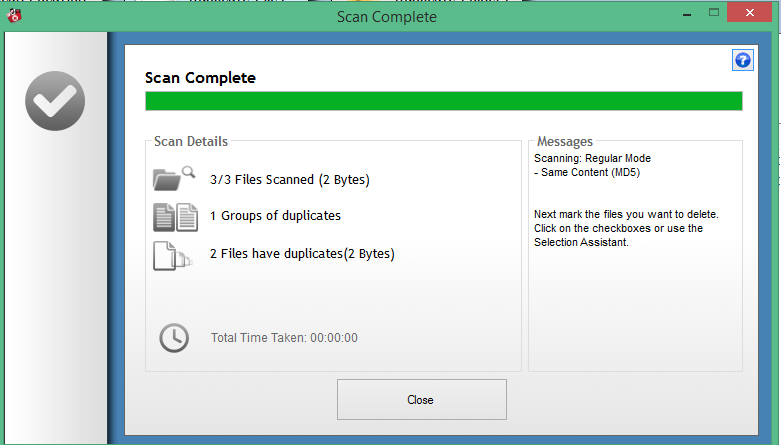
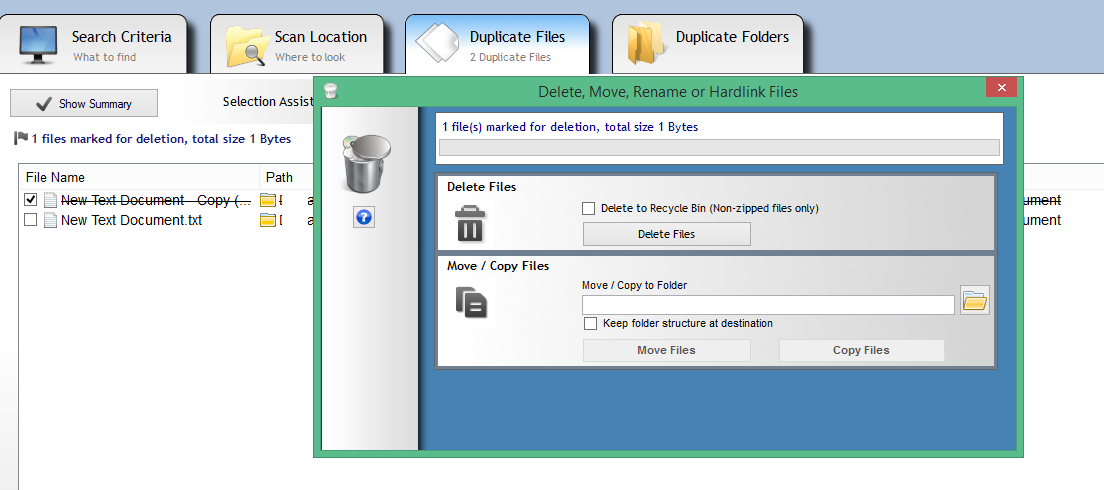
Scaneaza si sterge fiserele duplicate Data 16/03/2015 Autor Radu P Categorie OS - Windows, Aplicatii specifice, Stații de lucru 1 1530 Configurare noua (How To) SituatieSe doreste stergerea fisierelor duplicat Solutie Pasi de urmat Se deschide duplicate cleanear si se selecteaza criteriile dorite Se alege locatia la scan location si se apasa pe sageata din mijloc pt adaugare Se apasa pe scan now Se asteapta terminarea scanarii Se selecteaza fisierele care se doresc a fi sterse si se apasa pe file removal Delete files Tip solutiePermanent Voteaza Up Down (34 din 67 persoane apreciaza acest articol) ShareTweetShare Despre Autor Radu P Solutii Asemanatoare Windows 11’s predictive text is the hidden typing tool 4 How to quickly fix CSV files in Excel using Power Query -2 Analiza și remedierea Erorii 0x8024200B în Windows Server 2022 2 Analiza și remedierea erorii:„CONFIG INITIALIZATION FAILED” în Windows Server 1 Changing these 3 settings instantly makes your Android phone more private 3 Stop using Rufus to burn ISOs, these 2 tools for Windows and Linux are better 5 Leave A Comment? × Cancel Reply Save my name, email, and website in this browser for the next time I comment. nine + = eleven

Leave A Comment?