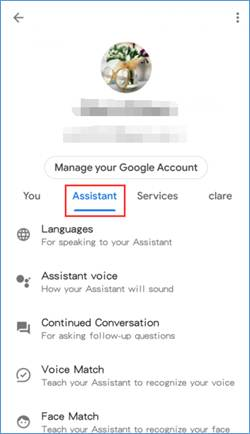
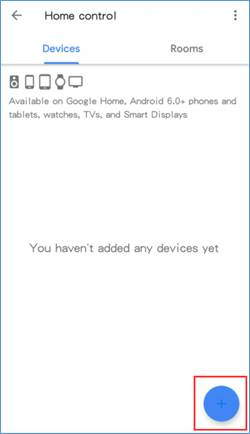
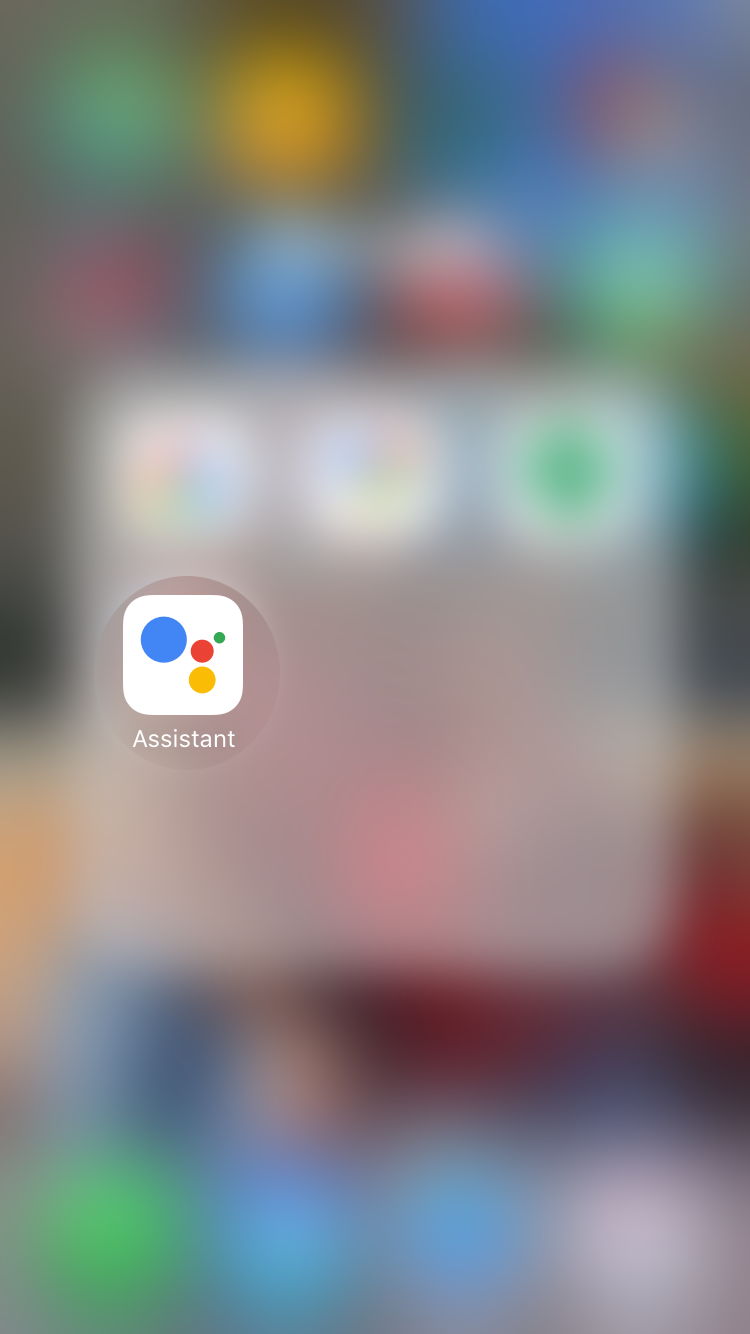
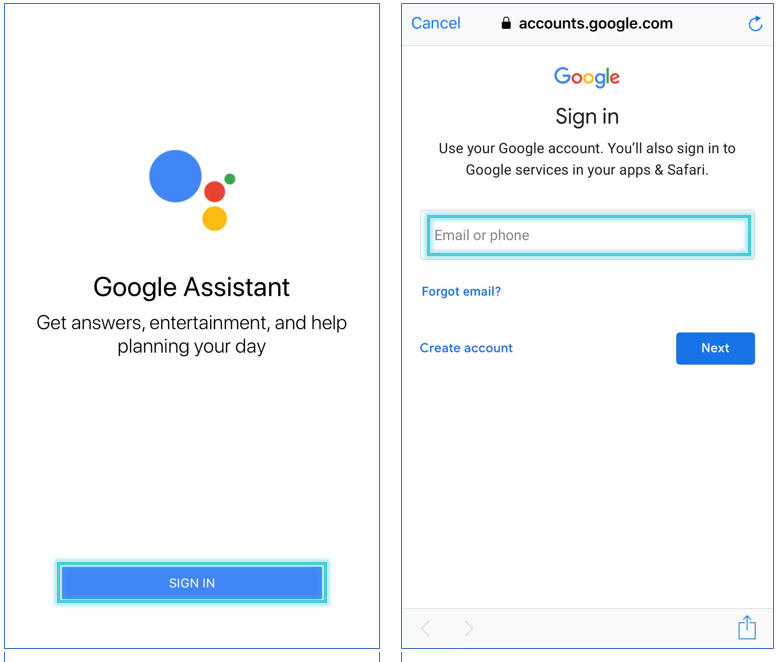
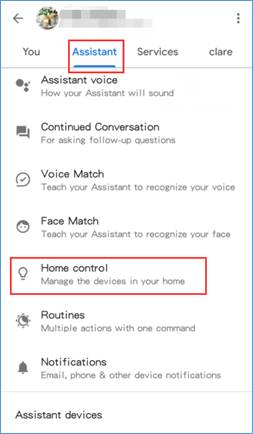
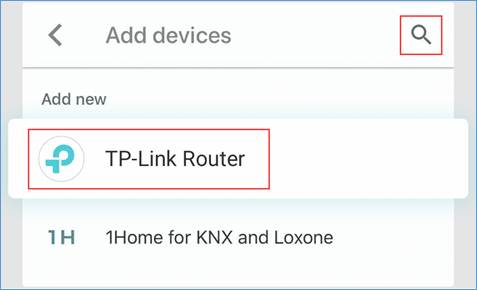
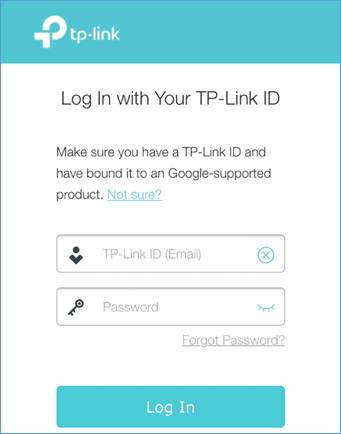
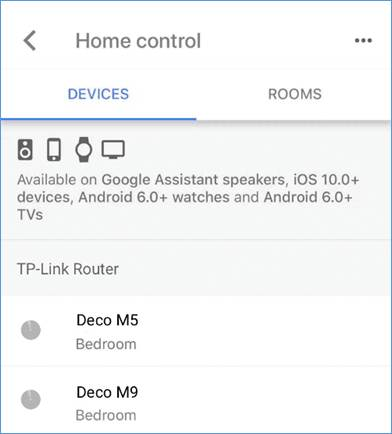
How to Link your TP-Link Router to Google Assistant Data 03/12/2022 Autor Ionut Pavel Categorie Configurare program 17 459 Configurare noua (How To) SituatieThis Guide will walk you through the steps of connecting your TP-Link router account to your Google Assistant via the Google Assistant smartphone app. Solutie Pasi de urmat Open the Google Assistant App Tap SIGN IN and sign in with your Google account. In the upper right corner tap the “circle” button, click on “Settings”, then tap “Assistant”. Find “Home Control” under “Assistant”, click on it. Then tap the “Plus” icon. Click the “glass” icon and type in “TP-Link Router”. Then tap the searched “TP-Link Router”. Log into your TP-Link account. Now you can control your router through Google Assistant. Tip solutiePermanent Voteaza Up Down (31 din 44 persoane apreciaza acest articol) ShareTweetShare Despre Autor Ionut Pavel Solutii Asemanatoare Stop using pie charts in Excel: build this dynamic bar chart instead 4 Cum remediezi eroarea Dropbox 413 3 Remediere eroare 53003 în Microsoft Intune 1 Eroare BSOD: ERROR_INVALID_AT_INTERRUPT_TIME în Windows 11 -2 Remediere Eroare AGP_ILLEGALLY_REPROGRAMMED 1 Cum se instalează PHP 5.6 și 7.0 – 8.4 cu PHP-FPM și modul FastCGI pentru ISPConfig 3.2 cu apt pe Debian 11 până la 12 6 Leave A Comment? × Cancel Reply Save my name, email, and website in this browser for the next time I comment. + one = three
Leave A Comment?