
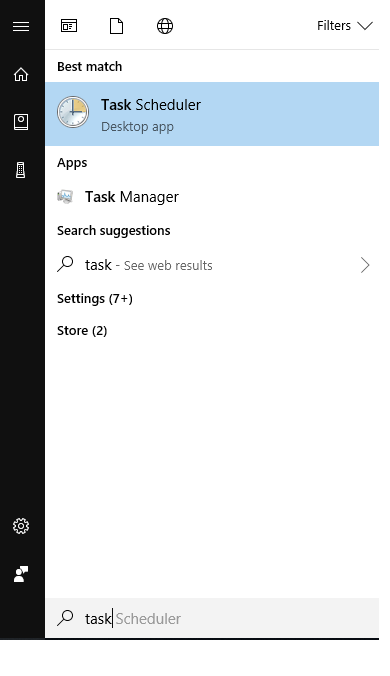
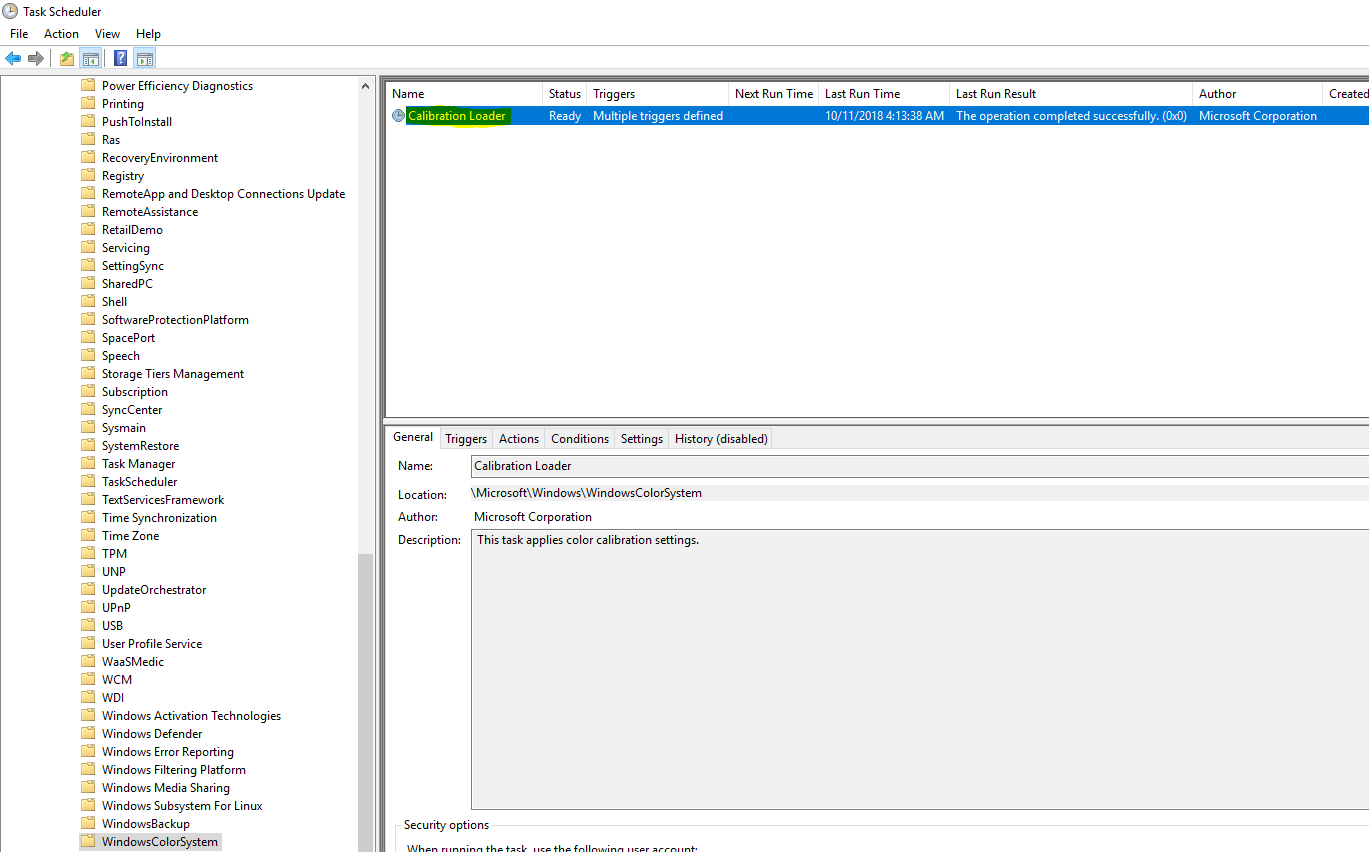
Activarea automata a functiei WindowsColorSystem prin task-ul CalibrationLoader din Task Scheduler Data 20/10/2018 Autor Daniel Chr Categorie Configurare program, Configurare Sistem de operare, OS - Windows, Stații de lucru -3 1104 Configurare noua (How To) SituatieCum activam functia CalibrationLoader din Task Scheduler? Solutie Pasi de urmat Deschidem Task Scheduler din Start. Urmam calea Microsoft > Windows > WindowsColorSystem Deschidem CalibrationLoader si din sectiunea “Triggers”, setam cand acesta sa ruleze. Tip solutiePermanent Etichetare: activare calibrationloader Voteaza Up Down (26 din 55 persoane apreciaza acest articol) ShareTweetShare Despre Autor Daniel Chr Solutii Asemanatoare Windows 11’s predictive text is the hidden typing tool 6 How to quickly fix CSV files in Excel using Power Query -1 Analiza și remedierea Erorii 0x8024200B în Windows Server 2022 6 Analiza și remedierea erorii:„CONFIG INITIALIZATION FAILED” în Windows Server 2 OneDrive Error 0x8004de40: cum rezolvi eroarea de conectare 4 Cum transferi fisierele din OneDrive in Google Drive 1 Leave A Comment? × Cancel Reply Save my name, email, and website in this browser for the next time I comment. 2 + = ten
Leave A Comment?