Situatie
Cand clientul prefera o alta culoare in CMD.
Solutie
Pasi de urmat
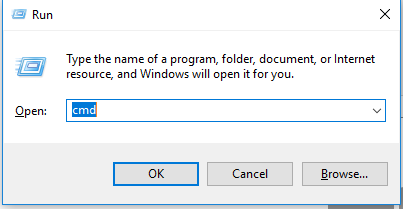
Deschidem un cmd (windows + R si scriem CMD), apasam enter:
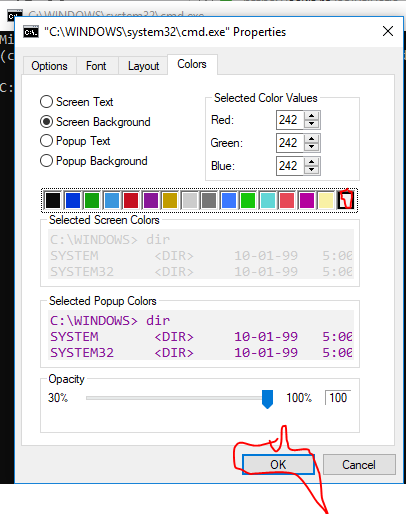
Selectam bara de sus alba si dam right click – properties

Selectam tab-ul “Color” si culoarea “alba” – apoi “ok”.

Soluții pentru problemele tale IT
Cand clientul prefera o alta culoare in CMD.
Deschidem un cmd (windows + R si scriem CMD), apasam enter:
Selectam bara de sus alba si dam right click – properties
Selectam tab-ul “Color” si culoarea “alba” – apoi “ok”.
Leave A Comment?