
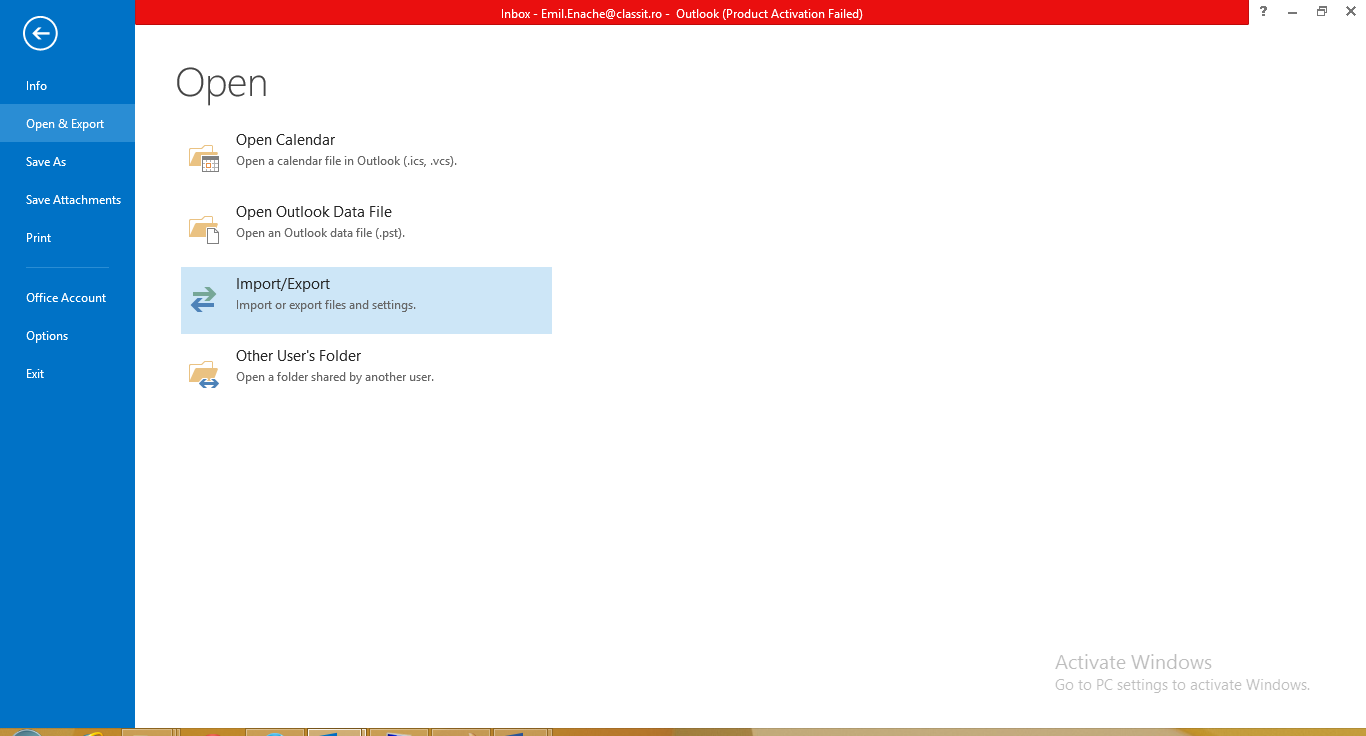
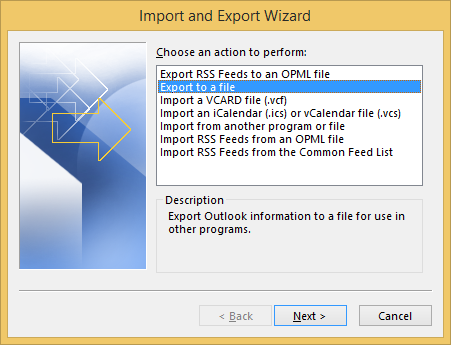
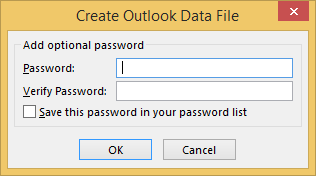
Export contacte din Outlook 2013. Data 26/07/2014 Autor Emil E Categorie E-mail, Aplicații -8 1710 Configurare noua (How To) SituatieIn cazul in care se doreste un backup al contactelor din outlook se pot urma pasii de mai jos. Solutie Pasi de urmat In outlook se merge la File. Apoi se da click pe “Open & Export”. Se da click pe”Import/Export” Se alege “ Export to a file” si se da click pe “Next”. Se alege “Outlook Data file” si click pe Next. Se selecteaza folderol de contacts si se da click pe Next. Se alege calea unde va fi salvat fisierul si se da click pe Finish. Se pune parola daca se doreste protejarea fisierului si se da click pe ok. Tip solutiePermanent Voteaza Up Down (34 din 75 persoane apreciaza acest articol) ShareTweetShare Despre Autor Emil E Solutii Asemanatoare How to quickly fix CSV files in Excel using Power Query -3 Changing these 3 settings instantly makes your Android phone more private 2 How you can turn Chrome’s address bar into a notepad with one line of text 1 5 ways I use randomization in my Home Assistant setup 7 Cum se rezolvă erorile „Application Control” și „Run-time error 401” în aplicațiile medicale 0 Recuperarea serviciului după coruperea indicilor în baza de date (MySQL/PostgreSQL) 5 Leave A Comment? × Cancel Reply Save my name, email, and website in this browser for the next time I comment. eight × three =
Leave A Comment?