
Situatie
To format a drive as FAT32 from the Settings app on Windows 11, use these steps:
Solutie
1. Open Settings
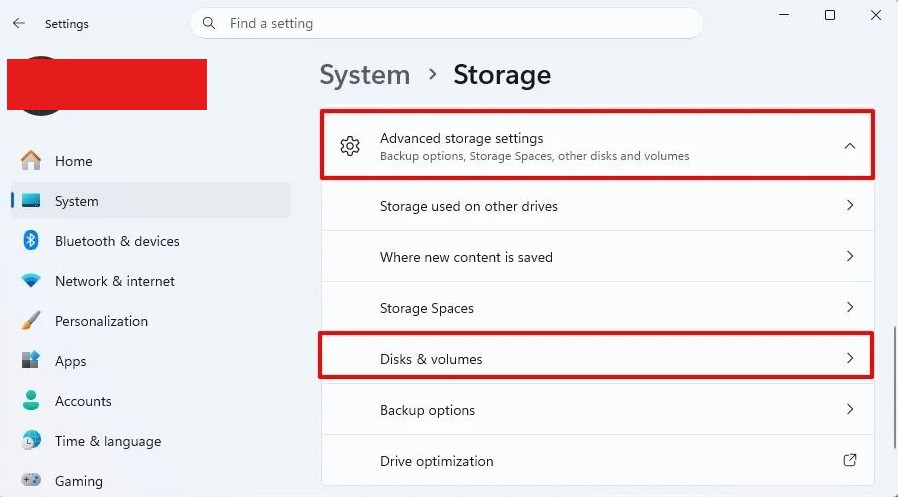
2. Click on System
3. Click the Storage page
4. Click on “Advanced storage settings” under the “Storage management” section
5. Click the Disks & volumes setting
6. Select the drive you want to format
7. Click the Properties button on the volume (not the drive)
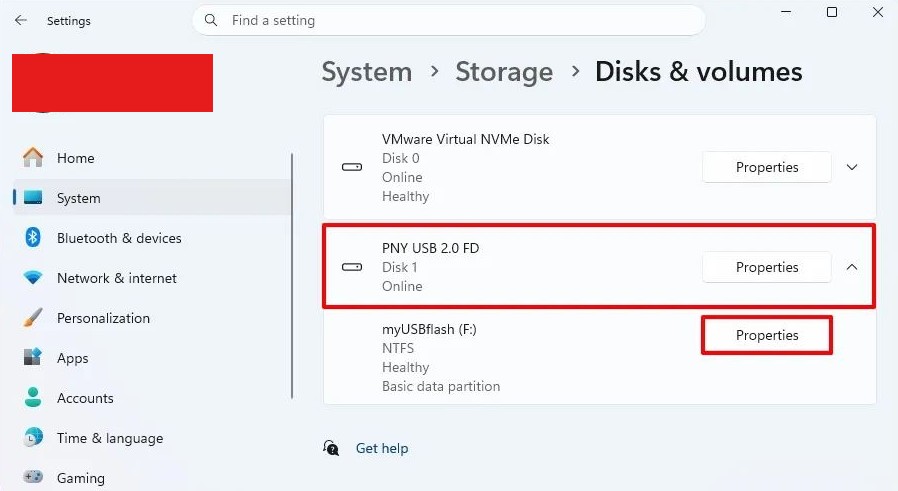
Quick tip: If the drive is empty, click the “Create volume” button and choose the drive label, letter, and file system.
8. Click the Format button
9. Confirm a drive label
10. Select the FAT32 option in the File System setting.
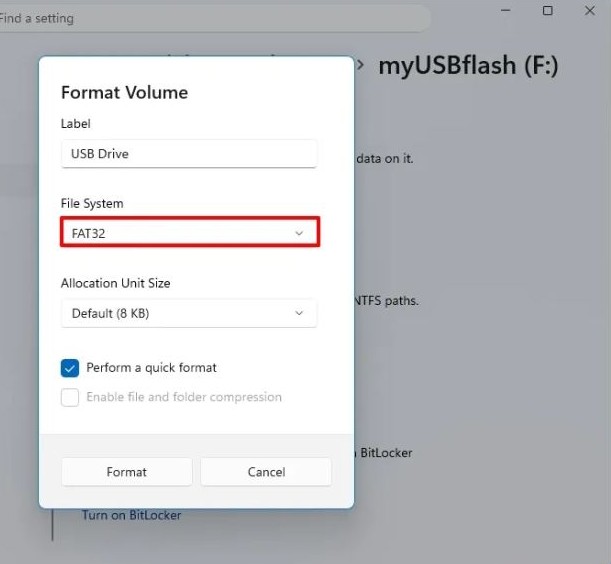
11. Check the “Perform a quick format” option
12. Click the Format button.
After you complete the steps, the USB flash drive will be formatted using the FAT32 file system.
Leave A Comment?