
Situatie
To install WSL on Windows 11 from Command Prompt (or PowerShell), follow these steps:
Solutie
1. Open Start on Windows 11
2. Search for Command Prompt (or PowerShell), right-click the top result, and select the Run as administrator option
3.Type the following command to install the WSL on Windows 11 and press Enter:
wsl –install
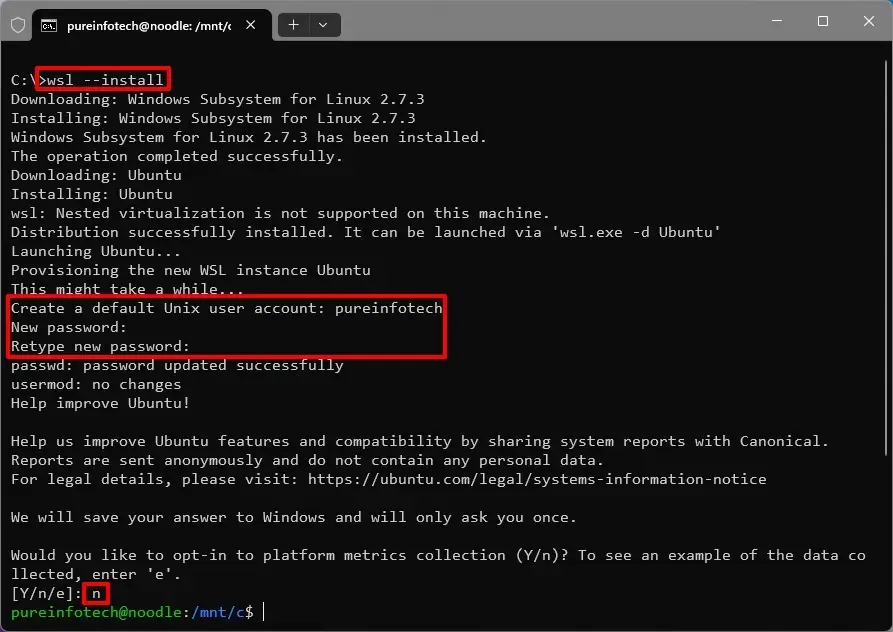
4. Create a username and password for the default Linux account, then press Enter
5. (Optional) Type n to opt out of telemetry collection and press Enter
6. Continue with the Linux distro setup as necessary.
Leave A Comment?