
Situatie
This procedure describes how to configure Telegram notifications in Uptime Kuma to receive alerts when monitored services become unavailable or recover.
Solutie
1.Create a Telegram Bot:
- Open Telegram and search for: @BotFather
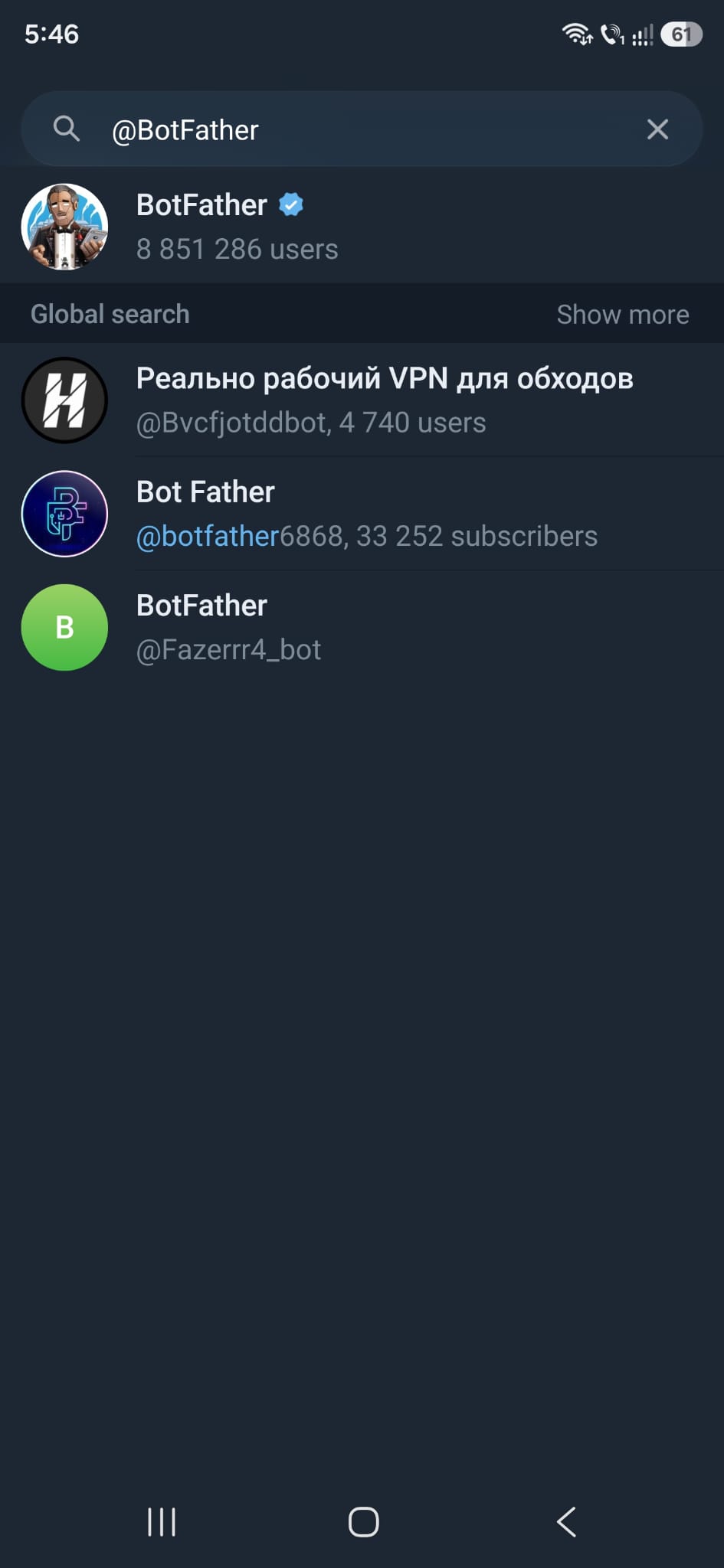
- Start a conversation and execute: /newbot
- Provide a Bot Name and Bot Username
- After creation, @BotFather will provide a token similar to:
231543214:AAxxxxxxxxxxxxxxxxxxxxxxxxxxxxxxxxxxxxxxxxxxx
- Save the token and click on the link provided by @BotFather to start a conversation with your bot
- In the conversation with your bot type: /start
- The bot will return your Telegram User ID
2. Configure Telegram notifications in Uptime Kuma:
- Log in Uptime Kuma
- Click on a service you have in your dashboard
- Select the tab Edit at the top, then click on Setup Notification
- Select Telegram in Notification Type field
- Add a Friendly Name of your own
- Insert the bot token from @BotFather
- Insert the Chat ID given by your bot
- If you want to apply the alert for all your services, mark the last option Apply for all existing monitors
- Click Save
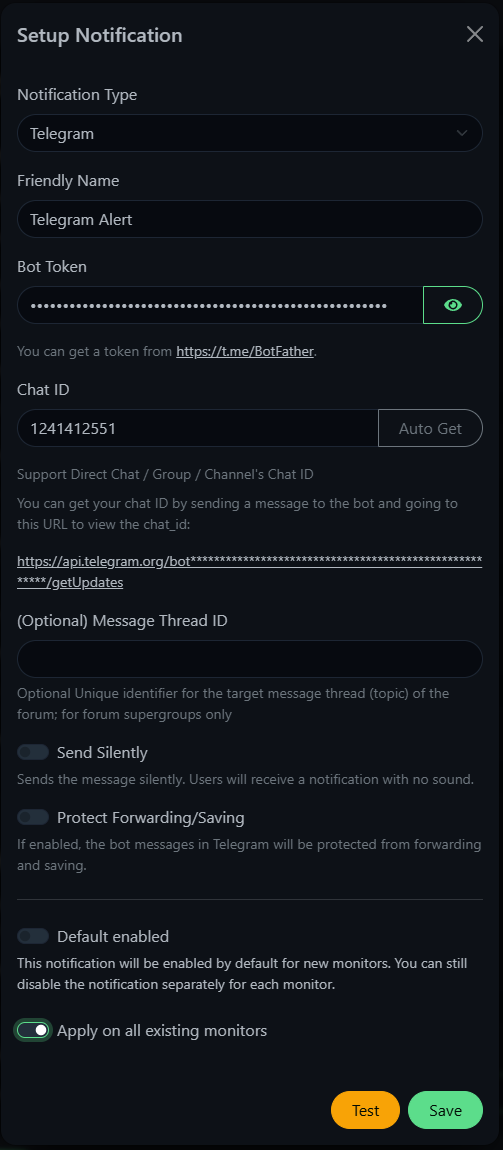
Telegram notifications have been successfully configured in Uptime Kuma. The monitoring platform is now capable of sending real time alerts.
Leave A Comment?