Cum adaugi link intr-o celula in excel
Ai nevoie sa adaugi un link in excel.
[mai mult...]
Soluții pentru problemele tale IT
Ai nevoie sa adaugi un link in excel.
[mai mult...]Ordinea instalării este:
1. Windows 10
2. Ubuntu
Pasul 1
Verificăm dacă Windows foloseste UEFI sau BIOS-ul vechi.
Acest pas este obligatoriu pentru crearea stick-ului USB bootabil.
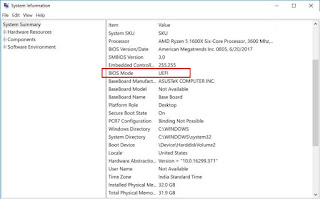
CTRL+R si tastăm msinfo32 și apoi apasăm Enter.

Aceasta deschide aplicația System Information unde la BIOS Mode putem vedea UEFI sau BIOS.
Pasul 2. Pregatirea sistemului Windows pentru dual-boot
Pentru a instala Ubuntu mai trebuie sa facem câteva configurări.
A. Dezactivati Fast startup in windows
Desi acest pas nu este obligatoriu este mai bine să-l dezactivăm. Pentru a dezactiva aceasta caracteristică urmăm pașii:
– deschidem Control Panel apoi mergem la Hardware and Sound>Power Options>System Settings>Choose what the power buttons do si debifăm Turn on fast startup box.
B. Dezactivarea Secure Boot in Windows 10
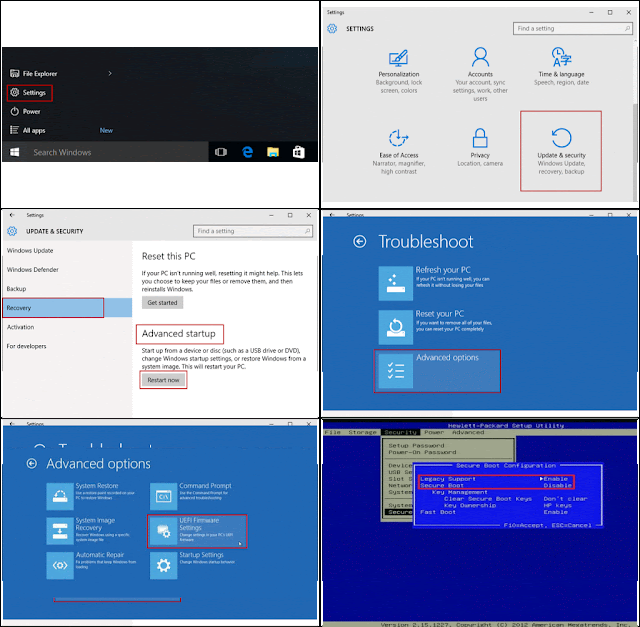
Din meniu accesăm Settings apoi opțiunea Update & security, apoi selectăm Recovery și apoi Advanced startup si facem click pe butonul Reset now. Se va deschide fereastra Choose an option si selectăm Troubleshoot unde selectăm Advanced options. Selectăm opțiunea UEFI Firmware Settings, facem click pe butonul Restart, iar sistemul va reporni si ne va aduce la sistemul UEFI BIOS.
In BIOS, alegem Security și dezactivăm optiunea Secure Boot.
C. Crearea unui spatiu liber pe Windows pentru instalarea Ubuntu
În cazul in care nu avem spatiu liber pentru a instala Ubuntu, trebuie sa-l creăm în Windows cu ajutorul utilitarului Disk Management. Apasăm tastele WIN+R si tastăm diskmgmt.msc și se va deschide Disk Management. Facem click dreapta pe C: sau altă partiție si selectăm Volume Shrink pentru a redimensiona partitia. La opțiunea Enter the amount of space to shrink in MB introducem valoarea noii partiții și facem click pe butonul Shrink.
În câteva minute va apărea o partiție liberă de dimensiunea aleasă.

3. Descărcăm Ubuntu 18.04 si creăm un stick USB bootabil sau DVD
Descarcăm mai intâi imaginea ISO a sistemului de aici.
Ardem imaginea descărcată a sistemului Ubuntu pe un DVD utilizând un utilitar de ardere dorit sau creăm un stick USB bootabil utilizand Universal USB Installer pentru sistemele compatibile cu BIOS sau Rufus pentru sistemele compatibile cu UEFI.
4. Boot de pe DVD sau stick-ul USB
Introducem DVD-ul sau stick-ul USB și apoi repornim sistemul si schimbăm secvența de boot din BIOS apasând una din tastele F2, F10 sau F12 in functie de producatorul laptopului / plăcii de bază.
5. Instalarea Ubuntu 18.04
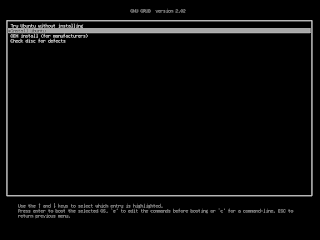
– Dacă am setat ordinea de boot corectă, ar trebui sa apara ecranul de pornire GRUB. Selectăm Install Ubuntu si apoi apasăm ENTER
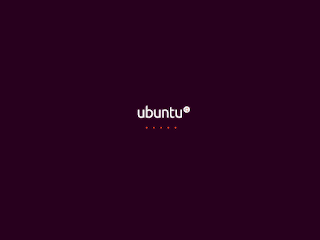
– asteptăm câteva minute ca imaginea să se încarce
– alegem limba de instalare și facem click pe Continue
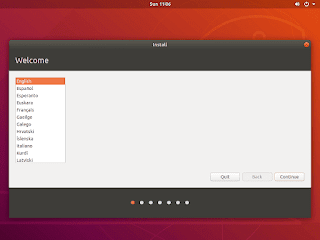
– setăm tastatura
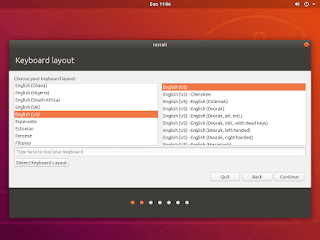
– selectăm opțiunea Normal Installation
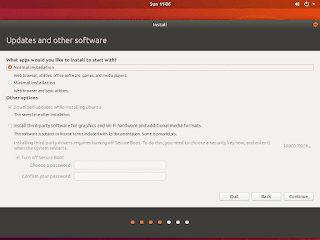
– alegem optiunea Install Ubuntu alongside Windows boot Manager pentru a crea partițiile si a instala Ubuntu
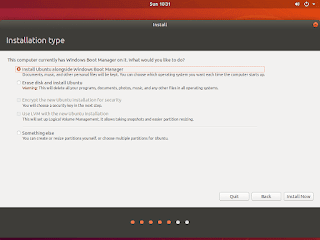
– click pe Continue pentru a confirma crearea automată a partițiilor
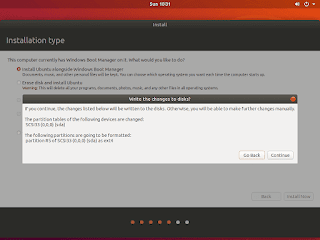
– selectăm locația și facem click pe Continue

– introducem numele, numele de utilizator, parola, numele pentru sistemul gazda și putem alege Log in automatically pentru a nu cere parola de fiecare dată cand pornim sistemul, apoi facem click pe Continue
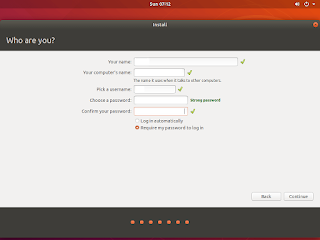
– asteptăm până se instalează sistemul de operare
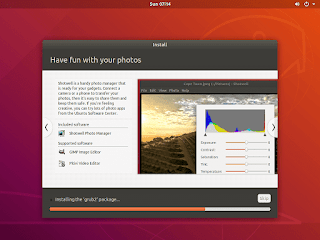
– dupa finalizarea instalării facem click pe Restart Now pentru a reporni sistemul
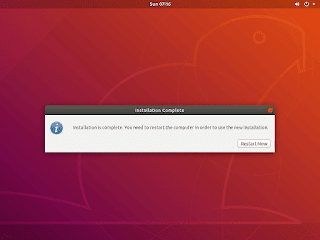
[mai mult...]
Operatiuni de baza pentru administrarea volumelor fizice
[mai mult...]Pentru a instala Chronyd se pot urma pasii de mai jos:
[mai mult...]Pentru a configura autentificarea SMTP se pot urma pasii de mai jos:
[mai mult...]Pentru a instala Postfix se pot urma pasii de mai jos:
[mai mult...]