

How to add contacts to Address Book on Kyocera FS-1128MFP
In order to add e-mail address to the Address Book for the Kyocera FS-1128MFP, first you have to login in any browser with the printer ip address, by using the administrator credentials.
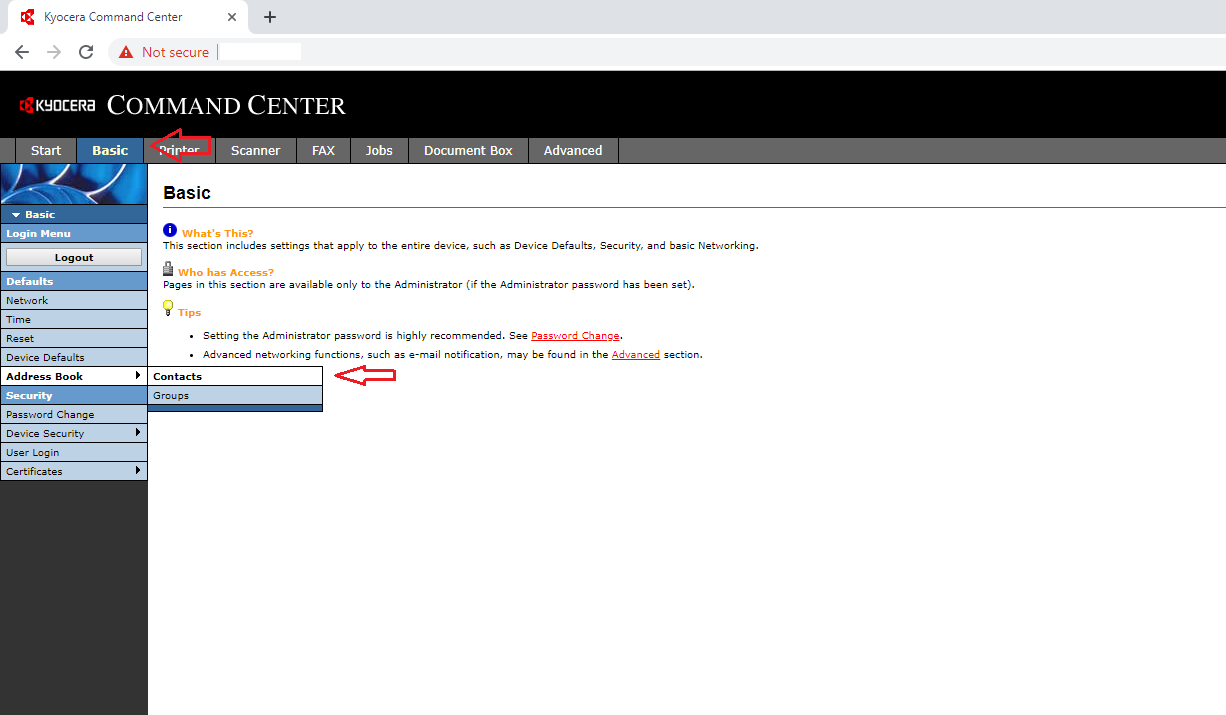
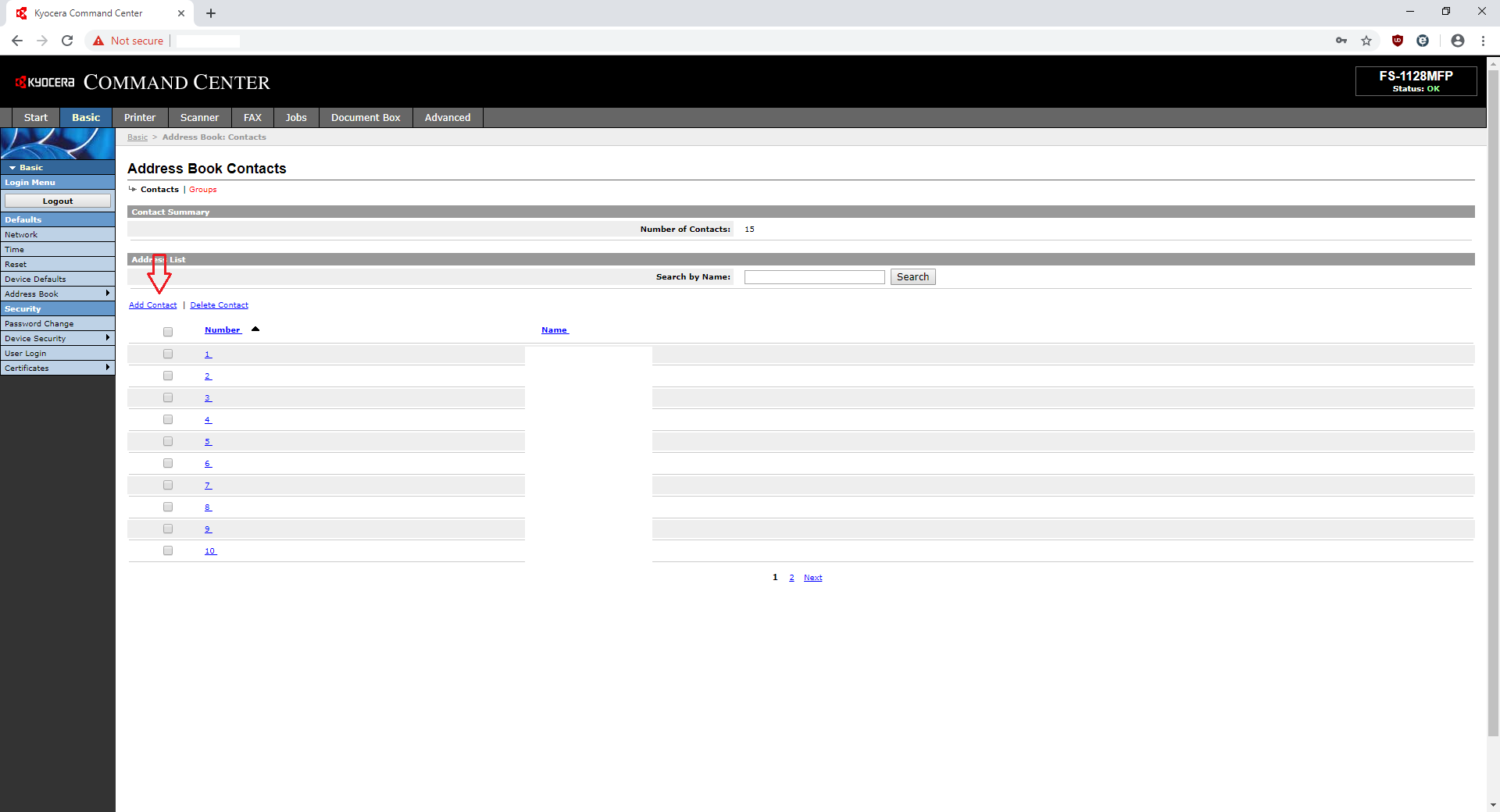
After that, select the Basic menu and look for the Address Book option on the left side of the window and choose Contacts.The Address Book tab on first page shows only the total number of addresses that have been added allready so you don’t have to check that.
Now,all you have to do is click on the Add Contact and type your e-mail address and name.
[mai mult...]
