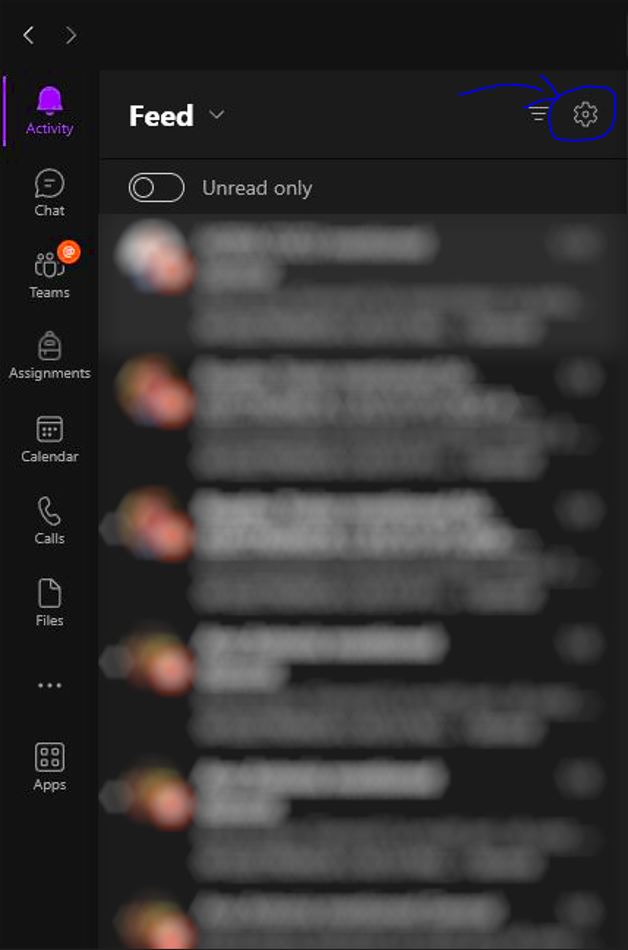
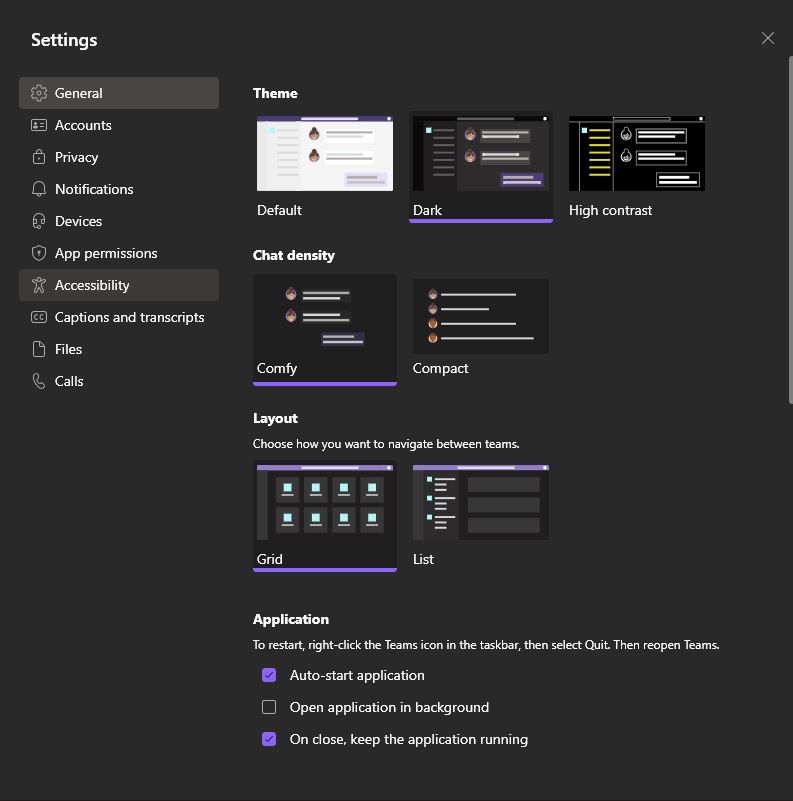
Tema intunecata pentru Microsoft Teams Data 11/01/2023 Autor Alexandra Plesita Categorie OS - Windows, Soluții, Configurare program, Aplicatii specifice, Stații de lucru -6 674 Configurare noua (How To) SituatieCum setezi tema intunecata pentru aplicatia Desktop Microsoft Teams: Solutie In meniul din stanga, apasati “Setari”: In fila “General”: Iar de aici se alege tema dorita. Tip solutiePermanent Voteaza Up Down (19 din 44 persoane apreciaza acest articol) ShareTweetShare Despre Autor Alexandra Plesita Solutii Asemanatoare Windows 11’s predictive text is the hidden typing tool 5 How to quickly fix CSV files in Excel using Power Query -3 Analiza și remedierea Erorii 0x8024200B în Windows Server 2022 3 Analiza și remedierea erorii:„CONFIG INITIALIZATION FAILED” în Windows Server 0 How to show a live clock in your Linux terminal 0 6 Linux apps to run at startup 1 Leave A Comment? × Cancel Reply Save my name, email, and website in this browser for the next time I comment. 3 + = 9

Leave A Comment?