

Stații de lucru
OS - Windows 9161 Solutii
Reguli si plangeri 11 Solutii
OS - OS X 410 Solutii
Reguli de configurare 12 Solutii
Licentiere 18 Solutii
Securitate 182 Solutii
Copie de rezerva (Backup) 68 Solutii
Antivirus 72 Solutii
Aplicatii specifice 5295 Solutii
Hardware 291 Solutii
Google Play Games Beta
Google Play Games Beta allows you to play Android mobile games on your Windows PC. It offers:
-
Native Windows support (no emulator needed)
-
Seamless sync between devices (your progress is saved)
-
Keyboard and mouse support
-
Optimized gameplay performance
As of 2025, it’s available in many countries and supports hundreds of games like Clash of Clans, Asphalt 9, Genshin Impact, and Mobile Legends.
Minimum Specs:
| Component | Requirement |
|---|---|
| OS | Windows 10 (v2004) or later |
| Storage | SSD with at least 10 GB free |
| RAM | 8 GB |
| CPU | 4 physical cores |
| GPU | Intel UHD Graphics 630 or similar |
| Virtualization | Hardware virtualization (VT-x/AMD-V) enabled in BIOS/UEFI |
Tip: Enable Hyper-V, Virtual Machine Platform, and Windows Hypervisor Platform in Windows Features.
How to install and configure Debian 12
[mai mult...]Cum rezolv eroarea 0x80080008 la actualizarea Windows?
Primesc eroarea 0x80080008 când încerc să fac update la Windows. Cum pot remedia această problemă?
[mai mult...]Timp de pornire lent PC
PC-ul pornește foarte greu, durează câteva minute bune până pot folosi Windows-ul. Ce pot face pentru a reduce timpul de boot?
[mai mult...]2 more Windows tricks
1.Did you know that in the Snip app you can remove the text from pictures
Open up the Snip app and add the image with the text you want to copy
 Click the button the arrow is pointing towards “Text actions”, Simply copy the text now and paste it wherever you need it
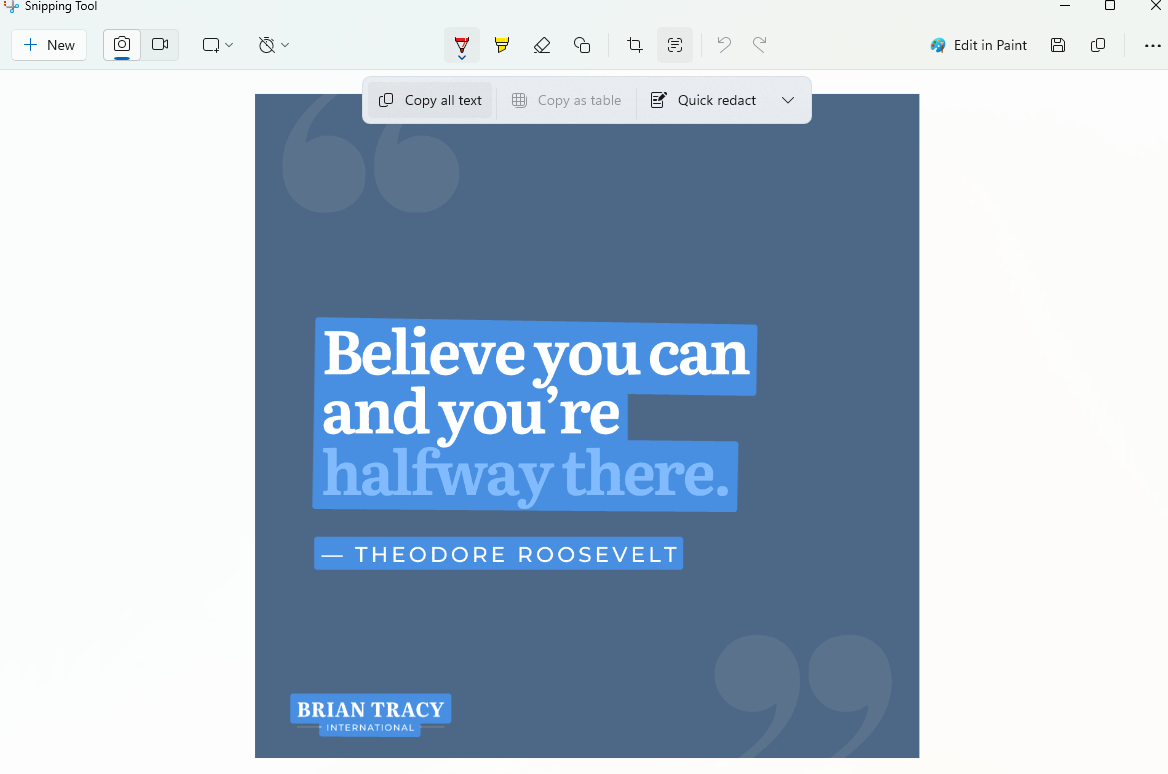
2.Upgrade all of your installed apps to the latest version. Simply open up CMD as Administrator as shown below
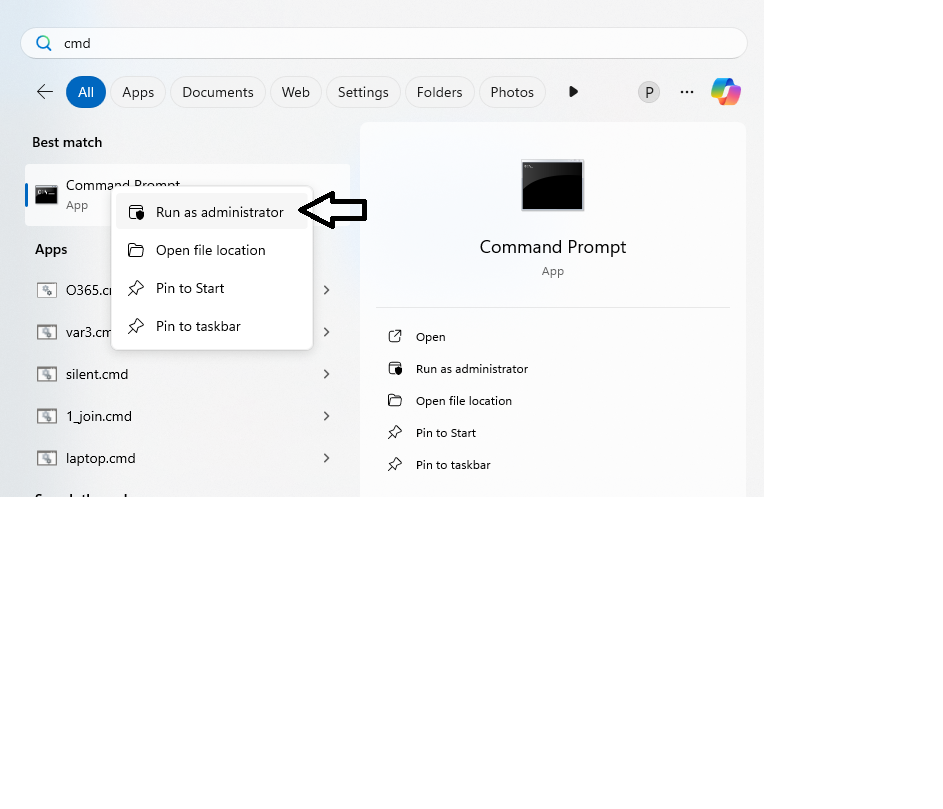
Type in “Winget upgrade”
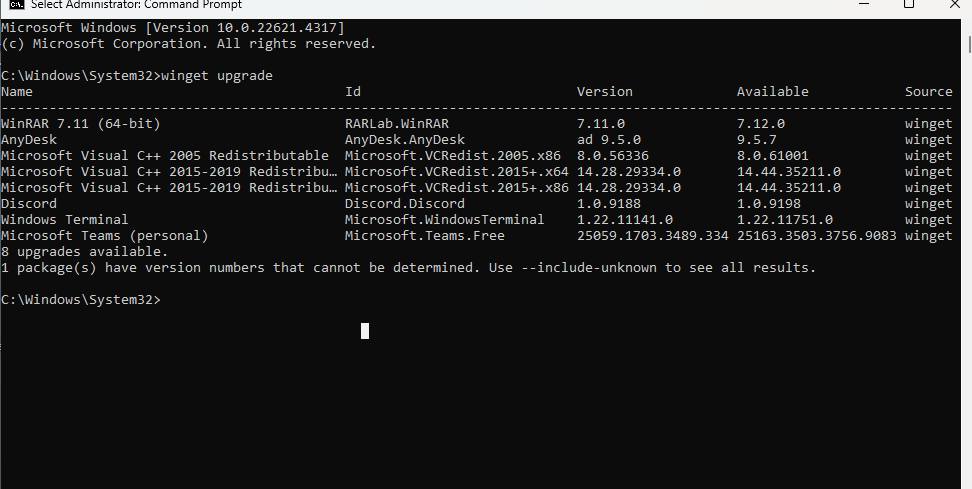 It will list your installed apps, the current installed version and the newest. In order to upgrade them all at once, simply type in “winget upgrade –all”
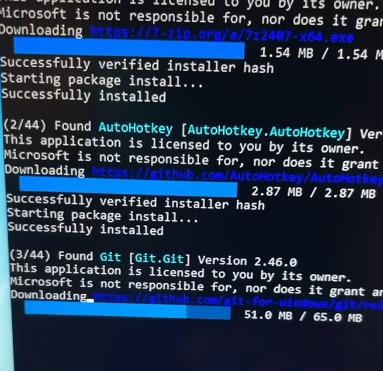 It will automatically start to download and install the newest driver.