
Stații de lucru

OS - Windows 9179 Solutii

Reguli si plangeri 11 Solutii

OS - OS X 410 Solutii

Reguli de configurare 12 Solutii

Licentiere 18 Solutii

Securitate 182 Solutii

Copie de rezerva (Backup) 68 Solutii

Antivirus 72 Solutii

Aplicatii specifice 5303 Solutii

Hardware 291 Solutii

How to fix crucial BSOD errors

The first thing you should do if you receive a BSOD is to try and restart your pc and boot into safe mode to try and reset your pc.
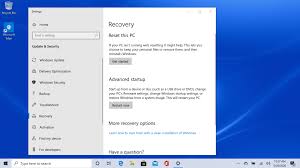
If you are unable to do this,what you need to do is to press the power button of your pc/laptop until it is fully shutdown,do this 3 times until the options below pop up:
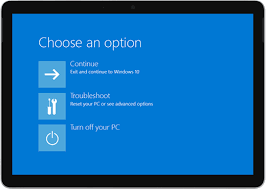
Once this shows up,you have to click on Troubleshoot-Advanced options-Startup Repair and see if this finds an error,if not,go ahead and get back to the upper menu ,Troubleshoot-Advanced Options-Command Prompt
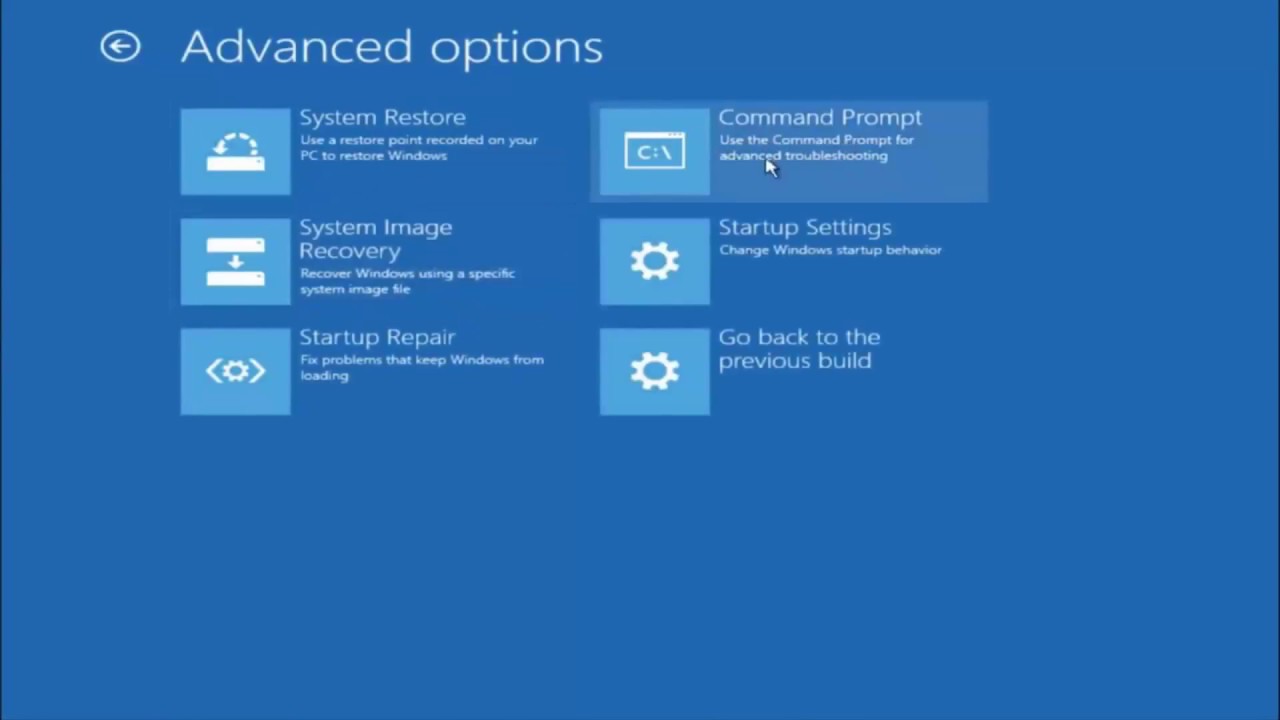
Here you have to run a few commands:

1:bootrec /fixmbr

2.bootrec /fixboot if you get access denied in this step just type : bootsect /nt60 sys

3.bootrec /fixboot

4.bootrec /rebuild

5.sfc /scannow  NOTE: this will take a while,just be patient

6.chkdsk c:  NOTE: this will also take some time.

After these 6 steps,close command prompt and restart your pc,what this does if it finds any software/hardware issuse this will rewrite them with the basic settings.

[mai mult...]

Istoricul clipboard-ului din Windows 10

Istoricul clipboard-ului din Windows 10 stochează cele mai recente 25 de elemente pe care le-ați copiat, inclusiv text, HTML și imagini.

  • Pentru a șterge istoricul Clipboard, apăsați pe Windows+V, faceți clic pe elipsele de lângă un articol și selectați „Ștergeți tot”.
  • Pentru a dezactiva istoricul Clipboard, accesați Setări Windows > Sistem > Clipboard și comutați comutatorul la „Dezactivat”.
  • Dacă ați activat istoricul Clipboard în Windows 10, caracteristica păstrează o evidență a elementelor pe care le-ați copiat recent în Clipboard în timp ce utilizați copierea și inserarea.
[mai mult...]

How to fix touchpad disappearing on Windows 11

If you can’t find the touchpad cursor on the screen, try these troubleshooting steps on Windows 11.

If the cursor is missing on the screen, it’s likely that the touchpad is disabled on your computer. You can quickly enable this feature from the Settings app. To enable the touchpad on Windows 11, use these steps:

[mai mult...]