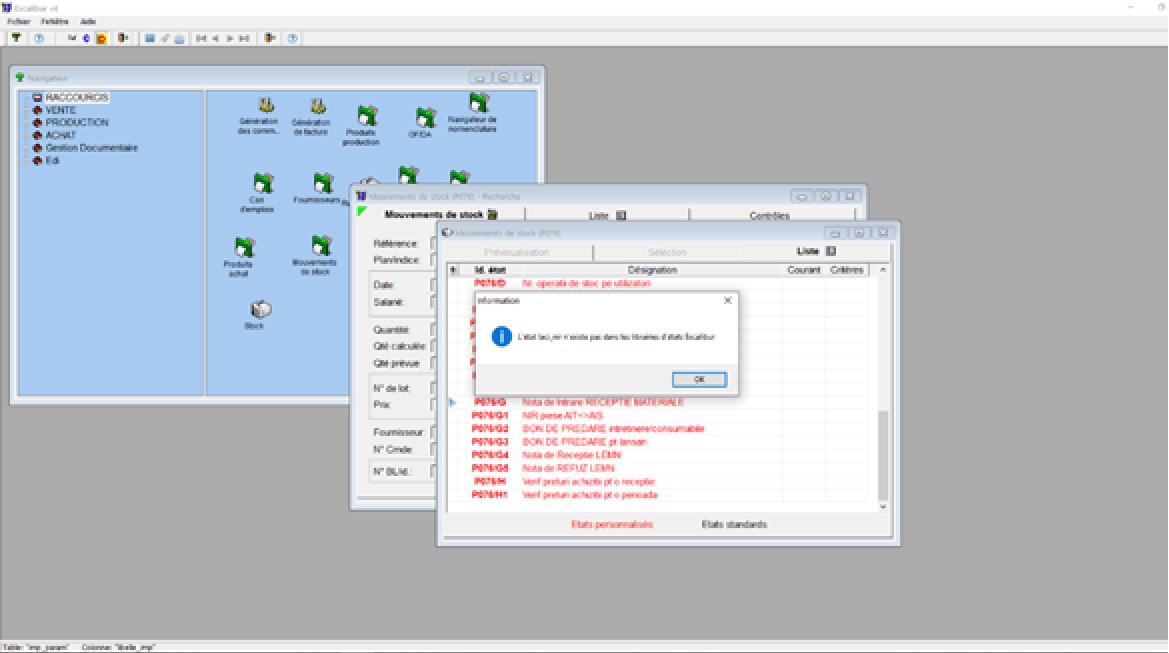
Cum se rezolva eroarea L’etat laci_soknomenklatura_2 n’existe pas dans les libraries d’etats Excalibur
In utilizarea programului Excalibur se intalneste eroarea:
“L’etat laci_soknomenklatura_2 n’existe pas dans les libraries d’etats Excalibur”

Soluții pentru problemele tale IT

In utilizarea programului Excalibur se intalneste eroarea:
“L’etat laci_soknomenklatura_2 n’existe pas dans les libraries d’etats Excalibur”
Aplicare Turbo Boost pe Intel Core i5-8600K pe placa de baza Gigabyte Z370-HD3.
[mai mult...]Aplicarea profilului XMP pe Gigabyte Z370-HD3 pentru marirea frecventei memoriilor RAM.
[mai mult...]If you don’t know where the Zoom recordings are being saved, or you want to change the location where the Zoom automatically saves the recording.
[mai mult...]Check the steps below to see how you can add a virtual background and a video filter to your webcam on Zoom.
[mai mult...]Signal, the secure messaging application, ties itself to your phone number. For extra protection against thieves stealing your phone number, you can enable Registration Lock, preventing anyone from registering another account with your phone number. Your Signal account is tied to your phone number, which means you don’t even need a password to log in. Your Signal account can only be linked to one phone number, so you can only have Signal active on one iPhone or Android smartphone at a time.
To sign up again on a new device, you’ll need access to your number (usually via your SIM) so that you can receive a code to prove who you are.

Registration Lock prevents your account from being re-registered on another device without the PIN you used to sign up for Signal being provided. With Registration Lock enabled, whoever gets ahold of your SIM or Google Voice account will also need to know your PIN to use your account.
Signal will block your account for a week if you enter the wrong PIN a few times. If you forget your PIN, Registration Lock will expire seven days after inactivity (This is reset each time you access your Signal account from a linked device.). Once Registration Lock has expired, you will be able to re-register your number without a PIN.
[mai mult...]