Stații de lucru

OS - Windows 9182 Solutii

Reguli si plangeri 11 Solutii

OS - OS X 410 Solutii

Reguli de configurare 12 Solutii

Licentiere 18 Solutii

Securitate 182 Solutii

Copie de rezerva (Backup) 68 Solutii

Antivirus 72 Solutii

Aplicatii specifice 5306 Solutii

Hardware 291 Solutii

How to Fix VPN Error 619

One of the most common issues seen when working with a Microsoft Windows-based virtual private network is VPN error 619 – “A connection to the remote computer could not be established.” With some older VPN servers, the error message says “The port was disconnected.” instead.

This issue occurs when the computer is trying to establish a new connection to a VPN server or when it is suddenly disconnected from an active VPN session. The Windows VPN client begins the connection process and then typically pauses at the “Verifying username and password” step for several seconds before the 619 message appears.

Different types of VPN clients may experience this error including those that run using PPTP – Point to Point Tunneling Protocol.


[mai mult...]

Creare backup HDD

Acest tutorial reprezinta fiecare pas pe care trebuie sa-l parcurgem pentru a crea un backup al datelor aflate pe hard disk-uri. Backup-ul datelor importante de pe hard disk-uri este necesar pentru a nu le pierde in caz de defectiuni sau erori. Folosindu-ne de aplicatia gratuita DriveImage XML si un calculator cu sistem de operare Windows 7 vom parcurge fiecare pas necesar in vederea crearii unei imagini de backup de tip XML.

DriveImage XML reprezinta un utilitar gratuit de backup si intretinere date de pe hard disk-uri.Acesta ofera posibilitatea de a crea imagini de backup sub format XML ale partitiilor si drive-urilor logice pentru a pastra intacta integritatea datelor tale in orice situatie.

DriveImage XML se poate descarca gratuit de pe http://www.runtime.org/driveimage-xml.htm

[mai mult...]

Utilizare HDD Wipe Tool

Aceasta solutie ilustreaza pasii necesari pentru a sterge definitiv (WIPE) toate informatiile stocate pe hard-disk-ul tau. Aceasta situatie iti poate fi necesara atunci cand vrei sa vinzi calculatorul, sa refaci structura de date a hard-disk-ului (partitiile), sa instalezi un alt sistem de operare, etc. Vom folosi pentru aceasta operatiune programul HDD Wipe Tool care va rula pe sistemul de operare Microsoft Windows 7.

Hard Disk Wipe Tool ofera si posibilitatea de a verifica starea atributelor S.M.A.R.T ale hard disk-urilor cu un simplu click pe functia S.M.A.R.T.

Programul gratuit Hard Disk Wipe Tool poate fi descarcat de la adresa: http://hddguru.com/software/2006.04.13-HDD-Wipe-Tool/

[mai mult...]

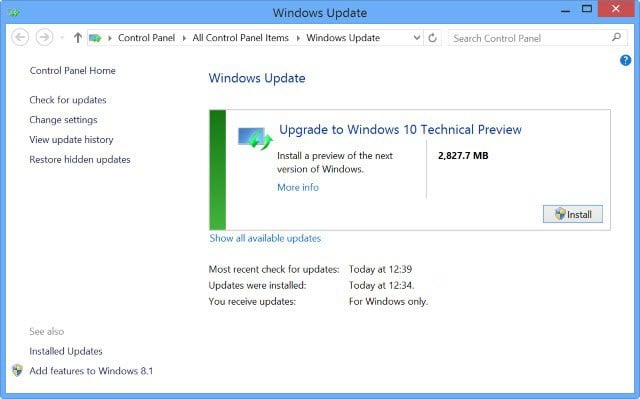
How to fix Windows Update error 0x80070057

If  you installed the latest Windows 10 OS version on your computer and you want to fix Windows 10 update error code 0x80070057. We’ve got a piece of good news for you, if you carefully follow the steps listed below in the order they are described, you can get on with your Windows 10 usage in no time at all.

For you to fix the 0x80070057 error code, you will need to have administrator rights on Windows 10 for the group policy editor feature you have available in the operating system. Also, you will need to have administrator rights to run the required command lines in the Command Prompt window. I am sure that if you already installed the latest Windows 10 OS version, you’ll have no problems in accessing Command Prompt.


[mai mult...]