Stații de lucru

OS - Windows 9179 Solutii

Reguli si plangeri 11 Solutii

OS - OS X 410 Solutii

Reguli de configurare 12 Solutii

Licentiere 18 Solutii

Securitate 182 Solutii

Copie de rezerva (Backup) 68 Solutii

Antivirus 72 Solutii

Aplicatii specifice 5303 Solutii

Hardware 291 Solutii

Tips if your PC keeps crashing

If your pc keeps crashing in apps and/or you get a blue screen from time to time, here are a couple tricks you can try that might solve your problems.

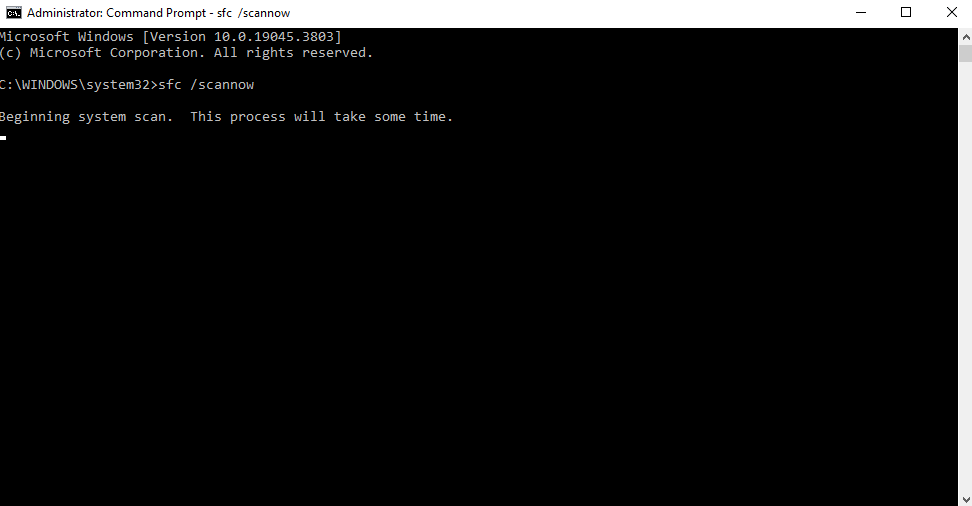
1.Open your search bar and type in CMD and run it as administrator.
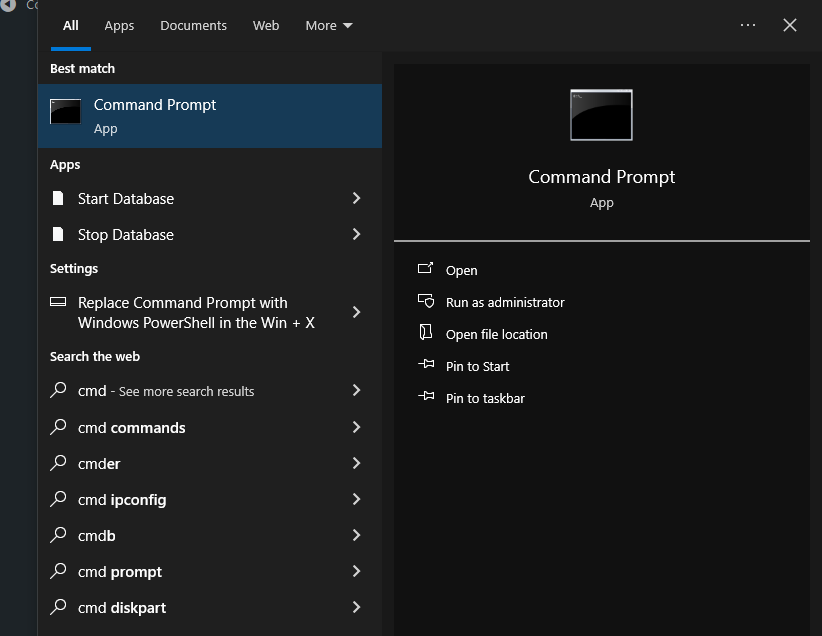
Inside the cmd body type the following command:”SFC /SCANNOW” and hit “ENTER” ,this will run a full system file checker and repair any corrupted file,be patient and wait for it to finish.
2.Run a memory test

Click on Start, and look up “Windows Memory Diagnostic” and run it

Click on “Restart now and check for problems”
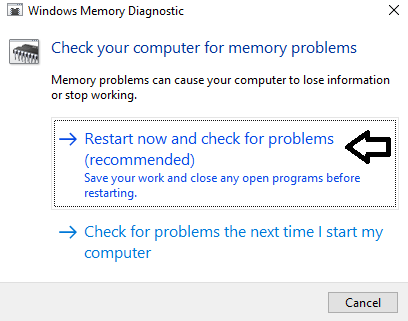
This will restart your PC and begin checking itself (will take a while so be patient whilst doing this).

[mai mult...]
Optimise settings for windows 10 – no downloads

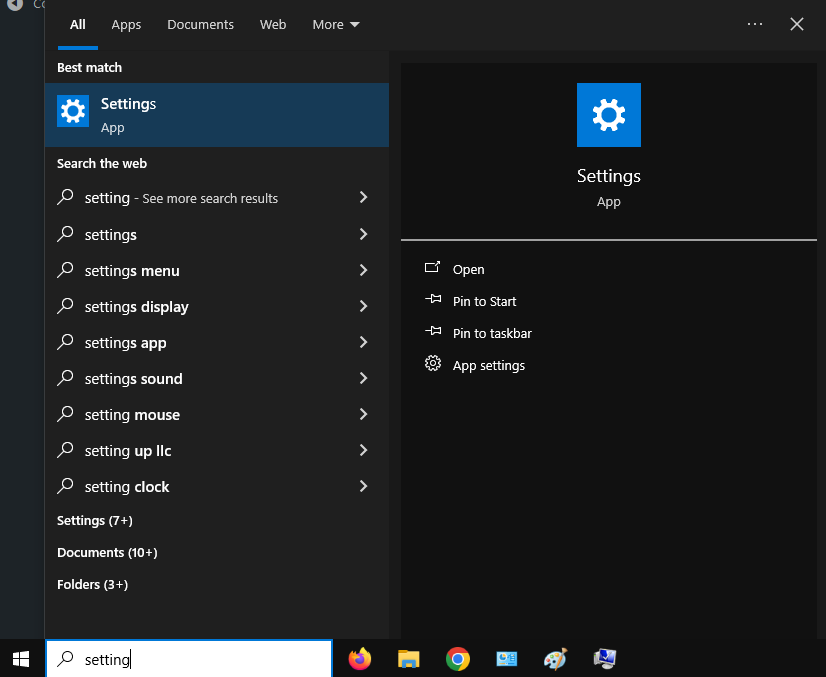
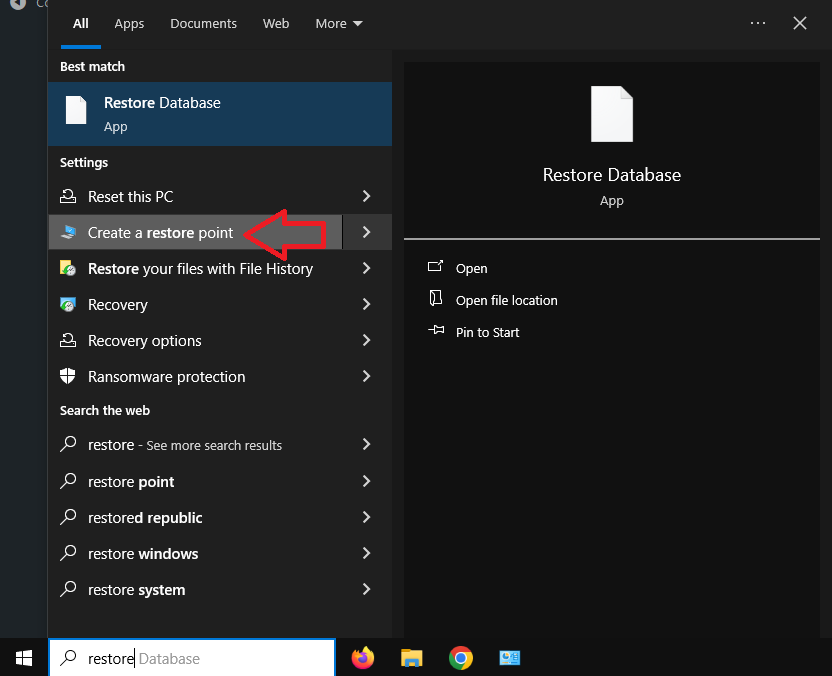
1. Create a restore point so that if anything goes wrong,you can always go back to this point. Click/press on your Windows button and type restore.

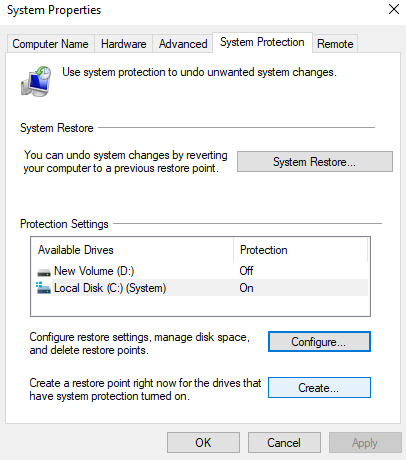
Once you see this,click on create and wire a description(whatever you want).

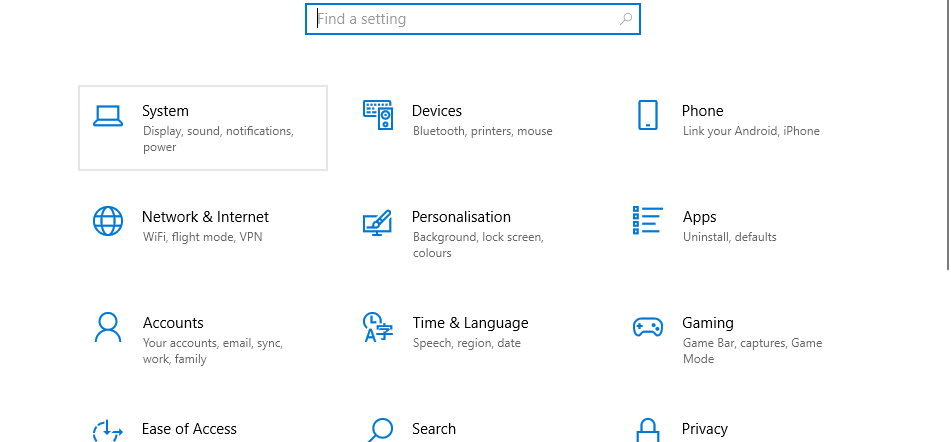
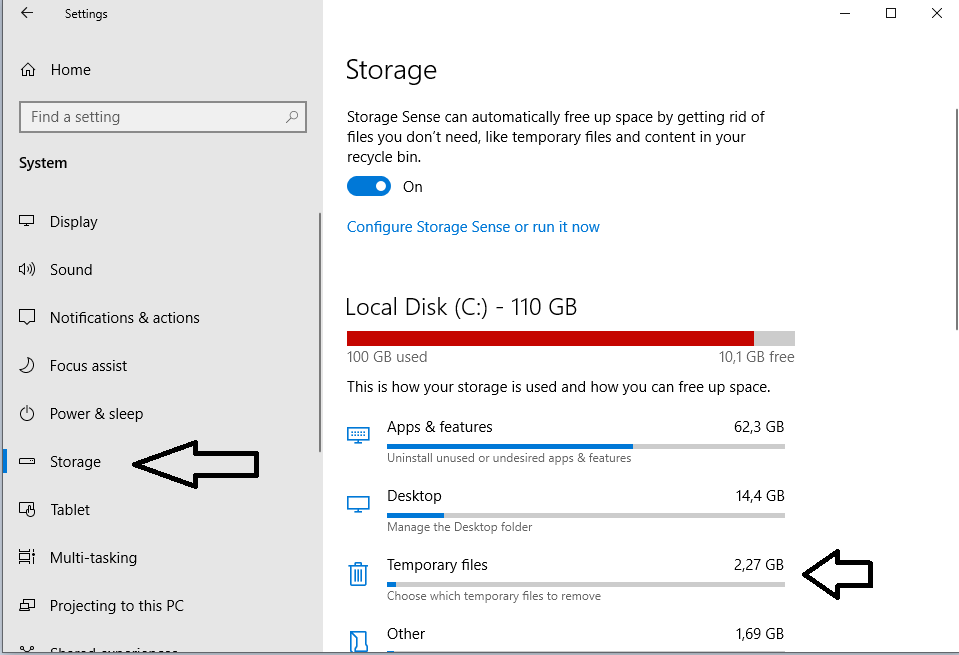
2.Clean up “temporary files” from time to time.

3.Fasten up your boot time

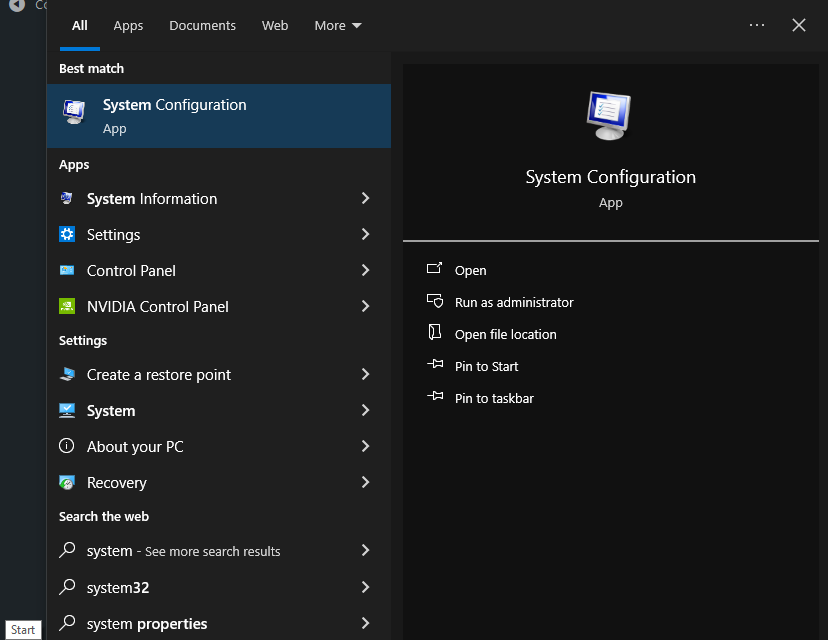
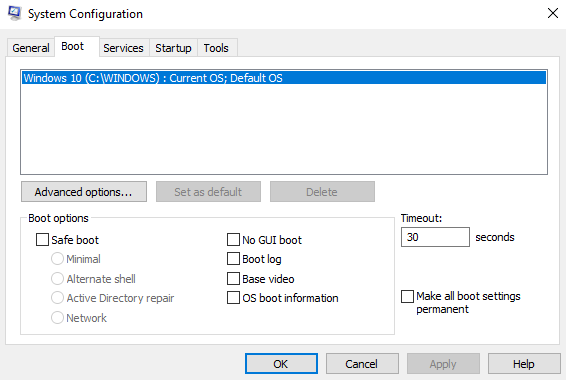
Click on start and open up “system configuration”

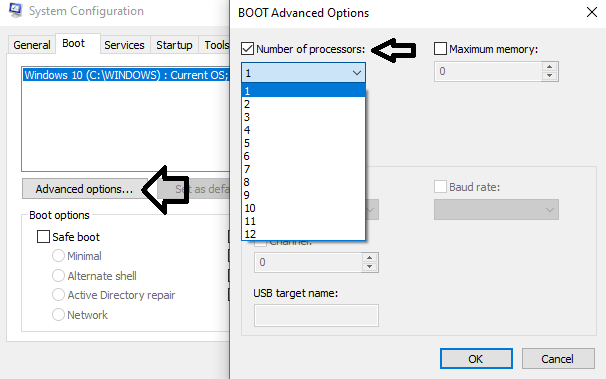
Go to the Boot tab – Advanced options and tick the Number of procesors .

And select the Max value.

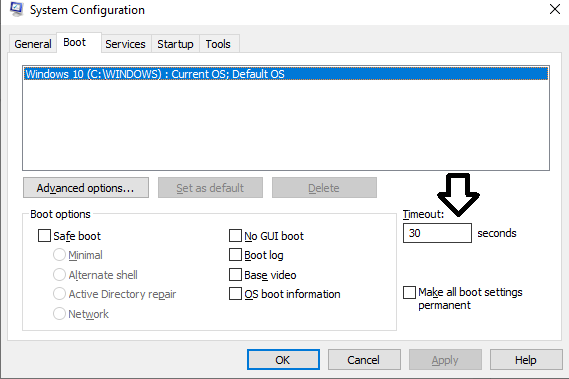
NOTE! DO NOT modify the Timeout setting if you are using a low end PC.

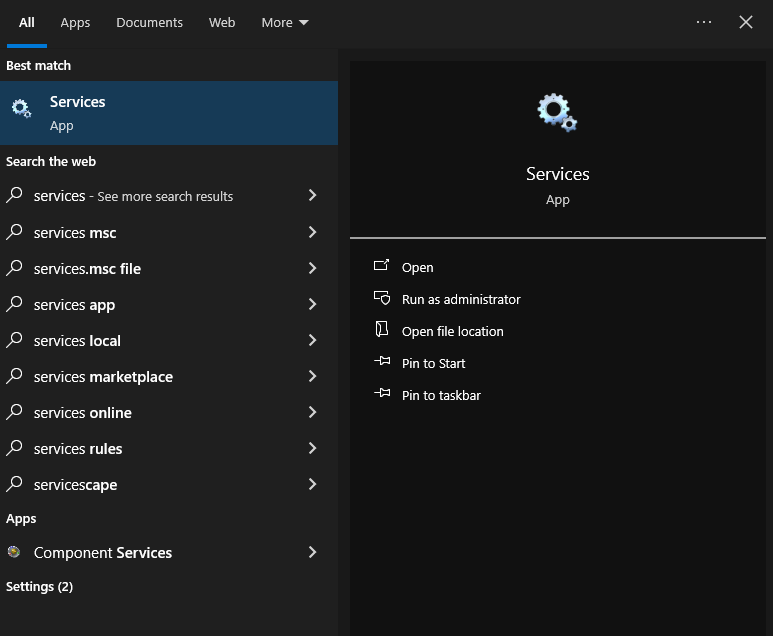
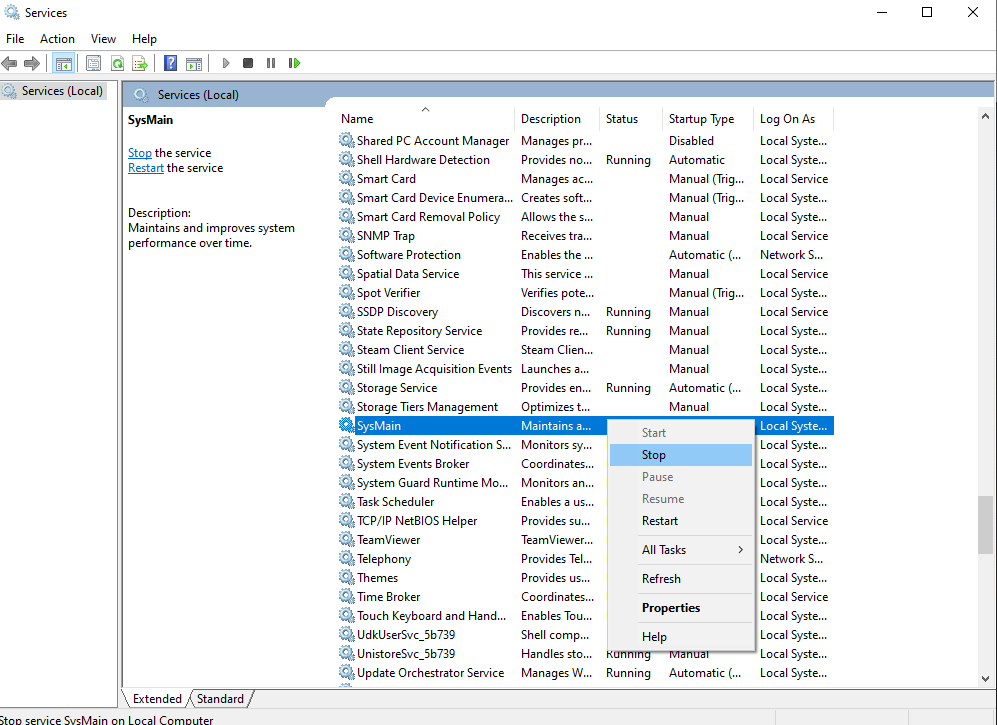
And lastly,click on your start button and open up “Services”(Do not bother doing this if you’re on an SSD,as this will “pre render” your applications so that they launch faster).

Look up “SysMain” and stop that process.

[mai mult...]

Most useful “windows button” keyboard shortcuts – Windows 10

Here are some of my most useful “windows button”shortcuts:

“Windows + Alt + R” this will instantly start recording on any screen you’re on,and despite other recording software,this will leave no watermark on the screen + you can press “Windows + G” to access all of your recordings.

This will save into your windows partition ->users -> your user -> Videos -> captures.

Secondly, press “Windows + V”, this will show your history of copied items.

“Windows + Shift + S” allows to take partial screenshots

“Windows + D” to quickly hide all your apps and show the Desktop

And lastly, the fastest way you can shutdown windows “Windows + X + U + U”.

[mai mult...]

Black screen immediately after power up

If your screen goes black immediately after you power up your PC,here is what you should do:

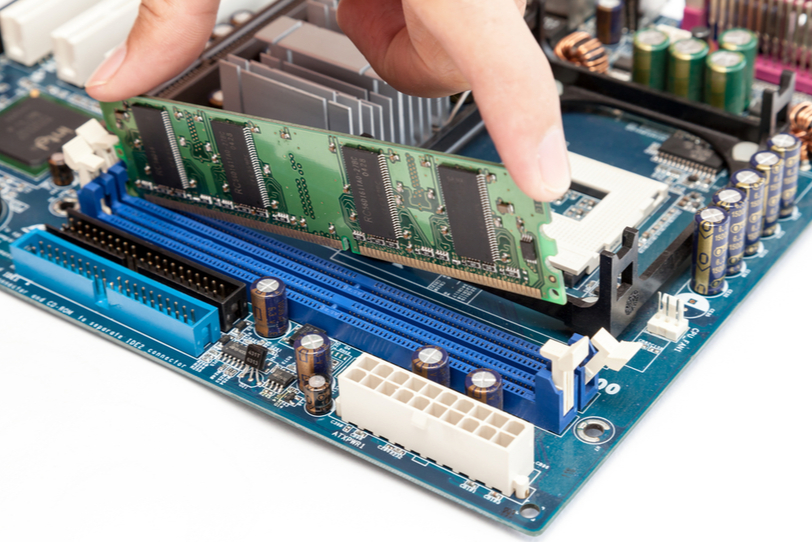
1.Remove RAM for a while,and then plug it back in.

2.If the problem still exists,remove the CMOS battery for 30 seconds to reset the BIOS.

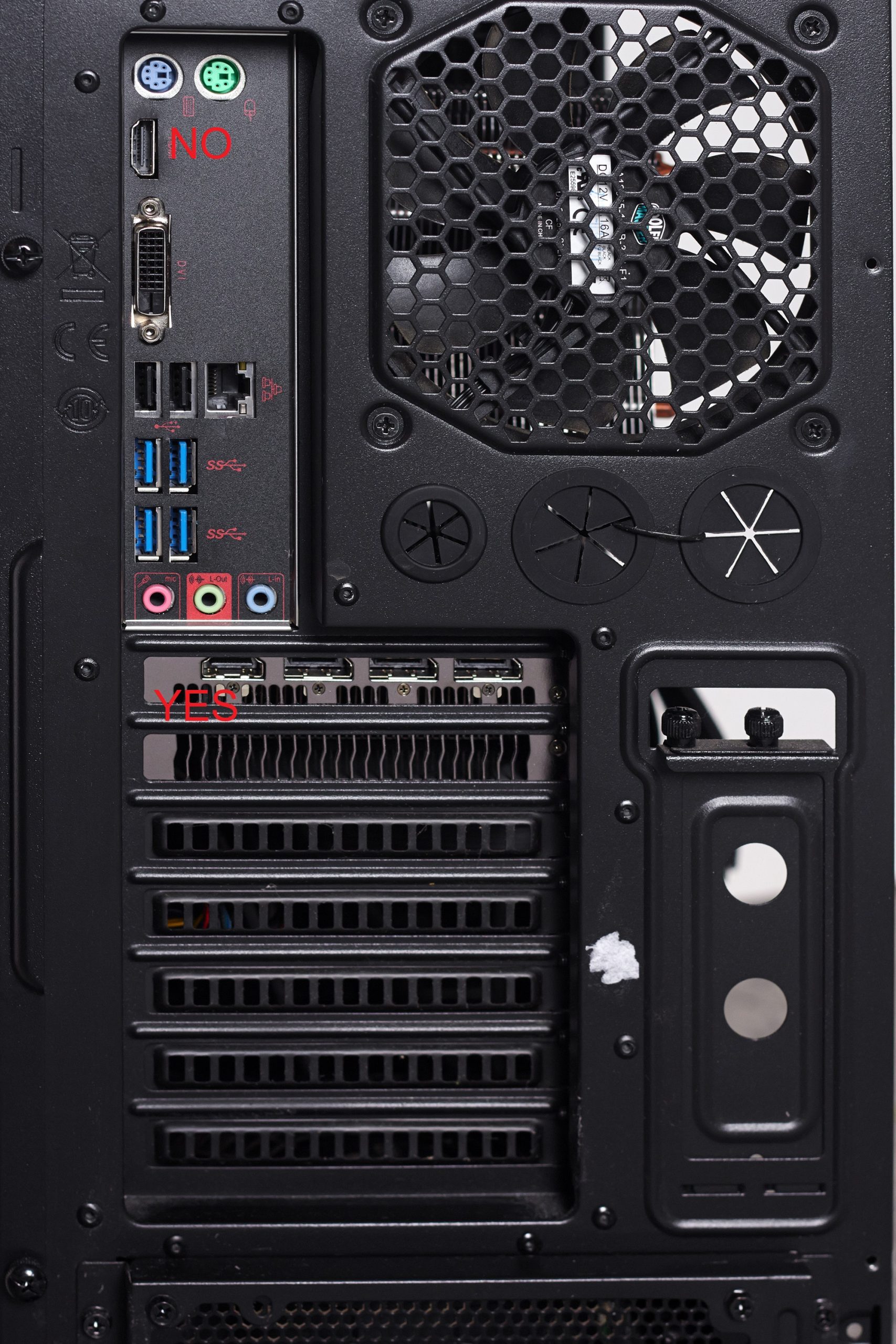
3.If it if still not working press”WIN + CTRL + SHIFT + B” ,this will reset your graphic card and auto fix any potential graphic issues. Just make sure your hdmi cable is inserted into your graphics card, NOT in your motherboard.

[mai mult...]

How to set your Ethernet speed to 1GB

Firstly and most important,you can only do this if your subscription to the ethernet provider allows it.

  • Click on “Start” and type “Ethernet Settings”

  • Go to “Change adapter options”

  • Right click on your Ether connection and select “Status” as shown below

Go to properties:

And then on the “Configure” tab

Advanced->look for “Speed & Duplex” and be sure to have it set to 1GB.

No restart needed.

[mai mult...]

Are PDF files not opening in Google Chrome?

Are you trying to view an important PDF document, but Google Chrome won’t open it? There are various reasons why Google Chrome might fail to open your PDF file. Fortunately, there are a few ways to fix the issue and make Google Chrome open PDF files as usual on your device. Let’s check out those fixes in detail.

[mai mult...]