

How to add a desktop in Windows 11
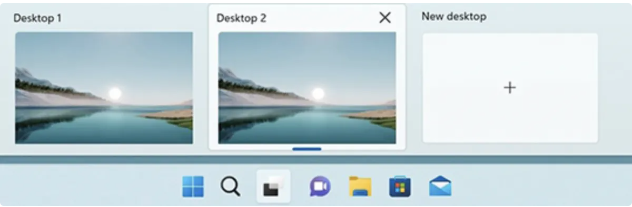
- To add a virtual desktop, open up the new Task View pane by clicking the Task View button (two overlapping black and white rectangles) on the taskbar, or by pressing the Windows Key + Tab.
- If you don’t see the Task View button in your taskbar, right click the taskbar and click Taskbar settings. Then go to Task View and toggle the switch to On.
- Now, in the Task View pane, click New desktop to add a virtual desktop. The “Add a desktop” button will appear as a gray tile with a plus symbol. Click that tile for your new desktop.
- You can also quickly add a desktop without entering the Task View pane by using the keyboard shortcut Windows Key + Ctrl + D.
