

Stații de lucru
OS - Windows 9179 Solutii
Reguli si plangeri 11 Solutii
OS - OS X 410 Solutii
Reguli de configurare 12 Solutii
Licentiere 18 Solutii
Securitate 182 Solutii
Copie de rezerva (Backup) 68 Solutii
Antivirus 72 Solutii
Aplicatii specifice 5303 Solutii
Hardware 291 Solutii
Inrolare metoda de Autentificare MFA
[mai mult...]How to Remove Viruses and Malware on Your Windows PC
[mai mult...]Turn off automatic updates on Windows 10
- Open the run command ( Win + R ) , then type “services.msc” and hit enter.

- Select the Windows Update Service from the Service list.

- Click on the “General” tab and change the “Startup type” to “Disabled”

- Restart your PC.
How to find “hidden” devices connected to your PC
Couple simple steps to find a device connected to your PC that might need a reinstall or take a second look at.
1.Click on the start button(bottom left) and type “Device Manager”
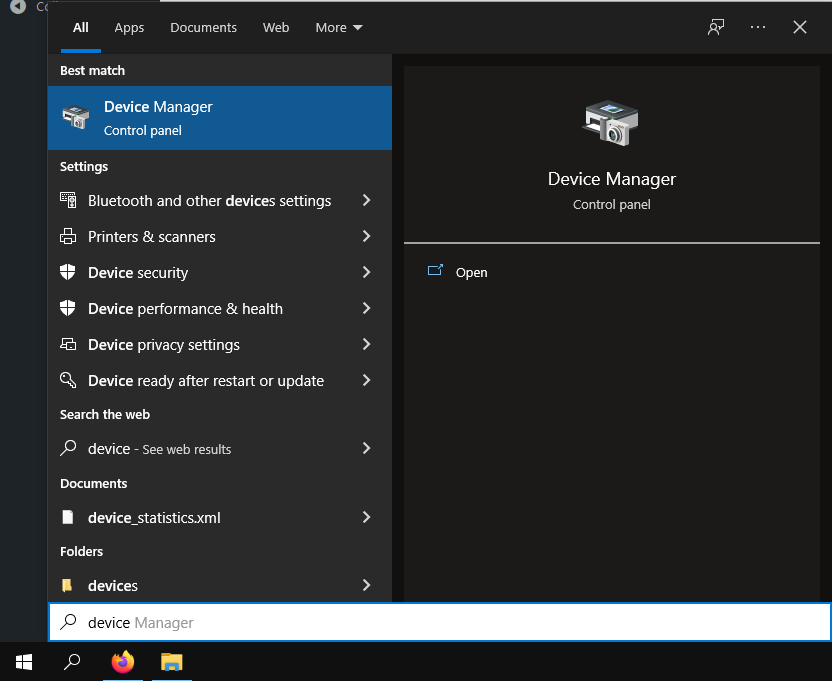
2.Click on the first recommended match.
3.Go to the “View” pannel found the middle top side
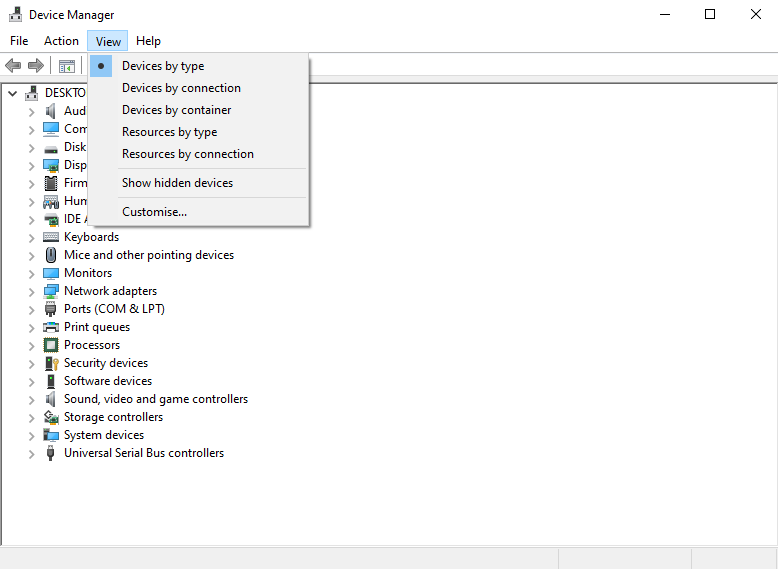
4.Tick the “Show hidden devices” button
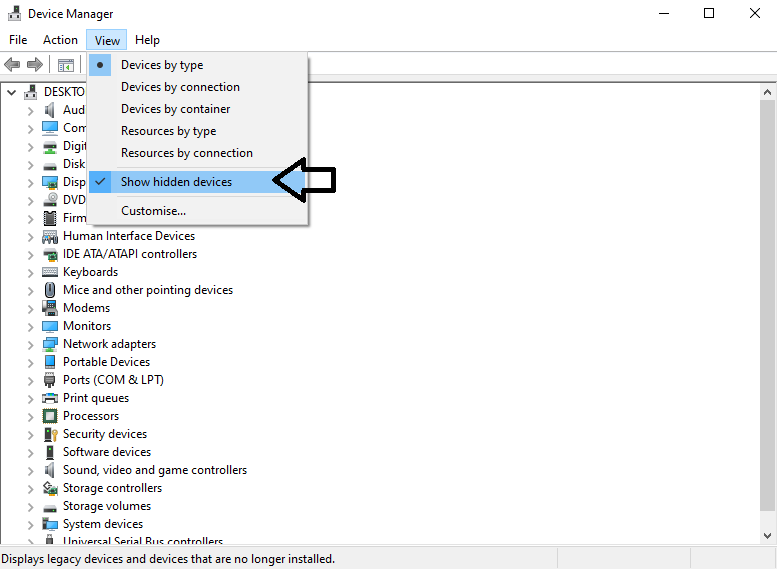
Multiple devices might show like:a TV connected via HDMI, printer, smartphone and so on.

How to Fix Black screen after sleep in Windows 10
Many users reported black screen without a cursor on their PC and that can be a big problem on any version of Windows. This can be caused by your power settings, so be sure to adjust them.
In some instances, the black screen appears after login, so you’re unable to do anything. This might be related to your drivers, so updating them should be your priority. Few users even reported black screen after BIOS and this can be caused by a hardware problem or a bad firmware, so you’ll need to inspect it for any issues.
[mai mult...]