Open the Command Prompt from any folder location
If you’ve ever worked in the Command Prompt for very long, you know that it can be really frustrating executing the cd/chdir command over and over again to get to the right directory.
[mai mult...]
Soluții pentru problemele tale IT

If you’ve ever worked in the Command Prompt for very long, you know that it can be really frustrating executing the cd/chdir command over and over again to get to the right directory.
[mai mult...]The fact that the function keys actually do something in the Command Prompt is maybe one of the best kept secrets about the tool.
[mai mult...]If you have a lengthy PowerPoint presentation but want to display a subset of slides from it, you can create a Custom Show. This lets you present a mini slideshow on its own or a link to one for specific parts of your presentation.
[mai mult...]Dacă sunteți pe Windows 10 și doriți să testați Windows 11, puteți face acest lucru imediat, iar procesul este destul de simplu.
1.Prima data trebuie sa ne alaturam programului programului Windows Insider. Faceți click pe acest link și înregistrați-vă. Ar trebui să aveți un cont Microsoft pentru a vă înregistra la Programul Windows Insider.
2.Go to Settings > Update & Security > Windows Insider Program on your Windows device
4.Select the Get Started button
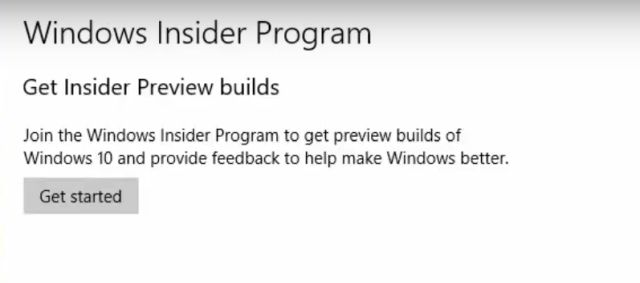
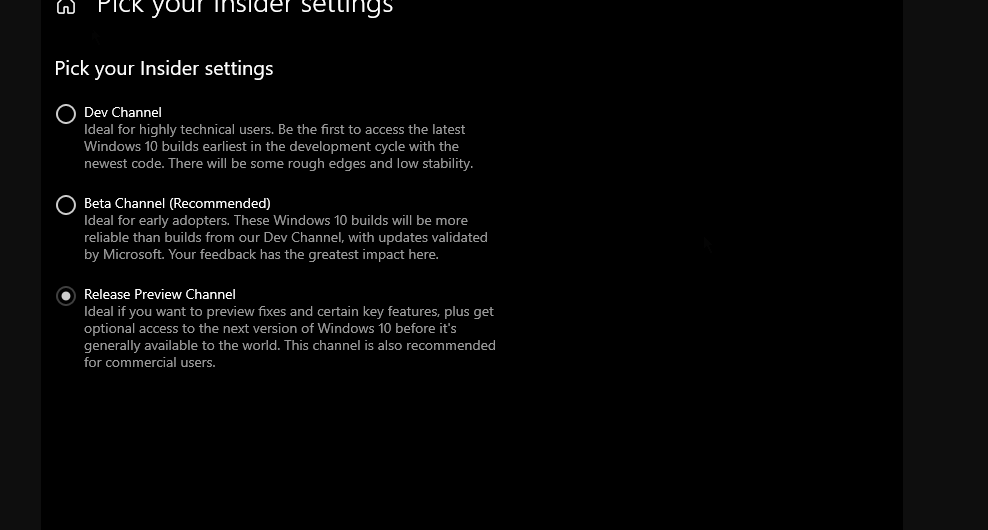
5.Follow the directions on your screen to choose the experience and channel you’d like to get Insider Preview builds through.
6. Acum alegeți „Dev Channel” deoarece Windows 11 este lansat în prezent doar pentru utilizatorii din acest canal. Acum, confirmati.
7.Intram in setari, cautam Windows Update si apasam pe Check For Updates

8. Acum, în funcție de viteza de internet și de hardware-ul computerului, instalarea Windows 11 va dura între 1-2 ore. PC-ul dvs. va reporni de mai multe ori în timpul instalării.
[mai mult...]Immediately after Windows 11’s announcement, Microsoft had several contradictory web pages up listing different CPU requirements. However, after the first few days, the company’s communication had become more clear. According to Microsoft, Windows 11 will only guarantee support the following CPUs:
Intel launched its eighth-generation chips in 2017 and AMD launched second-generation Ryzen processors in 2018, so Windows is demanding some seriously recent CPUs! Considering Windows 10 supported most CPUs that Windows 7 ran on, this is a big shift.
[mai mult...]With Microsoft PowerPoint speaker notes, you have your talking points handy during your presentation. But if you decide to remove those notes, it can be a tedious task. We’ll show you how to remove the presentation notes all at once.
[mai mult...]