Fixare eroare 0x8024ce16 la update-urile de Windows
Fixare eroare 0x8024ce16 la update-urile de Windows.
[mai mult...]
Soluții pentru problemele tale IT

Fixare eroare 0x8024ce16 la update-urile de Windows.
[mai mult...]The on-off button (switch) present on all laptops/PCs/servers can be used for purposes other than power on/power off/sleep/hibernate/closing the screen (or other options made available through the operating system or integrated firmware). In general, the applicability of the following method also extends to other devices that employ ram memory (and capacitors), such as smartphones or printers.
Situations that can be fixed include, but are not limited to the following examples:
-non-functional laptop keyboard
-laptop keyboard that responds incorrectly or clumsily to pressed keys
-occasionally helps with BSOD fixes
-allows the detection of devices/peripherals/components that would otherwise not be recognized (including certain SSDs, in which case it is recommended to save the data on them and replace them with a model that does not show this symptom).
Un utilizator poate observa ca paginile web incarc greoi, nu raspund la comenzi sau apar “offline” – uneori chiar si incercarile de listare la imprimanta esueaza, desi sistemul de operare nu raporteaza probleme cu placa de retea ori conexiunea. Toate acestea intamplandu-se desi la o inspectie vizuala initiala “totul pare in parametri ori corespunzator” pe traseul fizic intre statie si router ori switch etc.
[mai mult...]Indiferent dacă folosești iOS sau Android, acum ai posibilitatea de a transmite mesaje video, aducând un plus de expresivitate și autenticitate în conversațiile tale. Descarcă sau actualizează la cea mai recentă versiune a aplicației WhatsApp pentru a începe să împărtășești momente memorabile în format video cu prietenii și familia ta.
[mai mult...]If you see an “AirTag Found Moving With You” message on your iOS device, you can simply dismiss it as you normally would or, preferably, disable the unknown AirTag altogether.
You can also hit the Play Sound option if you don’t know where the AirTag is located.
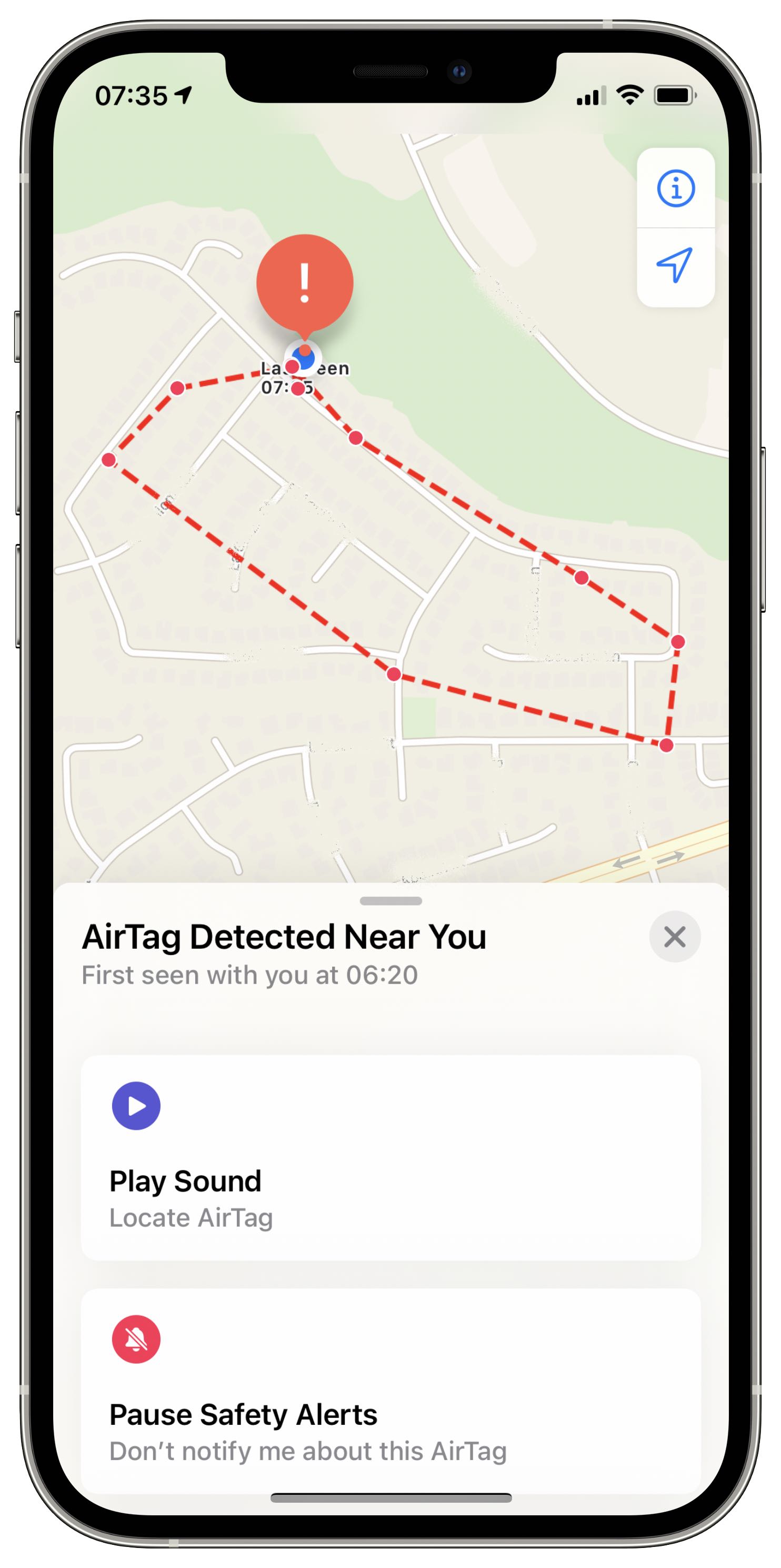
Basically, you’ll be instructed to reset the AirTag to its factory by removing its battery:
Doing so will disable the AirTag and prevent sharing your location. Don’t forget that a single AirTag can be associated with one Apple ID. If the previous user removed the AirTag from their Apple ID but was out of the device’s Bluetooth range, resetting it will let you re-use it with your devices.
[mai mult...]