
Stații de lucru

OS - Windows 9179 Solutii

Reguli si plangeri 11 Solutii

OS - OS X 410 Solutii

Reguli de configurare 12 Solutii

Licentiere 18 Solutii

Securitate 182 Solutii

Copie de rezerva (Backup) 68 Solutii

Antivirus 72 Solutii

Aplicatii specifice 5303 Solutii

Hardware 291 Solutii

Tastatura functioneaza doar in browser

In cazul in care intampinati probleme cu imposibilitatea scrierii pe un sistem cu Windows 10:

  • Nu se pot folosi combinatiile Ctrl+C, Ctrl+V, Ctrl+A
  • Nu se poate scrie in search bar windows
  • Nu se poate scrie in campul Search in Settings

Se vor urma pasii de mai jos:

  1. Se foloseste combinatia de butoane Windows (In dreapta lui CTRL)+ R
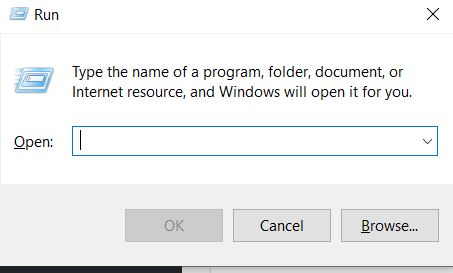
2. In campul alb se scrie comanda C:\Windows\system32\ctfmon.exe si se apasa butonul Enter
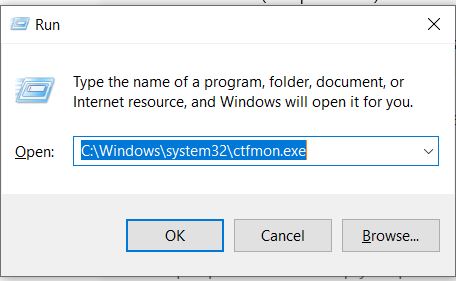
Aceasta comanda va readuce Language Bar-ul care va permite utilizarea computer-ului in conditii normale.

[mai mult...]

How to Install Fonts on Windows 10

Adding new fonts to Windows 10 is a quick way to customize your PC and your documents, and it is easy to do. Your newly installed fonts will be available in Microsoft Office applications like Microsoft Word as well as other Windows applications, including Adobe Photoshop.

There are thousands of different fonts available on the internet. Google offers a large number of fonts for free, and there are other sites, like fonts.com, that offer both free and premium fonts. Most fonts come packaged as either a RAR file or a ZIP file containing the font files themselves.

[mai mult...]