

Stații de lucru
OS - Windows 9182 Solutii
Reguli si plangeri 11 Solutii
OS - OS X 410 Solutii
Reguli de configurare 12 Solutii
Licentiere 18 Solutii
Securitate 182 Solutii
Copie de rezerva (Backup) 68 Solutii
Antivirus 72 Solutii
Aplicatii specifice 5306 Solutii
Hardware 291 Solutii
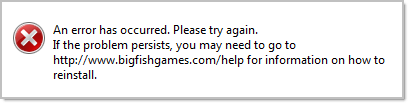
Error When Opening Big Fish Games App (Game Manager)
How to fix Discord stream stuck on loading

How to fix ASUS USB2.0 Webcam Issue
How to Create a Chart Template in Microsoft Excel
Creating a chart in Microsoft Excel is a reasonably simple process, but it’s the customizations you apply that take the most time. So, if you create a chart and want to reuse the colors and formatting, save it as a template!
[mai mult...]How to Find Your Spotify Wrapped 2021
As the year comes to a close, the popular streaming service has launched Spotify Wrapped 2021. You can look back at the songs, artists, and podcasts you listened to the most over the past year and share them with friends.
What Is Spotify Wrapped 2021?
Spotify Wrapped is a yearly feature that shows stats about your listening habits over the last 12-ish months. It highlights the artists, songs, genres, and podcasts that you listened to most. It’s a great way to look back at the year and share your music taste with friends. For personal results, you’ll need a Spotify account, but everyone else can view a more generalized version of 2021 Wrapped on Spotify’s website. The website shows the top podcasts and music on the platform over the last year.
How to Find Your Spotify Wrapped 2021
You can only view your Wrapped 2021 results using the Spotify app for iPhone, iPad, and Android. If it doesn’t greet you when opening the app, you can search for “spotify:special:2021” from the Search tab.

This will bring you to the Wrapped 2021 landing page. Tap “See How You Listened in 2021” to get started.

From here you’ll be looking at an Instagram Story-like carousel of cards. Music will start playing and you’ll be guided through a number of categories to showcase your listening habits. Tap the screen on the left or right to move forward or backward through the cards.

At the bottom of each card is a “Share This Story” button. Tap this if you’d like to share the current card with your friends on social media. Only a static image of the card’s infographic will be shared, not the video clip.

Select the social media platform you would like to share your Spotify Wrapped 2021 results with.

The other thing you’ll want to check out is the “Your Top Songs” playlist. You can find this on the Wrapped landing page as well. It’s your 100 most-listened songs from the past year.

Wrapped is a fun feature, and it’s one of the best reasons to choose Spotify over other streaming services.
[mai mult...]