Stații de lucru

OS - Windows 9179 Solutii

Reguli si plangeri 11 Solutii

OS - OS X 410 Solutii

Reguli de configurare 12 Solutii

Licentiere 18 Solutii

Securitate 182 Solutii

Copie de rezerva (Backup) 68 Solutii

Antivirus 72 Solutii

Aplicatii specifice 5303 Solutii

Hardware 291 Solutii

How to activate .net 3.5 using Group Policy

In windows 10, go to the search tab and type “Group Policy” and open the first result.

Once in the Greoup Policy window, open “Administrative Templates>System” and open “Specify settings for optional component installation and component repair”.

Change the policy as shown in the picture below:

Click on “Apply” and “Ok” and try installing .net 3.5 again, it will work as intended now. This workaround is useful if your local network does not allow a connection to the Microsoft WSUS servers or your organisation has a local WSUS server.

[mai mult...]
How to auto-save command output to file using Command Prompt

To auto save command output in a text document, it is pretty easy. Just do the following:

  1. Open a cmd window
  2. input the command you want to save (for example ipconfig) you type as follows:
    ipconfig /all >ipconfig.txt;

    With that command the output will be saved in the new txt file you specified (in this case it is ipconfig.txt)

Using this command, you can save any command output in a txt file.

[mai mult...]

How to Create a Guest Mode Desktop Shortcut for MS Edge

Chrome and Edge both offer a guest mode that keeps your browsing isolated from your main profiles. If you access guest mode too frequently, you can add its shortcut to your Windows desktop. This makes opening guest mode even easier.

What Is Guest Mode in Chrome and Edge?

Guest mode in Google Chrome and Microsoft Edge is basically a guest profile for your browsing sessions. When you use guest mode, the browser doesn’t load your main browser profiles (the ones that have your browsing history, browser personalizations, and so on).

When you leave this mode, all the browsing you did in it is deleted from your history. Your downloaded files list is also cleared, although the files themselves are kept. If you have people at your home or office who need to use your browser, you can offer them guest mode access so that their browsing history doesn’t affect yours.

[mai mult...]

Cum inseram un videoclip de pe YouTube in Microsoft Word

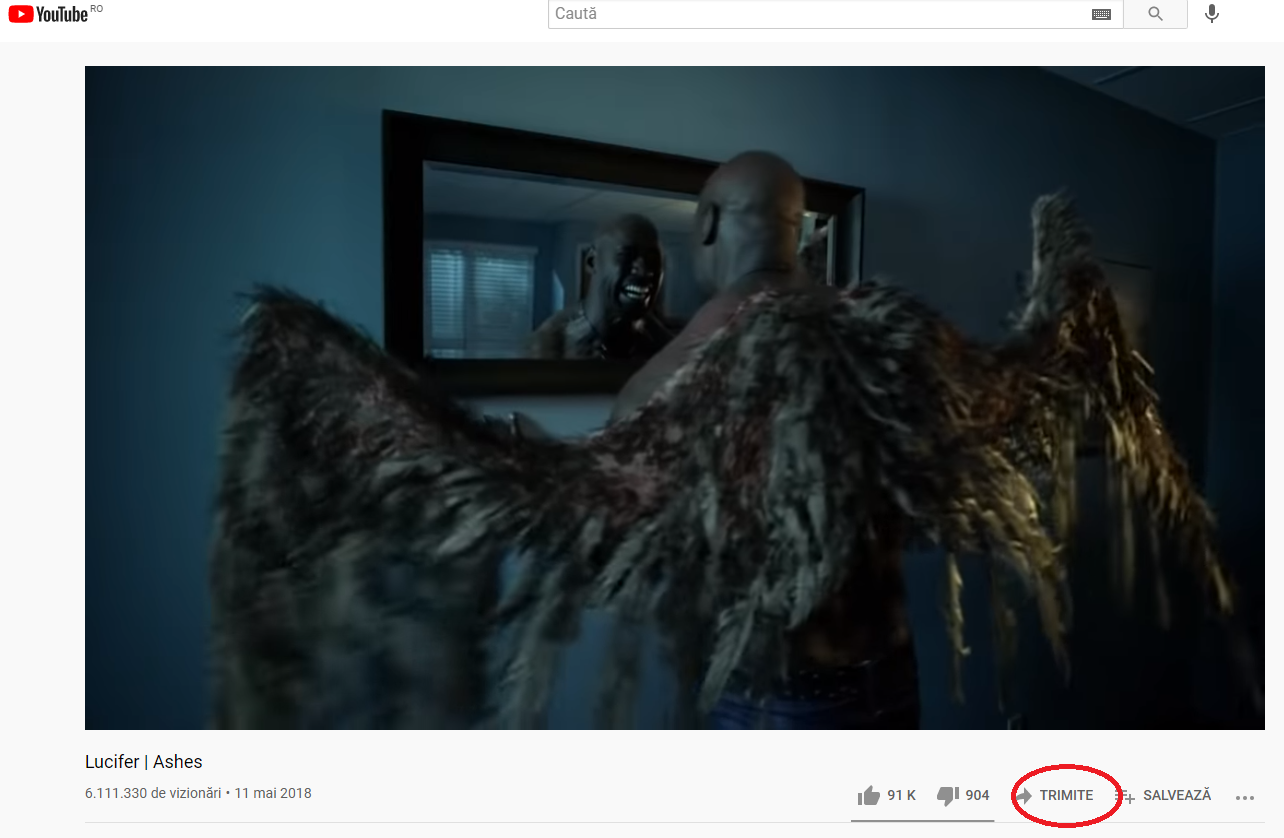
Pentru a insera un videoclip YouTube in documentul dvs. Word trebuie sa deschideti browser-ul Web si sa accesati YouTube. Alegeti videoclipul dorit si dati Share.

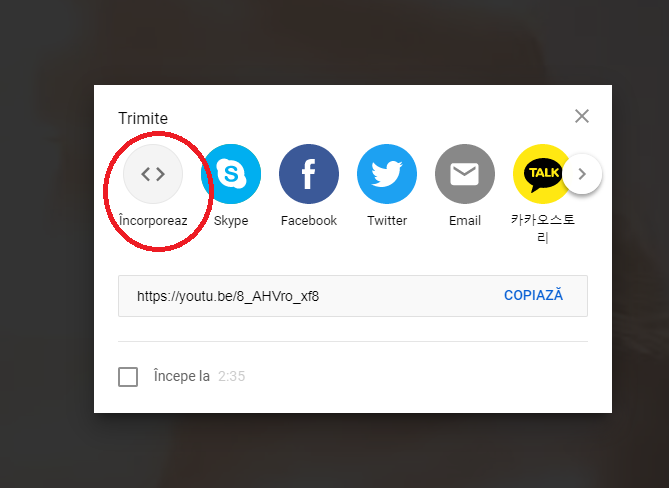
Alegeti Embed

Copiati textul si mai departe o sa va arat cum sa il inseram in Microsoft Word.

Deschideti un fisier Word

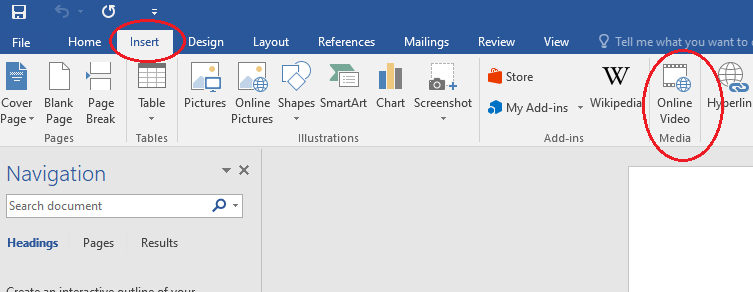
Dati Insert si selectati Online Video Media

Inserati textul din browser in Word la optiunea From a Video Embed Code

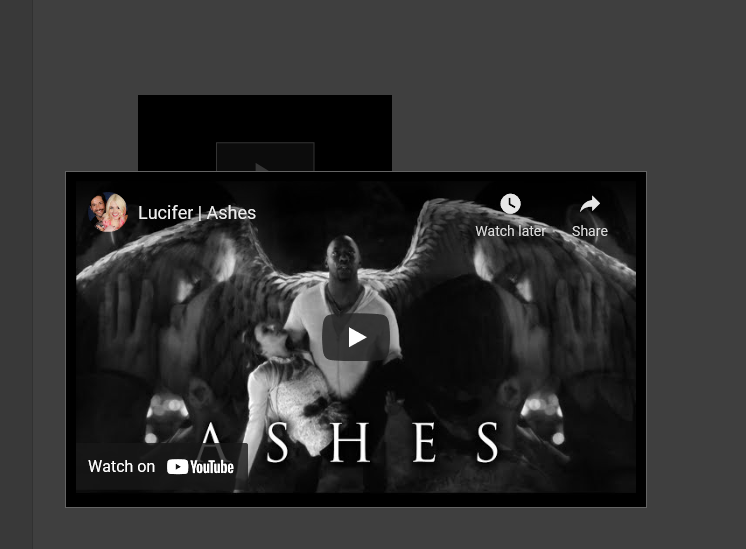
Acum videoclipul a fost inserat in fisierul dvs. Word.

[mai mult...]

Cum dezactivati butonul de pornire al PC-ului pe Windows 10

Daca vi s-a intamplat sa inchideti accidental PC-ul exista o modalitate usoara de a dezactiva aceasta functie sau de a seta sa faca ceva diferit in Windows 10. Schimbarea modului in care functioneaza butonul de pornire al PC-ului in Windows 10 necesita cateva setari simple intrand in Control Panel.

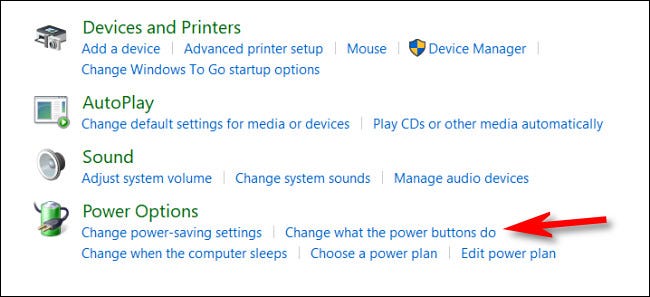
In Control Panel, click pe “Hardware and Sound.”

Gasiti sectiunea “Power Options” si selectati  “Change what the power buttons do.”

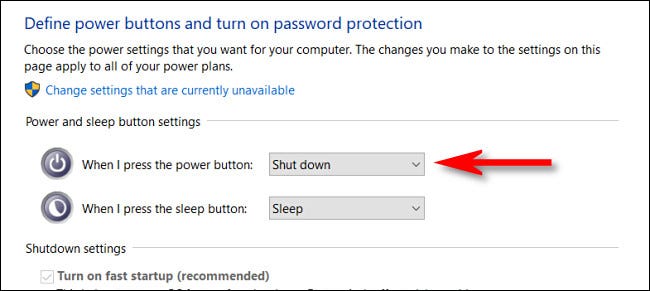
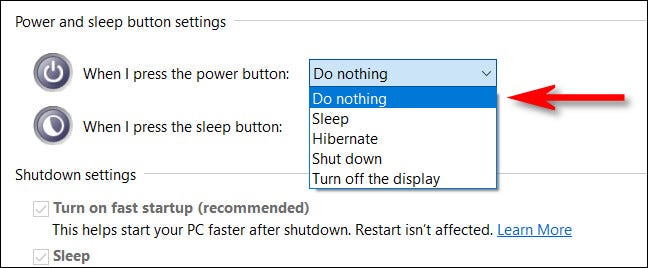
Aici veti gasi un meniu care arata ce se intampla cand apasati butonul Power si aveti mai multe posibilitati de a seta ce doriti sa faca.

Optiunile sunt urmatoarele:

Do Nothing, Sleep, Hibernate, Shut Down, Tunr off de Display.

Pentru a seta ca butonul de Power sa nu faca nimic trebuie sa setati pe ,,Do Nothing’’

Acum nu ramane decat sa salvati setarile.

[mai mult...]