Cum afisati sau modificati asocierea dintre o extensie de fisier si un tip de fisier
Pentru a afisa sau modifica asocierea dintre o extensie de fisier si un tip de fisier urmati pasii urmatori:
[mai mult...]
Soluții pentru problemele tale IT
Pentru a afisa sau modifica asocierea dintre o extensie de fisier si un tip de fisier urmati pasii urmatori:
[mai mult...]Up until 2020, the only way to use Linux on your Chromebook was to enable developer mode and use Crouton to install Ubuntu. However, now you can install Linux from inside your Chromebook settings page.
The new Edge browser is based on Chromium, however, and contains the same experimental “force dark mode” option found in Google Chrome.
[mai mult...]Edge will keep using its light app mode until you select dark mode. this tutorial will illustrate how to do so.
[mai mult...]If you use Microsoft Edge and want to erase your browsing history, you normally have to dig through menus to do it. But guess what? You can also clear your Edge browser history using a keyboard shortcut, and it’s a fast way to do it.
[mai mult...]If you have a huge number of unread text messages in your Messages app on iPhone or iPad, dealing with them one-by-one can be a hassle. Luckily, it’s easy to mark every one of your unread messages as read in the blink of an eye, but the feature is a bit hidden. Here’s how to do it.
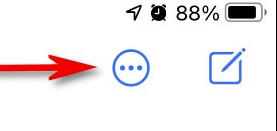
First, open “Messages.” On an iPhone, look in the upper-right corner of the screen and tap the ellipses button, which looks like three dots in a circle. (The iPad button is slightly different, as you’ll see below.)
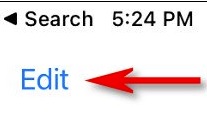
On an iPad, tap “Edit” in the upper-left corner of the screen.
In the menu that pops up, tap “Select Messages.” Messages will now enter “Edit” mode. But you don’t need to deal with individual messages at the moment. On both iPhone and iPad, look for the “Read All” button in the lower left corner of the screen. Tap it.