How to change the Graphics settings for a specific program
If you have two graphics cards, the programs might not run with the better one. Check the steps below to see how you can set a program run using your better graphics card.
[mai mult...]
Soluții pentru problemele tale IT
If you have two graphics cards, the programs might not run with the better one. Check the steps below to see how you can set a program run using your better graphics card.
[mai mult...]On an iPhone XS or later running iOS 14 or higher, FaceTime digitally modifies your video feed so your eyes are always looking into the camera—even when they’re not. If you find the idea of digitally altered eyeballs unsettling, this feature is easy to turn off. Here’s how.
First, open “Settings” on your iPhone.

In “Settings,” tap “FaceTime.”

In “FaceTime” settings, flip the switch beside “Eye Contact” to turn it off. This disables the fake “natural eye contact” feature.

You can now leave the “Settings” app. The next time you use FaceTime, your pupils will be exactly where you’d expect them to be.
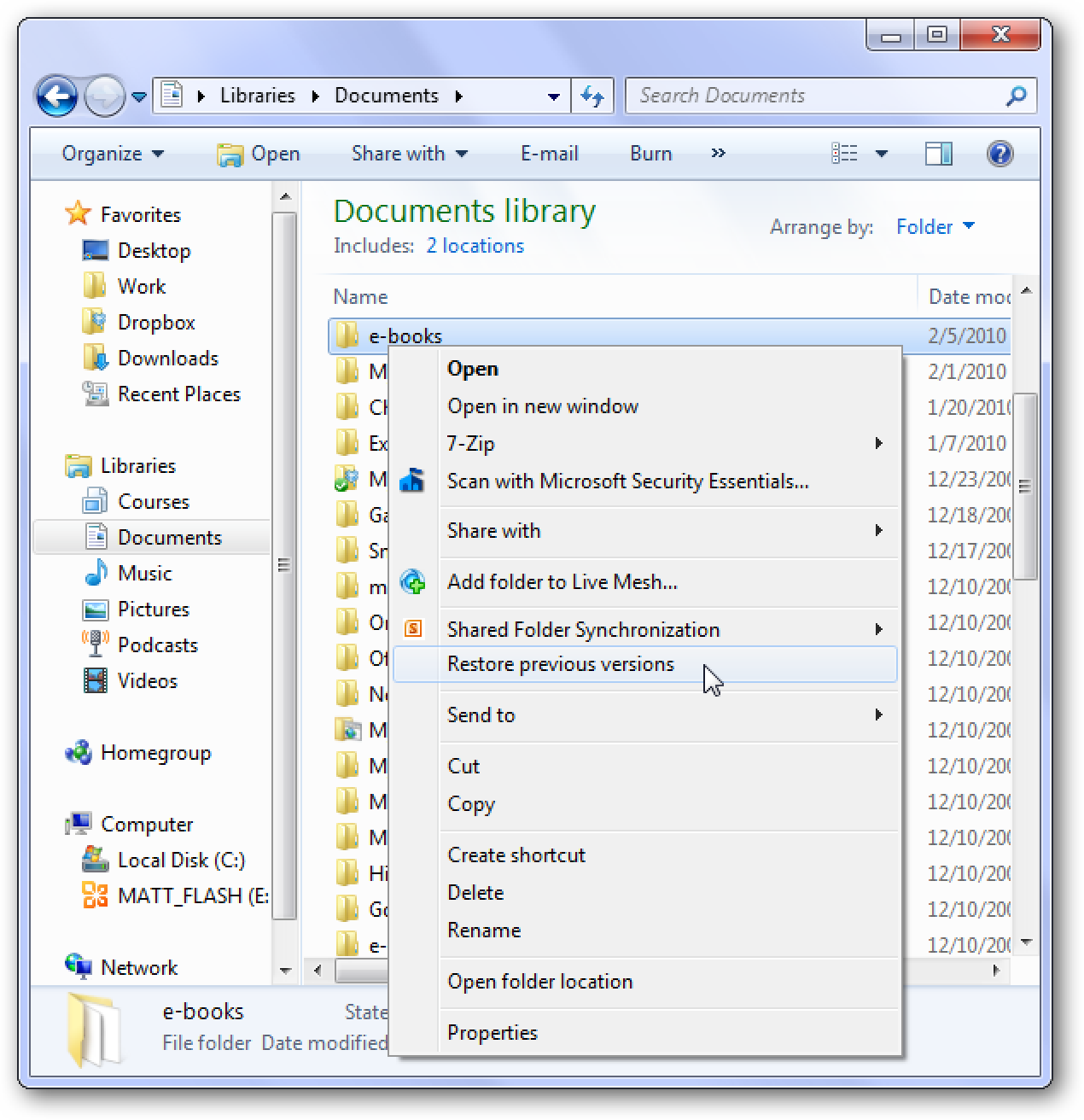
[mai mult...]There are times when a mistake may cost the files from your folder. Unless you have Windows backup disabled this could help you recover your files. We’re talking about pictures, documents, files etc. This applies even when you have a lot of files with almost the same name.
If your microphone seems too quiet or loud on Windows 10, you can easily adjust the signal input level. Here’s how to increase or decrease your microphone volume.
[mai mult...]Safari prevents advertiser’s trackers from following you all over the web. It can also tell you which websites tried to collect data on you, and how many it’s blocked. Here’s how to generate your privacy report on Safari.
[mai mult...]Sometimes you may see an error message on your Windows 10 computer like this: “Something went wrong. Try rebooting your PC and then launch GeForce Experience. Error Code: 0x0003”. GeForce Experience error code 0x0003 can be caused by several potential reasons, e.g. the Nvidia driver is corrupted, some Nvidia Services are not running, network adapter problem, GPU driver is compatible with the latest Windows update, and more.
[mai mult...]