Cum combinați datele din foile de calcul în Microsoft Excel
Atunci cand datele din mai multe fisiere trebuie consolidate intr-un singur fisier pentru a tine o evidenta sau pentru a ajunge la un rezultat final.
[mai mult...]
Soluții pentru problemele tale IT
Atunci cand datele din mai multe fisiere trebuie consolidate intr-un singur fisier pentru a tine o evidenta sau pentru a ajunge la un rezultat final.
[mai mult...]Sticky keys on a Microsoft keyboard are designed to make certain functions faster. If you’ve ever pushed shift multiple times really fast, then a screen will pop-ups which says sticky keys activated. These keys are supposed to be a way to help you activate special shortcuts more quickly, but they can be annoying sometimes.
[mai mult...]Verbose status messages are messages you see when Windows is starting or shutting down such as the “Preparing your desktop” message. Basically, it tells you exactly what is Windows doing currently which is causing the delay in startup/shutdown. By default, these messages are very limited and won’t give all the information.
If you are seeing long delays while shutting down or starting up, then you can turn on these verbose status messages to see exactly what is causing the delay and possibly fix the problem.
[mai mult...]When you start the PC, a screen comes before entering the password that goes away when you press any key. It serves no other purpose other than showing a beautiful picture and some extra info about it. Many people may find this screen an annoying extra step to access your PC. If you want to remove it to access the password screen directly, you can do so using the registry.
[mai mult...]Ce facem cand obtinem un ecran negru, dupa ce ne logam in Windows 10 si mai putem utiliza doar cursorul mouse-ului? Pentru a rezolva aceasta problema, nu este nevoie sa restartam fortat statia noastra si putem urma acesti pasi.

Blocarea porturilor USB pe o statie de lucru se poate face urmarind pasii de mai jos:
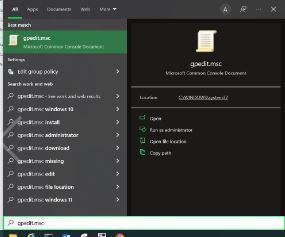
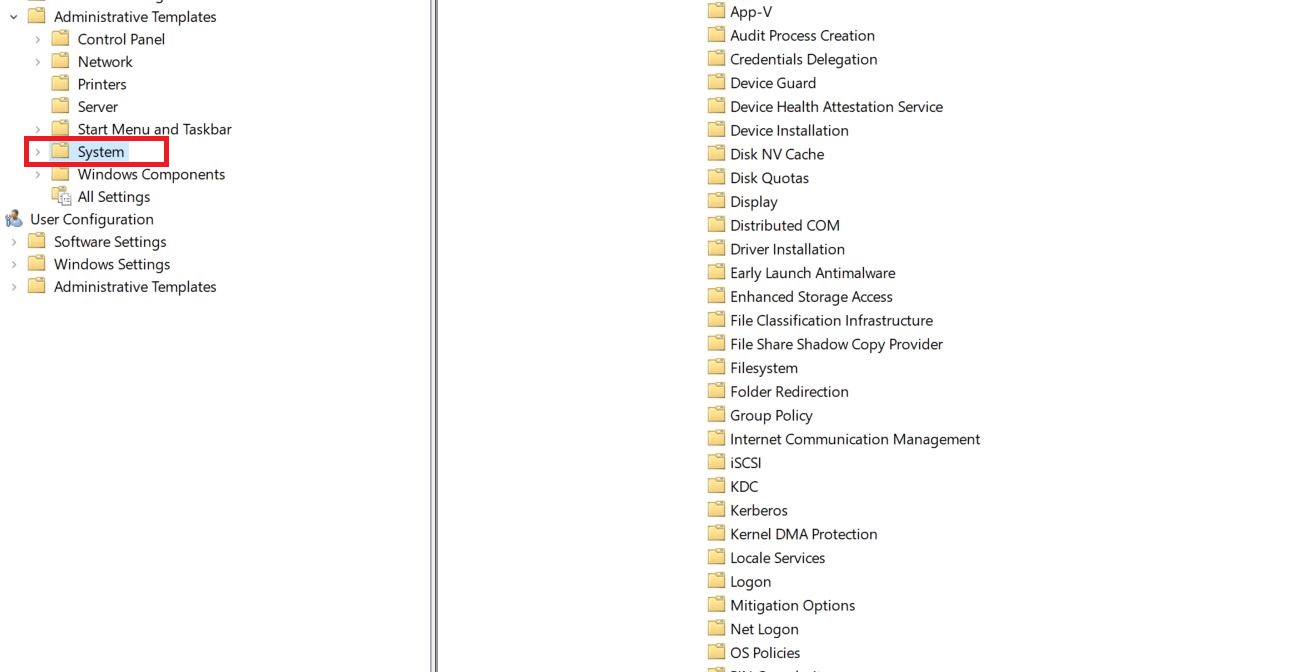
2. Administrative Templates

3. System
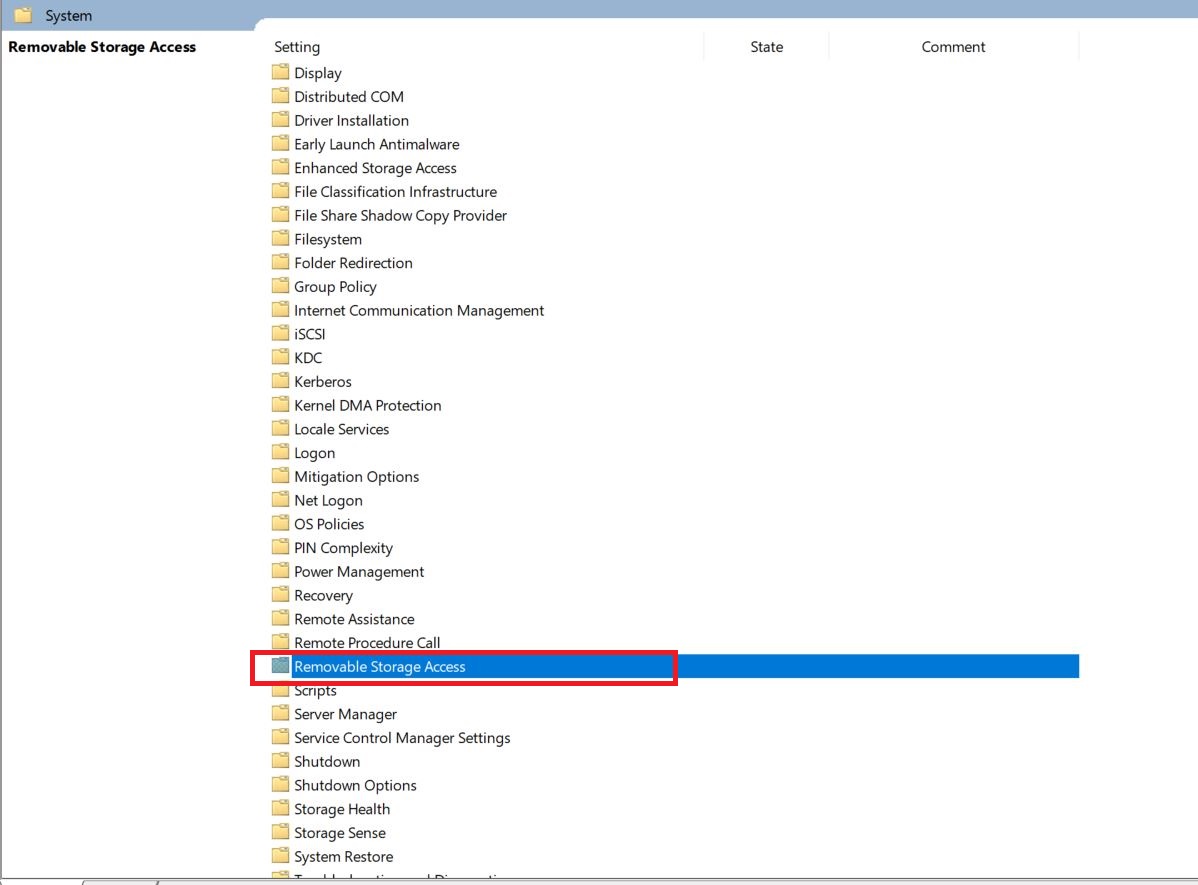
4. Removable Storage Access
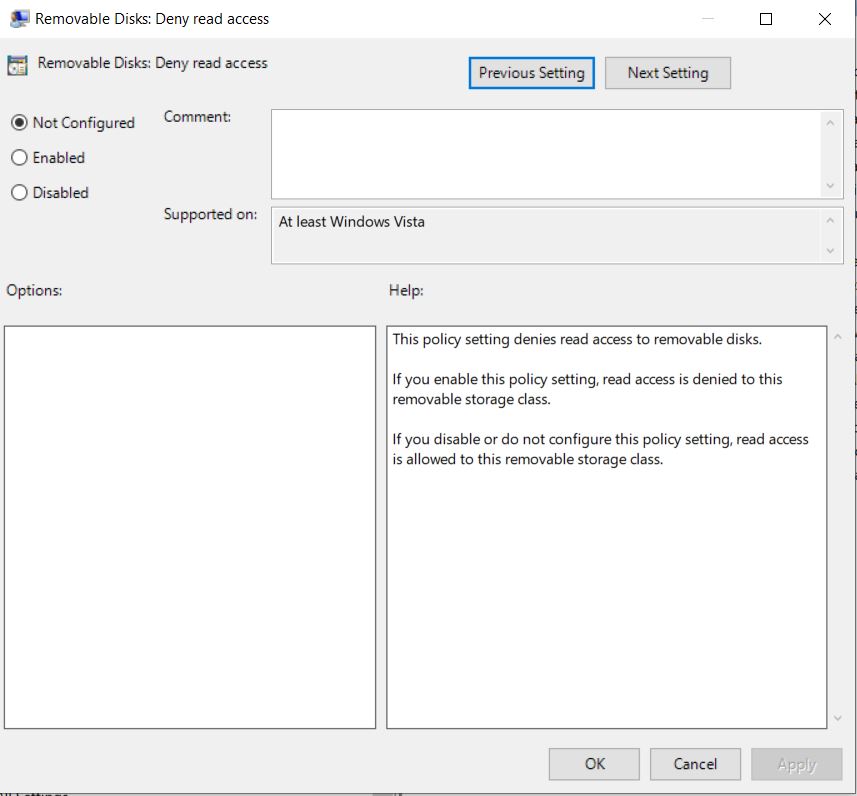
5. Se face dublu-click pe Removable Storage access si se va deschide urmatoarea fereastra unde se vor dezactiva porturile usb sau orice alte porturi disponibile pe statia de lucru.
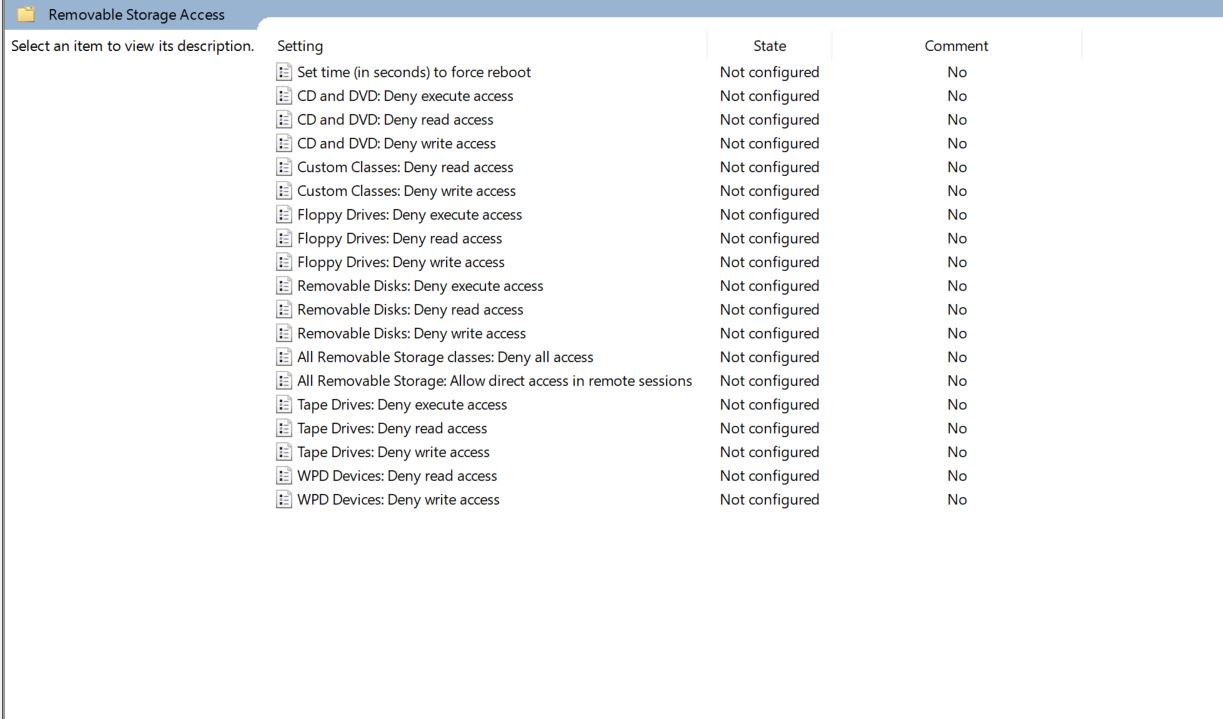
Observatie: Editarea campului dorit se face prin dublu-click si modificarea statusului: Not configured, Enabled, Dissabled.